User manual · version 5.0
PHP Mall user manual
Complete documentation for the multi-vendor marketplace script: installation, the storefront, the vendor panel and the admin panel. Choose a topic below.
1Getting started
System RequirementsServer requirements for PHP Mall multi-vendor marketplace script: PHP 8, MySQL, PDO, GD and cURL extensions, hosting recommendations.
Installation GuideStep by step installation of PHP Mall: upload files, enter database details in config.php, run setup.php, create the admin account and demo stores.
The config.php Configuration FileExplains every setting in PHP Mall config.php: domain name, database connection, table prefix, debug mode and product name.
First Steps ChecklistWhat to configure first after installing PHP Mall: site settings, payments, AI, e-mail, categories, languages and invitations for vendors.
Friendly URLs, SEO and SitemapHow PHP Mall creates SEO friendly URLs for products, stores and categories, the automatic XML sitemap and meta tag editing.
2Storefront (buyers)
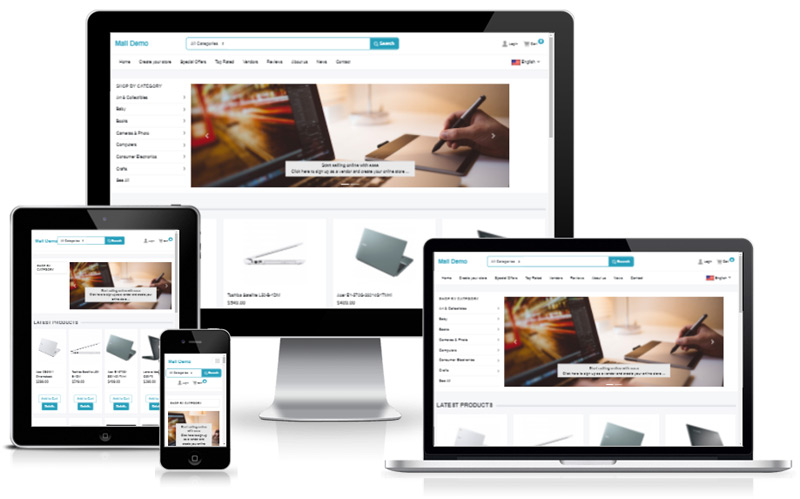
Marketplace HomepageFeatures of the PHP Mall marketplace homepage: hero search, categories, featured products, deals and promotional banners.
Product Search and FiltersHow buyers search products in PHP Mall: keyword search, category, price, location and condition filters, sorting and pagination.
AI Product SearchAI powered product search in PHP Mall: buyers describe what they need in natural language and the script finds matching products.
Product PageThe PHP Mall product page: image gallery, price, vendor info, shipping and returns, reviews, questions to the seller and add to cart.
Vendor Store Pages and TemplatesEach vendor gets an automatic branded store in PHP Mall. Five store templates, banner, logo, about page and product listing.
Stores DirectoryBrowse all vendors in PHP Mall with the stores directory, search by name, category and location.
Shopping CartHow the PHP Mall shopping cart works with multiple vendors: quantities, coupons, shipping per vendor and totals.
Checkout and PaymentCheckout in PHP Mall: shipping address, payment with Stripe or PayPal, order confirmation and e-mails.
Buyer Registration and AccountBuyer registration, login, password reset, order history and profile in PHP Mall.
Multi-language StorefrontPHP Mall supports multiple languages: language switcher, translated interface and category names.
News, FAQ, Contact and PagesContent pages in PHP Mall: news articles, FAQ, contact form, newsletter signup and custom CMS pages.
3Vendor panel
Becoming a VendorHow sellers sign up in PHP Mall and automatically get their own store: registration, approval and first login.
Vendor DashboardThe PHP Mall vendor dashboard: sales, orders, products, balance and quick actions.
Adding and Editing ProductsHow vendors add products in PHP Mall: title, category, price, stock, images, variants, digital files and publishing.
AI Product DescriptionsGenerate product titles and descriptions with AI in PHP Mall: one click writing from a few keywords, supports Groq, OpenAI and DeepSeek.
Import and Export ProductsBulk upload and export products in PHP Mall using CSV files from the vendor panel.
Managing OrdersProcess orders in the PHP Mall vendor panel: view items, address, mark as shipped with tracking number and delivered.
Messages and ReviewsVendor inbox for buyer questions and product reviews in PHP Mall, with AI suggested replies.
Store Profile and SettingsConfigure the vendor store in PHP Mall: name, logo, banner, description, contact details and location.
Store Design and TemplatesChoose a store template in PHP Mall and customize colors, banner style and layout for your vendor storefront.
Shipping and ReturnsSet shipping prices, free shipping thresholds, processing time and return policy in the PHP Mall vendor panel.
Store PagesVendors can create their own about, FAQ and policy pages inside their store in PHP Mall.
Discount CouponsCreate discount coupons for your store in PHP Mall: percentage or fixed amount, expiry date and usage limits.
Earnings and PayoutsVendor earnings in PHP Mall: balance, commission deducted, and requesting a payout.
Plans, Listing Fees and Featured ListingsHow vendors pay in PHP Mall: free listing quota, fee per listing, monthly subscription plans and paid featured upgrades with Stripe or PayPal.
Account Details and PasswordChange the vendor login details, e-mail and password in the PHP Mall vendor panel.
4Admin panel
Admin Login and DashboardLog in to the PHP Mall admin panel and understand the dashboard, quick links, messages and login logs.
Managing ProductsReview, edit, approve and delete products of all vendors in the PHP Mall admin panel; add products with AI.
Managing VendorsApprove, edit, suspend vendors and set individual commission and charging in the PHP Mall admin panel.
Buyers and NewsletterManage registered buyers and the newsletter subscriber list in the PHP Mall admin.
OrdersView and manage all orders in the PHP Mall admin panel, change status, see payments and items per vendor.
Payment Settings: Stripe and PayPalConfigure Stripe Checkout and PayPal in PHP Mall: API keys, sandbox mode, webhooks and currency.
TransactionsReview all payments received by the marketplace in PHP Mall: orders, listing fees, plans and featured upgrades.
Vendor Plans and ChargingSet how PHP Mall charges vendors: free, fee per listing, or monthly plans; featured listing price and duration.
Vendor PayoutsHandle vendor payout requests in the PHP Mall admin panel and mark them as paid.
CouponsCreate site wide discount coupons in the PHP Mall admin panel.
Categories (Text File)Edit product categories in PHP Mall as a simple text file per language, with live preview and automatic generation.
Locations (Text File)Manage countries, regions and cities in PHP Mall using a simple text file.
BannersUpload and schedule promotional banners on the PHP Mall homepage and other positions.
Pages, News and FAQCreate CMS pages, news articles and FAQ entries in the PHP Mall admin panel with a visual editor.
Logo, Favicon and AppearanceCustomize the PHP Mall look: logo, favicon, colors and homepage appearance from the admin panel.
Interface TextsEdit every text of the PHP Mall interface from the admin panel with search and an untranslated filter.
Site ConfigurationMain PHP Mall settings: site name, e-mail, currency, commission, approval rules and registration options.
AI SettingsConfigure AI in PHP Mall: choose Groq, OpenAI or DeepSeek, enter the API key and model, for descriptions and search.
E-mail SettingsSet up e-mail sending in PHP Mall: sender, SMTP server and notification templates.
Tracking and SEOAdd Google Analytics, pixels and meta tag patterns in PHP Mall.
Social Media LinksAdd social media links shown in the PHP Mall footer.
LanguagesAdd and translate languages in PHP Mall using language files and the admin translation tool.
Database BackupsDownload a full database backup from the PHP Mall admin panel in one click.
StatisticsTraffic, sales and audience statistics in the PHP Mall admin panel.
Extensions and Custom TagsExtend PHP Mall with custom template tags and extension files written in simple PHP.
Admin Users and PermissionsCreate staff accounts and groups with fine grained permissions in the PHP Mall admin.
Messages and LinksContact messages, store messages and quick links in the PHP Mall admin panel.