

You may find below a brief overview of the new features and functionality added in the latest versions of Cars Portal
We replaced the old administration panel with a new and better one - we tried to make it as user-friendly as possible and tried to arrange the pages in it to allow quick and effective management of the different website settings, configuration options, car listings and registered users.
Read More & View Full Image →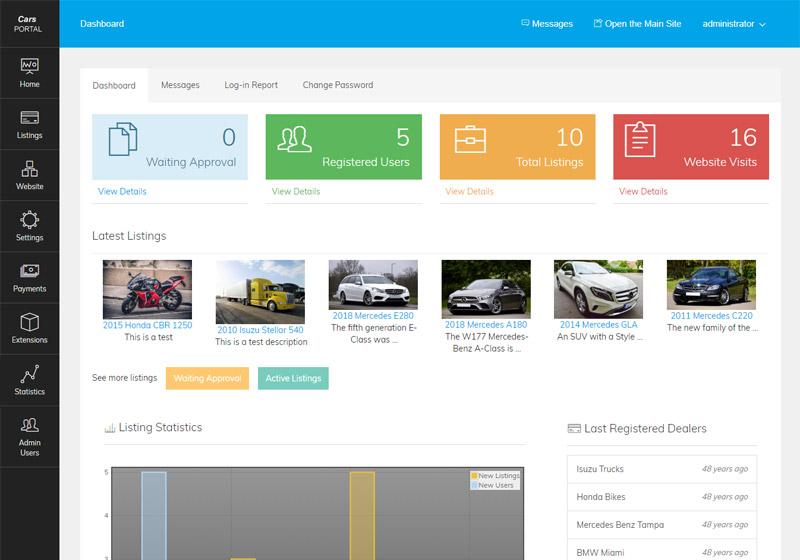
This new feature allows the administrator to easily change the site colors - it's only necessary to click on his preferred color from the admin panel or enter a custom color code and adapt the site to the website's logo or corporate identity. From the same page it's also possible to set a background image for the site or change the main logo.
Read More & View Full Image →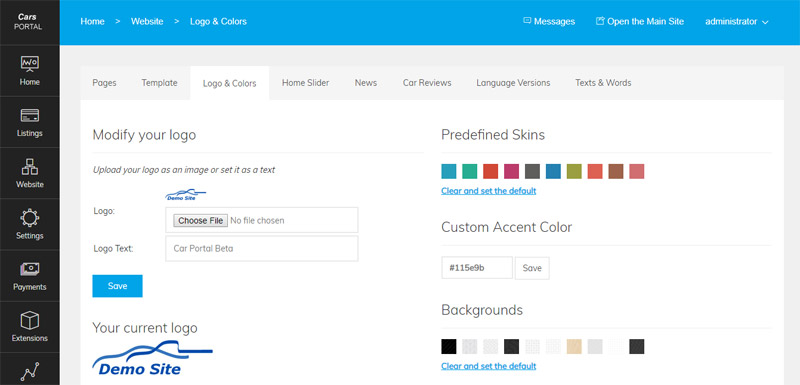
The new design is now better adapted for mobile devices and easier to navigate
Read More & View Full Image →
The new functionality allows to create custom slides with background images and texts and mix them with
featured or latest listings (and not like in the previous version the slider to show only the featured listings).
The slider also changes the listings depending on the selected vehicle type - Cars, Trucks, Motorcycles or
any other custom type defined by the administrator.

The new dealers search page allows to search browse the dealers registered on the website, see their details and listings and also see the dealers on a map.
Read More & View Full Image →
With this new functionality the location of the user is taken automatically from his browser (after asking a permission for it) and script shows him then the car dealers around his location, so he can click on the dealer and see his listings and information.
Read More & View Full Image →
It has now a new image gallery and improved layout showing the car details, the dealer information, button to contact the dealer, a button to save the listing for later review and also buttons to share the listing on social networks.
Read More & View Full Image →
The administrator can now manage the images upload and compression settings from the admin panel and also enable a watermark to be added automatically on the images uploaded by the users.
Read More & View Full Image →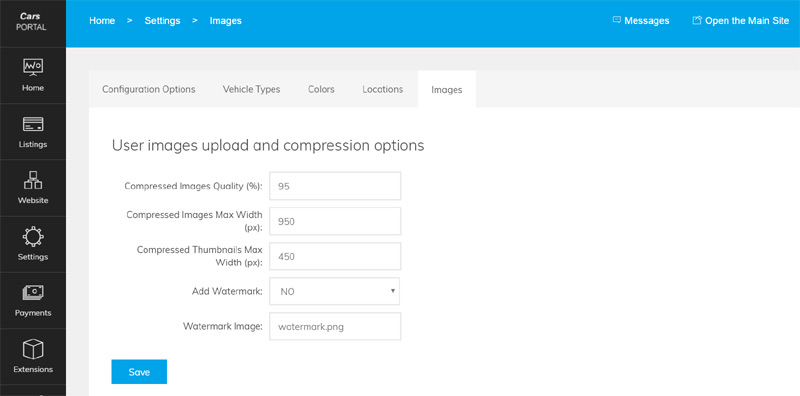
This new functionality allows the administrator to create coupon codes, which can be used later by the users when posting listings, getting subscriptions or buying credits to get a discount on the listed prices.
Read More & View Full Image →
We provide the technical foundation so you can focus on marketing.
Lightweight PHP code without heavy frameworks ensures your site loads fast and ranks higher on Google.
No encrypted files. You get full access to the PHP source code to customize it exactly as you need.
Built with security best practices to protect your data and your users against common web vulnerabilities.
Our team has been here for 20 years. We aren't going anywhere. We are here to help you succeed.