XML Cart

A lightweight, no-database PHP shopping cart powered by XML

XML Cart is a free and easy-to-use PHP shopping cart script that stores all data in XML files instead of a database. It requires no installation and can be added to any website with minimal effort. Customers can add products to their cart, complete checkout, and pay via PayPal, while store owners receive email notifications for each order.

⚑
No MySQLXML File Storage
πŸ”“
Full Source Code100% Unencrypted
βš™οΈ
Free InstallationExpert Setup Included
πŸ’Ž
White LabelYour Brand, No Links
NetArt XML Cart, free responsive shopping cart script


XML Cart – Lightweight PHP Shopping Cart with No Database


XML Cart is a free, lightweight, and easy-to-use PHP shopping cart script that uses XML files to store all product and order data. It requires no database and no installation, making it ideal for small websites, landing pages, or simple online stores.

Integration is quick and flexible: you can add the cart to your site by including a single line of PHP code in any PHP file, or by using an iframe if you want to embed it into an HTML page. Product information is managed through a straightforward XML file (see the Help & FAQ section for the supported format), allowing you to update your catalog without technical complexity.
Customers can browse products, add items to their cart, and complete the checkout process with ease. When an order is placed, an email notification is automatically sent to the store owner. Payments are handled via PayPal, with the script generating the required PayPal payment code automatically for a seamless checkout experience.


How can it be used?

Information & Frequently Asked Questions


1) How to add it in a .php file?

If you downloaded xml-cart.zip and extracted the files in a sub folder /xml-cart, it's enough to add such line of php code:

<?php
include("xml-cart/cart.php");
?>

at the position in your php file where you would like the cart to show up.

2) How to add it in a .html file?

To add the cart in a .html file, you need to insert an iframe line of code in it (see below). Please note when using this option, you still need to have PHP running on your server, since it's used to process the cart, send email notifications to you and others.

The iframe code to be inserted in your html file (at the position you would like the cart to show up) is:

<iframe src="xml-cart/cart-iframe.php" width="100%" frameborder="0" height="100%"></iframe>


Please note sometimes you may need to limit the height taken by the cart - you could do that by setting the height in pixels using the height parameter of the iframe tag. For example the line below will set it to 600px:
<iframe src="xml-cart/cart-iframe.php" width="100%" frameborder="0" height="600"></iframe>

3) How to define my own products?

You could do that by editing the products.xml file located in the /xml-cart folder.

You may find below the content of the sample products.xml file we are using in our demos:

<my_products>
    <product>
        <id>1</id>
        <name>Some test product</name>
        <price>49.00</price>
        <description>Here comes the description of the test product ...</description>
        <details_link>www.google.com</details_link>
    </product>
</my_products>

For every product you may use the following fields:

id - the unique id of the product.
name - is the name of the product.
price - price of the product, it should be entered without the currency symbol.
description - the product description.
details_link - you may fill a value in it, if you would like to have a Details button linking to the product details page. If you leave it empty, then no Details link will show up for the product.

4) Setting the currency symbol, PayPal currency code, PayPal account and email address to be used for order notifications?

To change these values, you need to edit the configuration file - config.xml located in the /xml-cart folder.

You may check the content of the sample config.xml file below:

<my_config>
    <configuration>
        <notification_email>your_email@mail.com</notification_email>
        <currency_symbol>$</currency_symbol>
        <currency_code>USD</currency_code>
        <paypal_account>test@paypal.com</paypal_account>
    </configuration>
</my_config>

Live Demo


Explore the live demos of the front-end and admin panel below.

easy cart responsive script


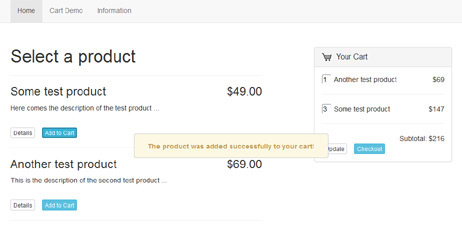
This demo shows a basic integration in a bootstrap template by simply inserting a line of php code in it.


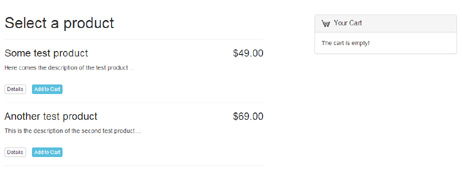
iframe shopping cart php script


This is our most basic example, we took an empty html file and inserted a line of iframe code in it.


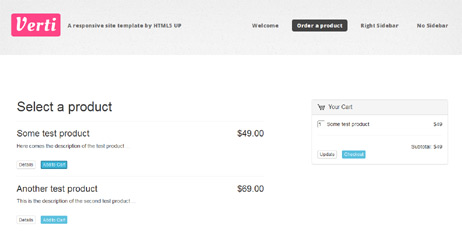
verti template shopping cart


Verti is a html, which is free and responsive (it can be downloaded from web). We used the html method to integrate the cart in it, by just inserting a line with iframe code.


Get XML Cart Today

Choose the license that fits your project needs.

Enterprise License

$199

Unlimited websites for agencies and resellers.

  • βœ“Unlimited Domain Usage
  • βœ“Ideal for Developers & Resellers
  • βœ“White-Label Branding
  • βœ“Priority Support Access
Select Enterprise
Financial Freedom

One-Time Payment. Lifetime Use.

Stop paying "software rent." With a single payment, you gain lifetime access to News Lister. No recurring fees, no subscriptions, and no hidden costs - just permanent value for your business.

What’s Included with Your Purchase

We provide everything you need for a professional, worry-free launch.

πŸ”“ Source Code

100% unencrypted PHP code. You have total flexibility to customize and extend the script to match your specific vision.

πŸ“ž Free Support

Our expert team is standing by to assist with your setup, configuration, and any technical questions you may have.

βš™οΈ Free Setup

Don't want to handle the tech? We will install the script on your server or hosting environment at no extra cost.

πŸ’Ž White Label

Keep your brand clean. We include the option to remove all "Powered by" references and links for a fully professional look.

ECOSYSTEM SYNERGY

Combine Multiple PHP Scripts on One Site

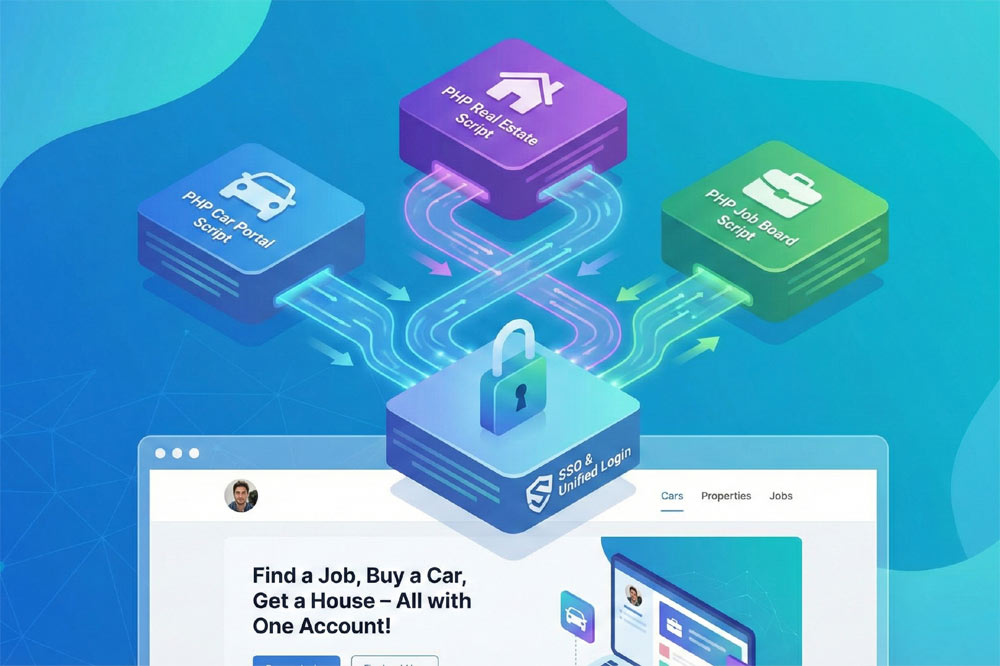
Our PHP scripts share a harmonized architecture, allowing you to combine multiple products into a single, high-performance website. By combining them, you don't just launch a site - you can create a unique business model that strengthens your business and dominates your niche.

  • βœ“
    Single Sign-On (SSO):

    Your users enjoy a unified login experience across every feature of your portal.

  • βœ“
    Unified Design Language:

    Maintain a consistent professional look with shared templates and CSS styling.

  • βœ“
    Centralized Management:

    Control your news feed, business directory, and e-commerce from one administrator dashboard.
Find out more about combining scripts β†’
combine multiple php scripts on one site

Why Developers & Entrepreneurs Trust Us

We provide the technical foundation so you can focus on marketing.

High Performance

Lightweight PHP code without heavy frameworks ensures your site loads fast and ranks higher on Google.

100% Source Code

No encrypted files. You get full access to the PHP source code to customize it exactly as you need.

Secure & Clean

Built with security best practices to protect your data and your users against common web vulnerabilities.

Dedicated Support

Our team has been here for 20 years. We aren't going anywhere. We are here to help you succeed.