
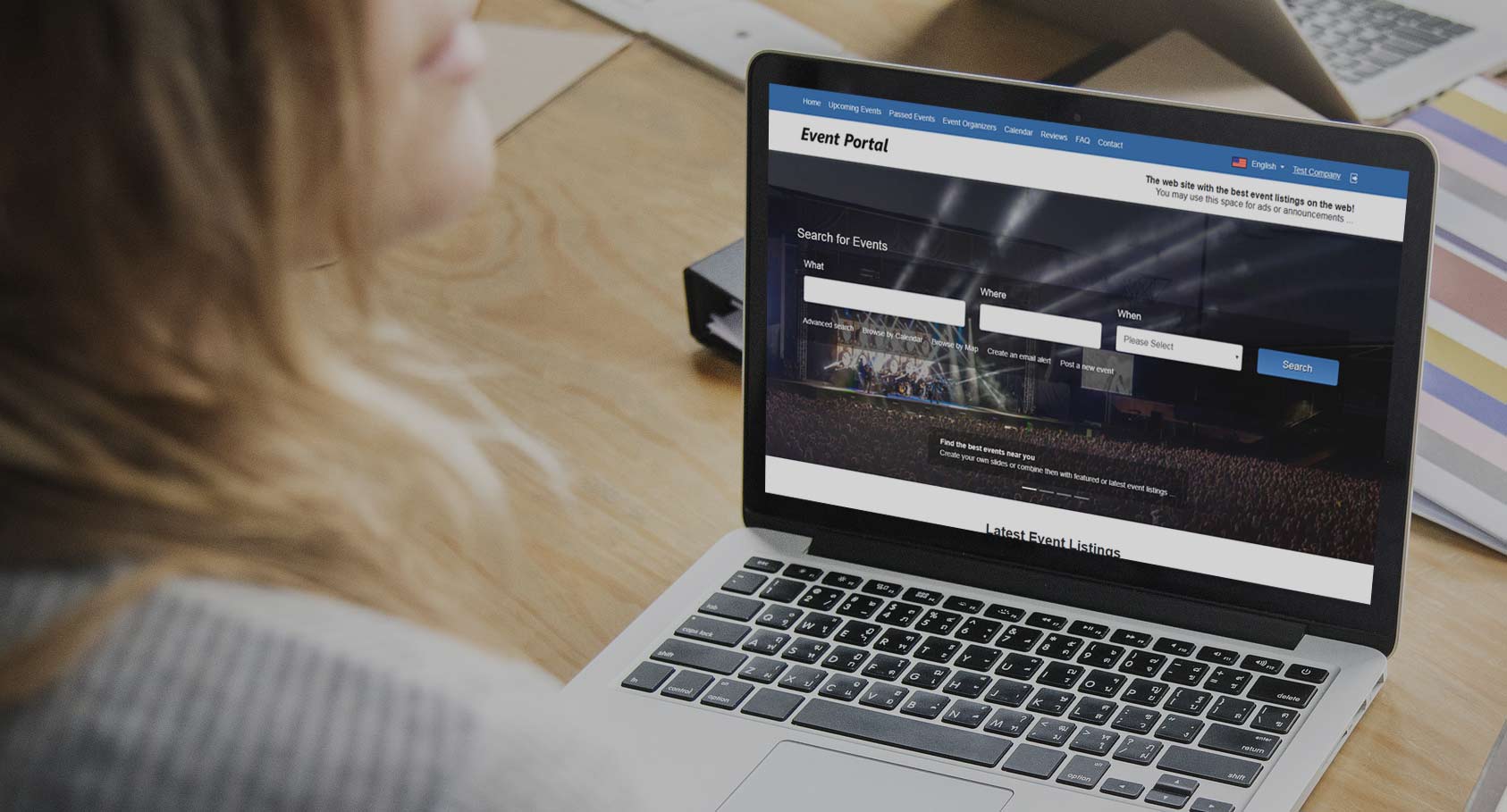
Please find below a brief overview of the last added features and new updates in Event Portal
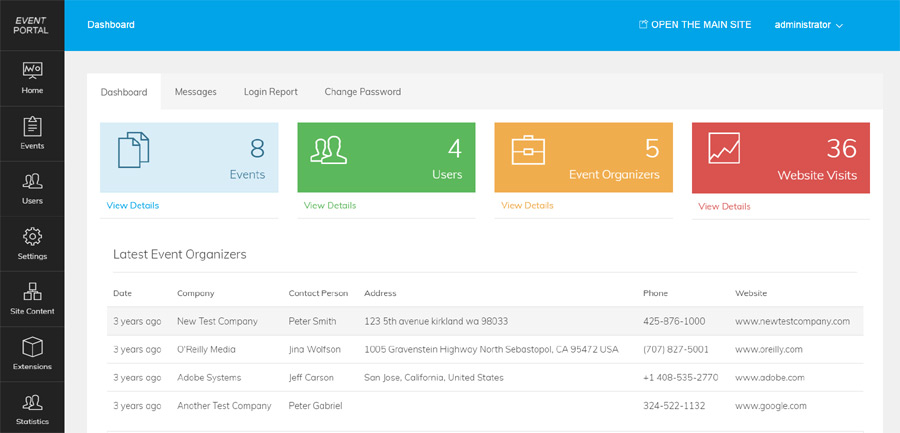
We redesigned completely the administration panel and its interface to make it better and easy to manage the website, users, event listings and the different settings.
The new administration panel allows also easier integration with our other scripts
and combining multiple scripts on one website and manage them all with one admin panel.
This new functionality allows the event organizers to choose the event frequency and post a new listing and choose between the values - occurs once, daily, monthly and custom for the event frequency. This makes it easy to post recurring events without having to enter again the information for them.
Read More & View Full Image →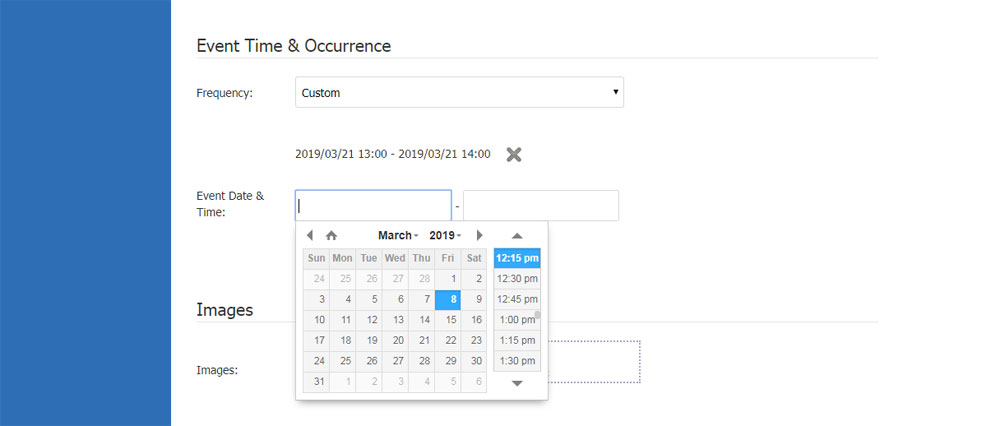
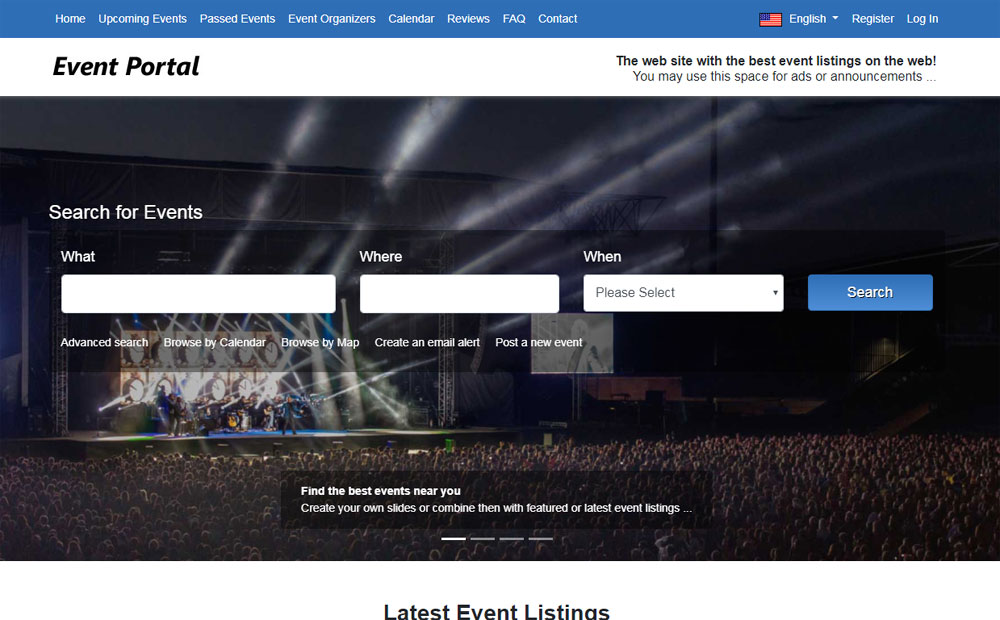
We moved the main menu in a top bar (which now frees more space and allows the administrator to add more custom pages if necessary) and the logo to the bottom, allowing to add now larger website logos. Also we created a new banner zone to the right of the logo (except the previously existing ones in the site column, top and bottom of the pages), which can be used to make announcements on the site or to add advertisements like Google AdSense or similar.
The home slider was also updated and allows now to mix own slides with featured or latest event listings.
This new functionality allows the administrator to add custom background images for the event categories or locations, which shows up then on the front-end when the users review the event listings by location or category.
Read More & View Full Image →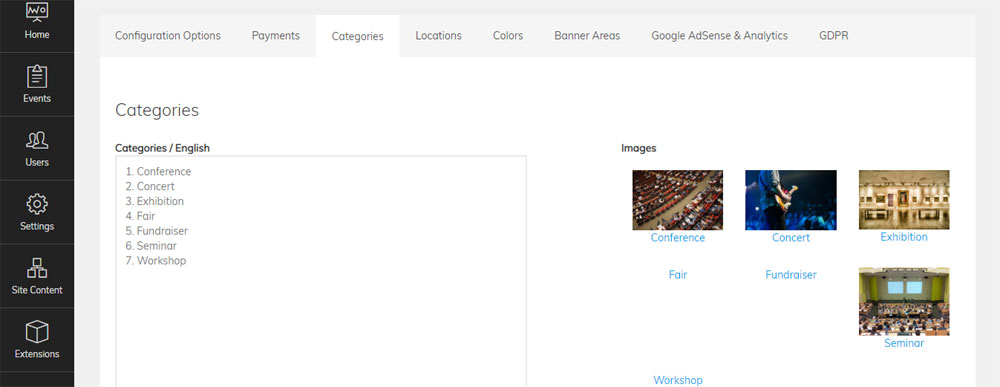
We created a new improved interface of the event final and middle result pages, event details, the way the information for the event organizing company shows up, reviews and comments etc.
Read More & View Full Image →
We provide the technical foundation so you can focus on marketing.
Lightweight PHP code without heavy frameworks ensures your site loads fast and ranks higher on Google.
No encrypted files. You get full access to the PHP source code to customize it exactly as you need.
Built with security best practices to protect your data and your users against common web vulnerabilities.
Our team has been here for 20 years. We aren't going anywhere. We are here to help you succeed.