Managing your posts
Use the Blog Lite 2 posts list to filter published posts and drafts, search by title, check views and comments, and edit, view or delete posts.
The Posts page lists everything you have written.
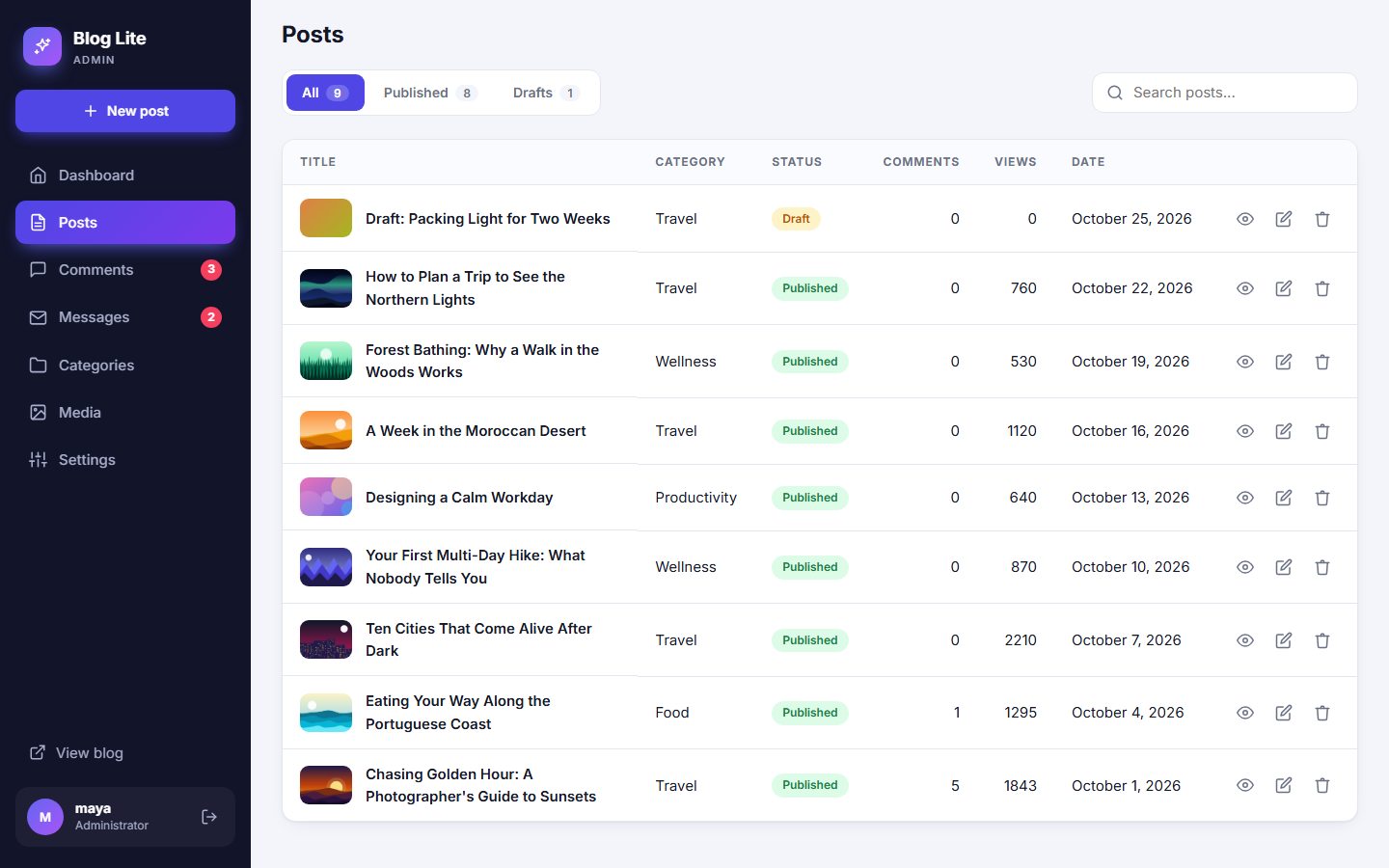
Filter and search
- The tabs All, Published and Drafts show how many posts each contains.
- The search box looks for words in the post titles.
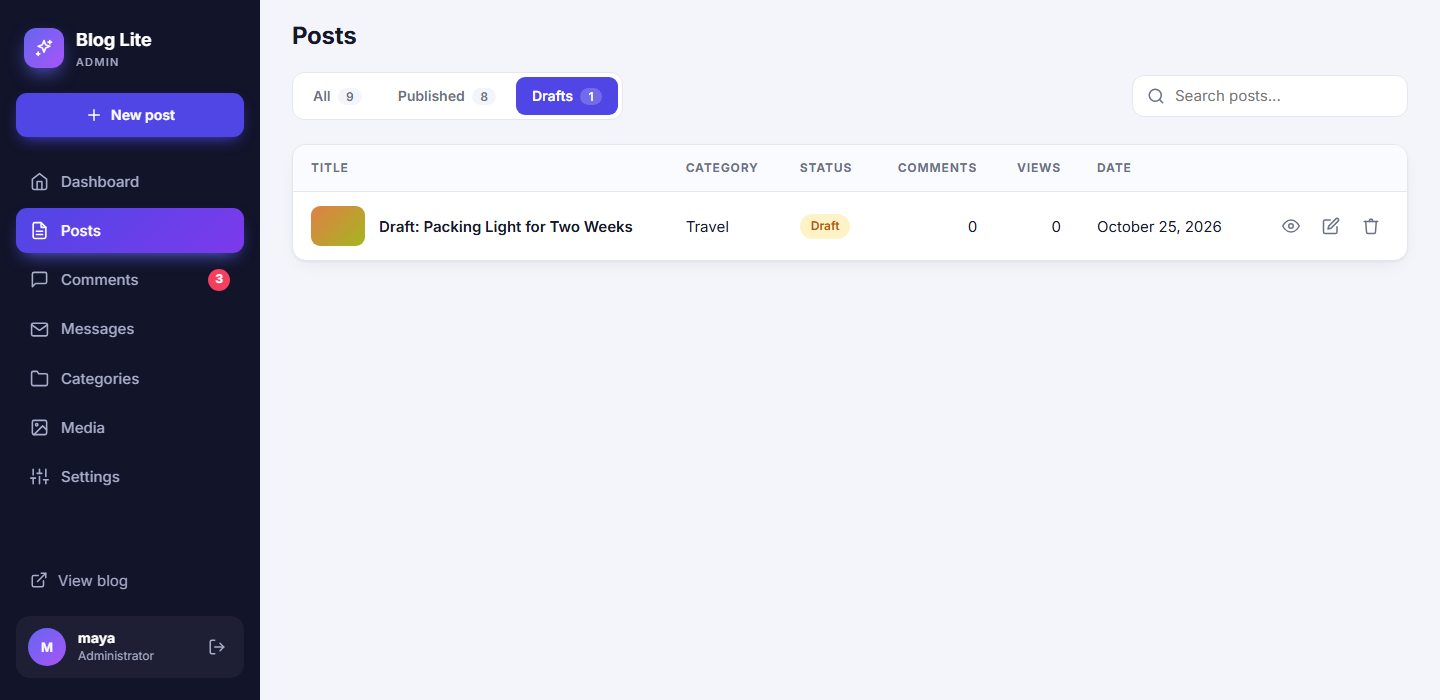
The columns
| Column | Meaning |
|---|---|
| Title | With a small thumbnail of the cover image. Click to edit. |
| Category | The post's category. |
| Status | Published (green) or Draft (amber). |
| Comments | Number of approved comments. |
| Views | How many visitors have read it. |
| Date | The post date. |
The actions
- Eye icon - open the post on your public site (also works for drafts while you are logged in).
- Pencil icon - edit the post. See Writing posts.
- Bin icon - delete the post after a confirmation.
Deleting cannot be undone
Deleting a post also deletes its comments. Make a backup first if you are unsure. See Backup and moving.
Drafts
A draft is a post saved but hidden from visitors. Use drafts for work in progress, then change the status to Published when ready. To unpublish a post, set its status back to Draft.
Last updated