Blog settings, SEO and tracking
One page controls the identity of the blog, its social links, interaction features and search-engine settings.
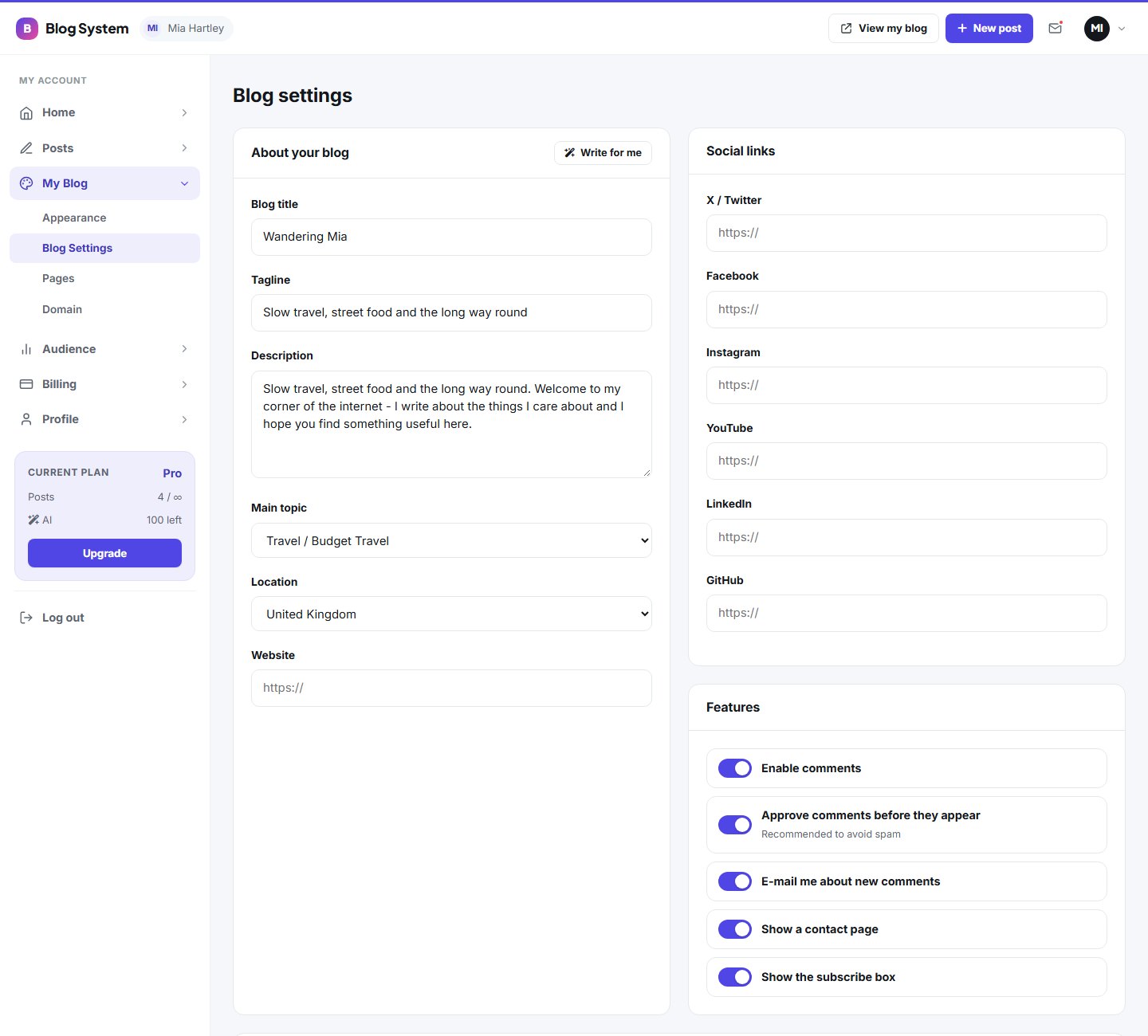
About the blog
| Field | Purpose |
|---|---|
| Blog title | Shown in the header and browser tab |
| Tagline | Short line below the title |
| Description | Introduces the blog; also used by the directory |
| Main topic | Category used by the platform's directory and filters |
| Location | Optional country for filters |
| Website | Link to your own website |
The AI: write for me button can propose a tagline and description.
Social links
Add the full address (starting with https://) of your X/Twitter, Facebook, Instagram, YouTube, LinkedIn and GitHub profiles. They appear in the blog header or footer depending on the template.
Features
- Comments enabled, moderation and e-mail notifications (see Moderate comments)
- Show contact form
- Show newsletter box (needs a plan with the newsletter tool)
SEO and tracking
- Meta title and meta description for the blog's home page
- Google Analytics ID in the form
G-XXXXXXXXXX - Hide from search keeps the blog out of the platform's search and directory
Last updated