Packages and plan limits
Packages define what bloggers get and what they pay. Design them once and the pricing page builds itself.
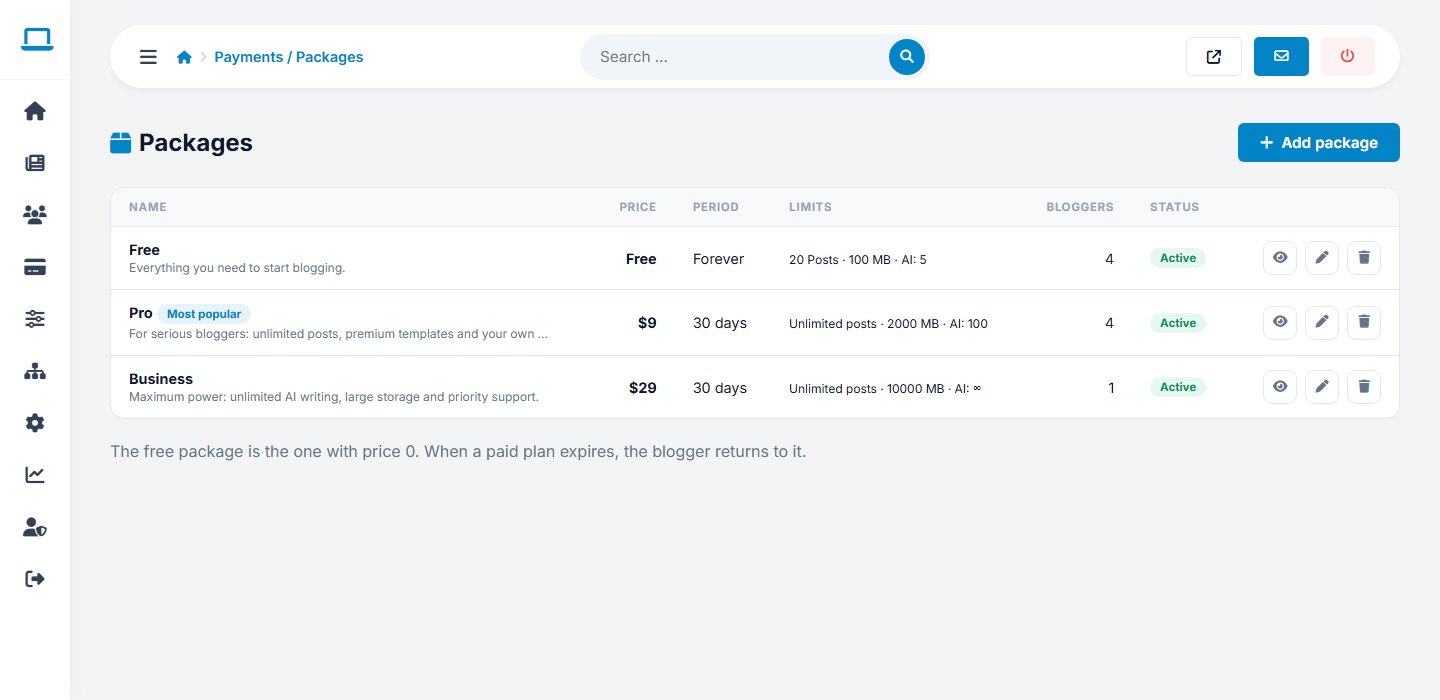
Package fields
| Field | Meaning |
|---|---|
| Name, description | Shown on the pricing page |
| Sort order | Position on the pricing page |
| Price | In the currency set in Payment settings. Use 0 for the free package. |
| Period (days) | How long one payment lasts, for example 30 or 365 |
| Maximum posts | 0 means unlimited |
| Storage (MB) | Space for uploaded images |
| AI credits | Monthly AI generations; -1 is unlimited, 0 disables AI |
| Custom domain | Allows connecting a own domain |
| Premium templates | Unlocks templates reserved for paid plans |
| Newsletter tool | Enables sending newsletters |
| Remove branding | Hides the platform credit in the blog footer |
| Most popular | Highlights the package on the pricing page |
| Available for purchase | Hide a package without deleting it |
Pricing ideas
- Keep one free package to attract sign-ups; limit posts, storage and AI.
- Make the paid plans differ by features people value: custom domain, newsletter and more AI.
- Mark the plan you most want to sell as Most popular.
Changing a packageChanges apply to everyone on that package. To give one blogger a plan by hand use Edit blogger.
Last updated