Template manager and custom templates
Decide which designs bloggers can use, and add your own.
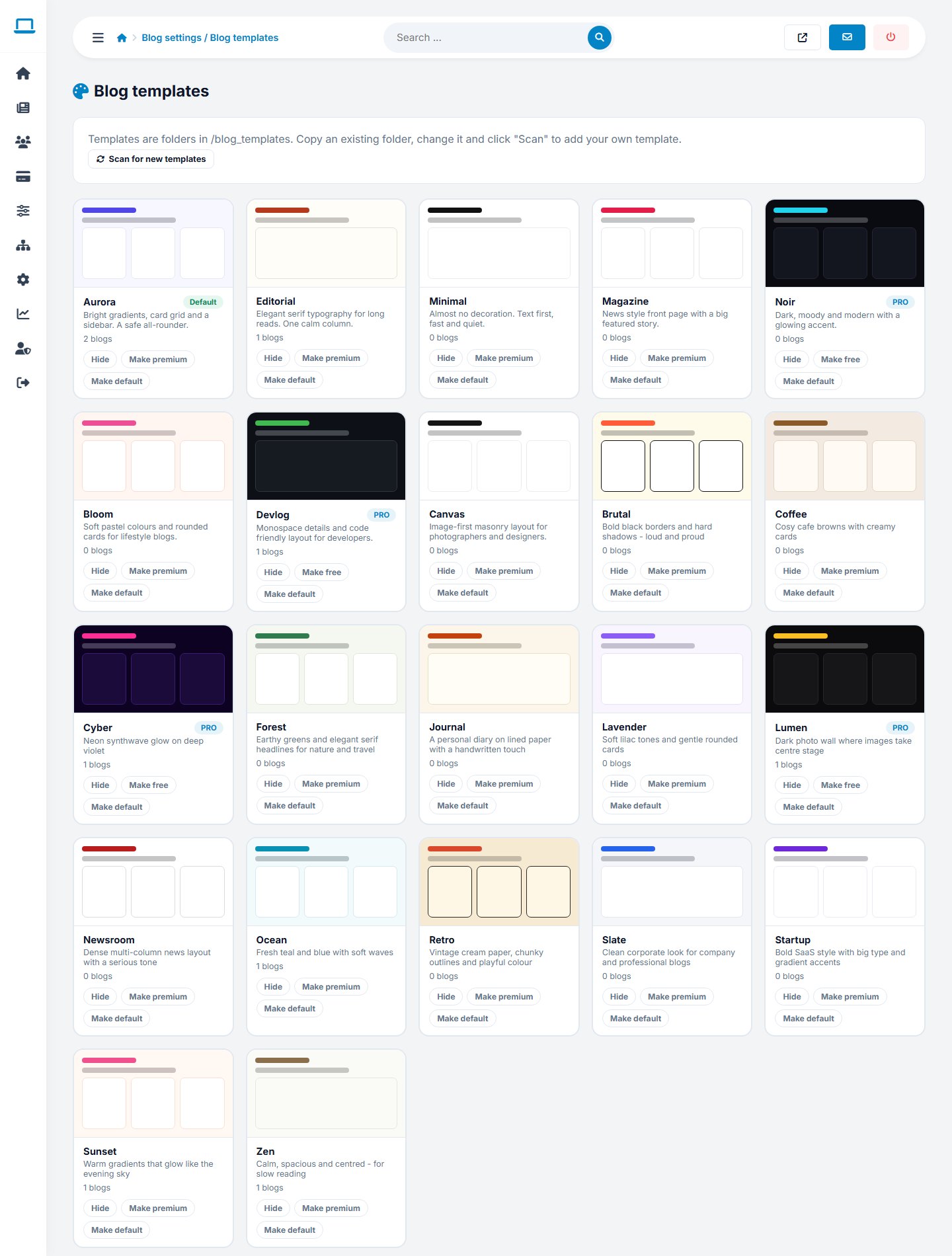
Managing the library
Open Blog settings › Blog templates. For each template you can activate or hide it and mark it as premium so only plans with premium templates can use it. The Scan button finds new template folders.
Creating your own template
- Copy a folder in
blog_templates/, for exampleminimal, and rename it. - Edit the three files below.
- Click Scan in the template manager. The template appears for bloggers.
| File | Content |
|---|---|
template.json | Name, tagline, layout (grid, list, magazine, masonry), sidebar (right, left, none), mode (dark for dark templates), fonts and preview colours |
template.html | Page skeleton with placeholders |
style.css | Loaded after the shared base CSS |
Placeholders in template.html
<blog head/>   <blog header/>   <blog content/>   <blog sidebar/>
<blog footer/> <blog script/>   <blog title/>     <blog tagline/>
<blog date/>   <blog url/>
In style.css change the --bl-* variables and the bl-* classes (see blog_templates/_base/base.css).
Start by only changing the colour variables. That already gives a template a new personality.
Last updated