The dashboard
The dashboard is your starting point: a quick overview, shortcuts to common tasks and a health check.
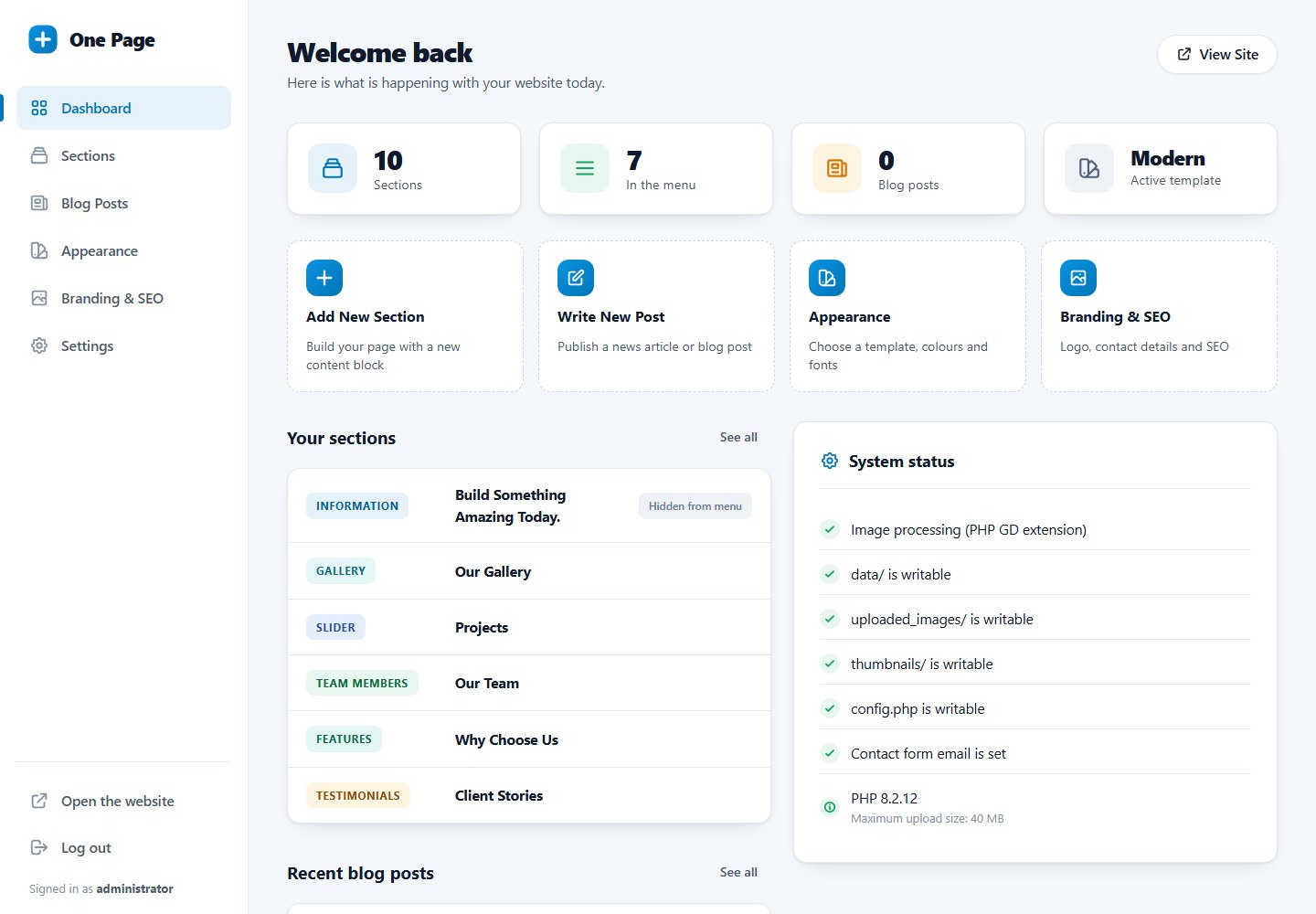
Statistic cards
- Sections: how many sections your page has.
- In the menu: how many of them have a menu link.
- Blog posts: number of published posts.
- Active template: the template your website uses now.
Each card is a link to the related page.
Quick actions
Four shortcuts: Add New Section, Write New Post, Appearance and Branding & SEO.
Your sections and recent blog posts
The six first sections and the five newest posts are listed. Click a title to edit it. Sections that are not in the menu are marked "Hidden from menu".
System status
This box checks that your installation is healthy. A green check means OK; a red cross or a yellow warning explains what to fix.
| Check | If it fails |
|---|---|
| Image processing (PHP GD extension) | Ask your host to enable the gd extension. Without it, images cannot be uploaded. |
data/, uploaded_images/, thumbnails/, config.php are writable | Change the folder or file permissions. See system requirements. |
| Contact form email is set | Enter an address in Settings. |
The last line shows your PHP version and the maximum upload size allowed by your hosting.
Password reminder
An orange banner appears while your password is still stored in the old format, for example if you never changed the default one. Change it and the banner disappears.
Last updated