Quick start: build your first website in 10 minutes
A short hands-on tutorial. By the end you will have a real one page website with a hero, several sections and a working contact form.
Step 1: set the basics (2 minutes)
- Open Branding & SEO. Upload your logo (or type a site name), then enter your phone, email and address. Write a title and description for search engines. Save.
- Open Settings and type the email address that should receive contact form messages. Save.
Step 2: create the hero (2 minutes)
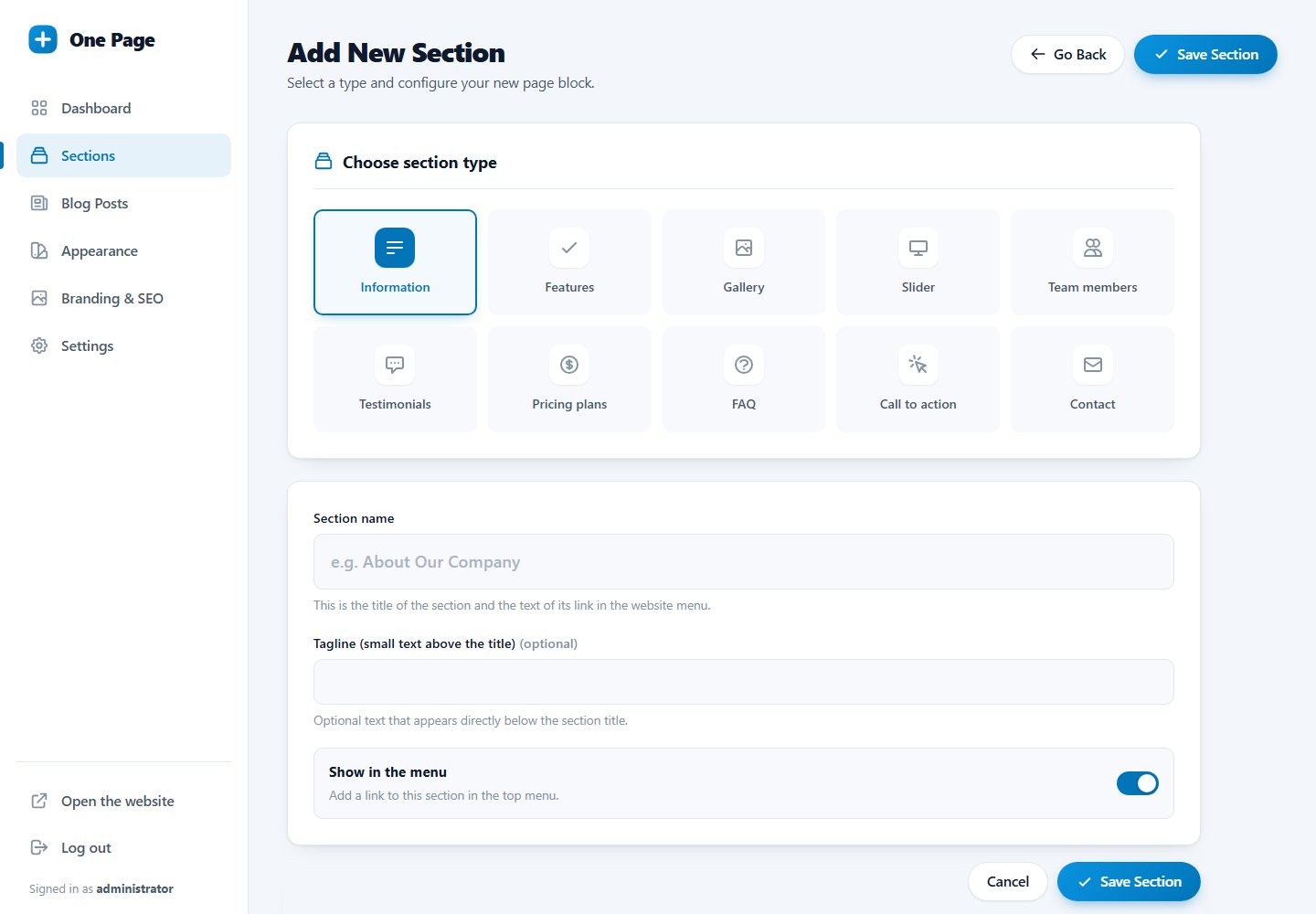
- Go to Sections and click Add New Section.
- Choose Information. Enter a strong headline as the section name, write one or two sentences, upload a picture and add a button, for example "Get a free quote".
- Save. Move this section to the top of the list. The first Information section automatically becomes the large hero of your page. Turn off Show in the menu for it.
Step 3: add your content (4 minutes)
Add a few more sections. A good order for most businesses:
- Features: three reasons to choose you.
- Gallery: photos of your work or place.
- Testimonials: what customers say.
- Pricing or FAQ.
- Call to action: one last push.
- Contact: form and details.
Step 4: choose the look (1 minute)
Open Appearance, click the template you like, optionally pick your brand colour, and save.
Step 5: check and publish
Click View Site. Scroll the page, use the menu, open it on your phone and send a test message through the contact form. There is no separate publish step: everything you save is live.
Keep headlines short. A menu with 5 to 7 entries looks best. Hide secondary sections (such as the hero, call to action or FAQ) from the menu with the switch on the Sections page.
Last updated