General settings
Settings → General settings holds the options that affect the whole site, in three tabs.
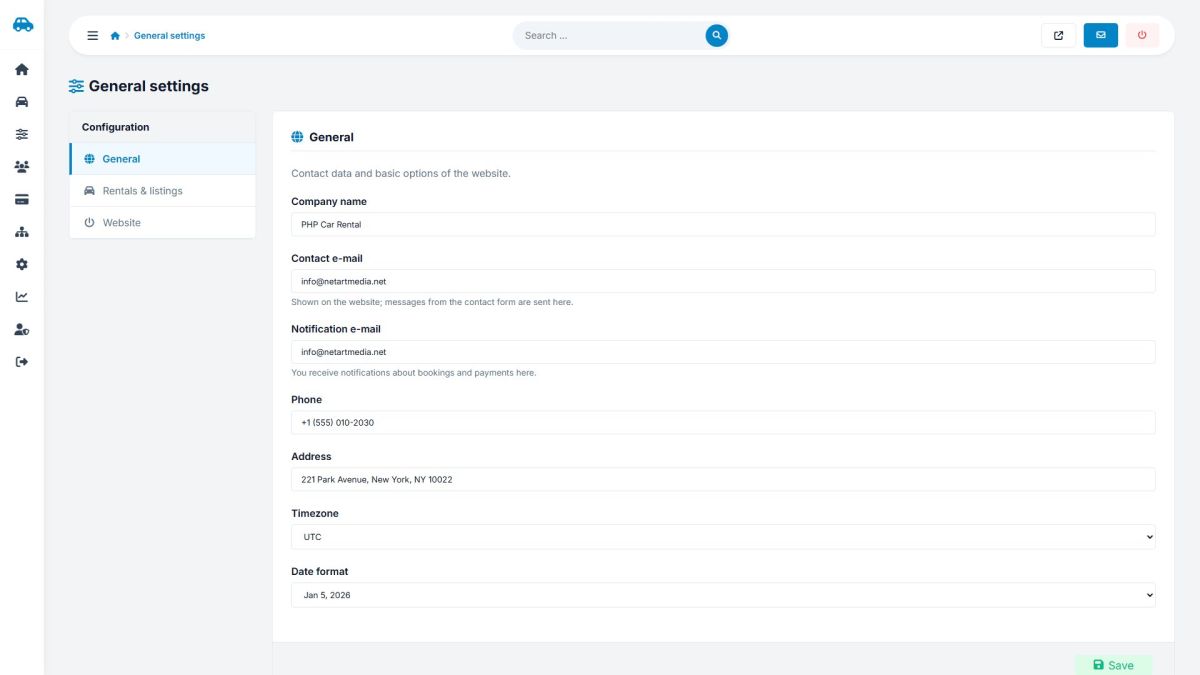
Tab: General
| Setting | Meaning |
|---|---|
| Company name, phone, address | Shown in the footer and on the contact page. |
| Contact e-mail | Shown on the website; messages from the contact form are sent here. |
| Notification e-mail | You receive booking, payment and system notices here. |
| Timezone | Used for dates and times. |
| Date format | How dates are displayed. |
Tab: Rentals & listings
| Setting | Meaning |
|---|---|
| Cars per page | Results per page in search. |
| Users can post their own cars | Turns the post-your-car features on or off. |
| Customers must log in to book | Disables guest bookings. |
| New reviews need approval | Moderation switch (Moderating reviews). |
Tab: Website
| Setting | Meaning |
|---|---|
| SEO friendly URLs | Addresses like /car-bmw-x5-2 instead of index.php?mod=car&id=2. Needs Apache mod_rewrite and the included .htaccess file. |
| Show the Home link in the menu | Hides or shows the first menu item. |
| Maintenance mode | Visitors see a "We will be back soon" page with a 503 status. You can still browse the site while logged in to the admin panel. |
If the site shows "not found" after enabling SEO friendly URLs, your server does not read the .htaccess file. Disable the option again and ask your host to enable AllowOverride All and mod_rewrite.
Last updated