Managing listings
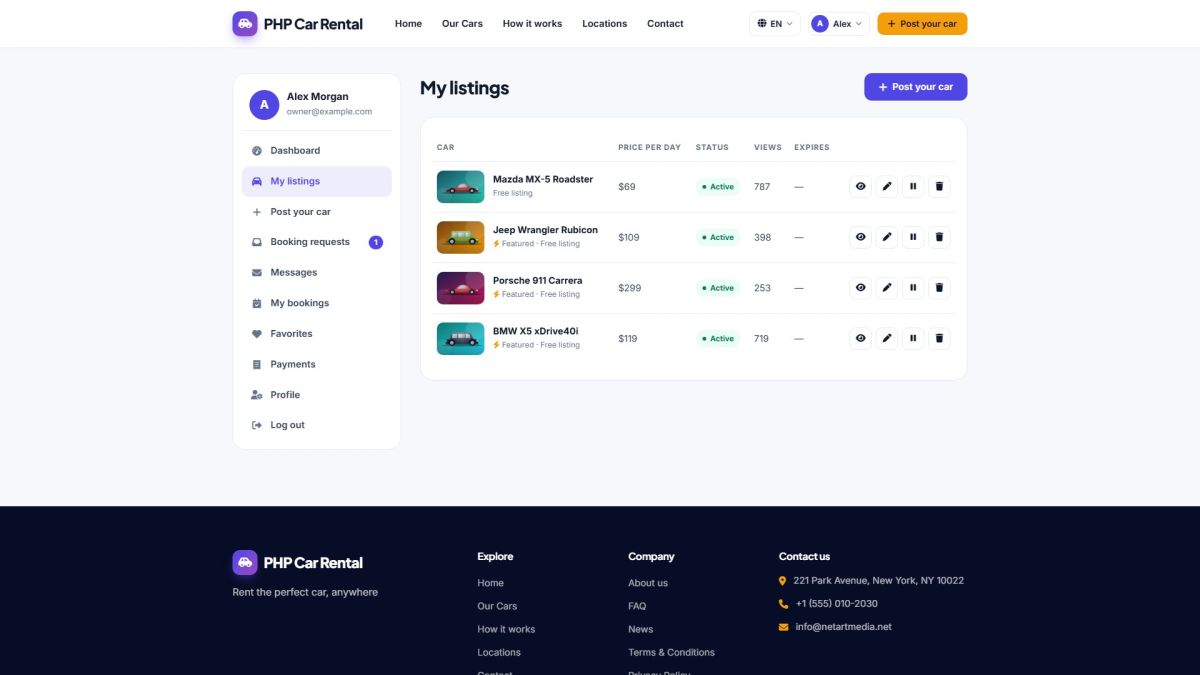
The My listings page shows every car of the user with its status, price, views and expiry date.
Statuses
| Status | Meaning | What the owner can do |
|---|---|---|
| Draft | Saved but never published. | Edit, publish (or pay and publish), delete. |
| Pending | Waiting for the administrator to approve it. | Edit, delete. |
| Active | Online and bookable. | View, edit, pause, delete. |
| Paused | Hidden by the owner. | Resume, edit, delete. |
| Expired | The time of the listing or package is over. | Publish again (and pay again if listings are charged). |
| Rejected | Declined by the administrator. | Edit and publish again. |
Row actions
- Eye opens the public page of the car (a preview for non-active cars).
- Pencil opens the edit form; the same form as Posting a car.
- Pause / play hides or shows the car without deleting it.
- Trash deletes the car with its photos after a confirmation.
Expiry
Listings stay online for the number of days of the chosen package, or for the default number of days set by the administrator when listings are free (Payment settings). Expired listings are hidden automatically and can be published again.
Last updated