Paid listings and checkout
When the administrator switches on paid listings, publishing a car becomes a small checkout: choose a package, choose a payment method, pay.
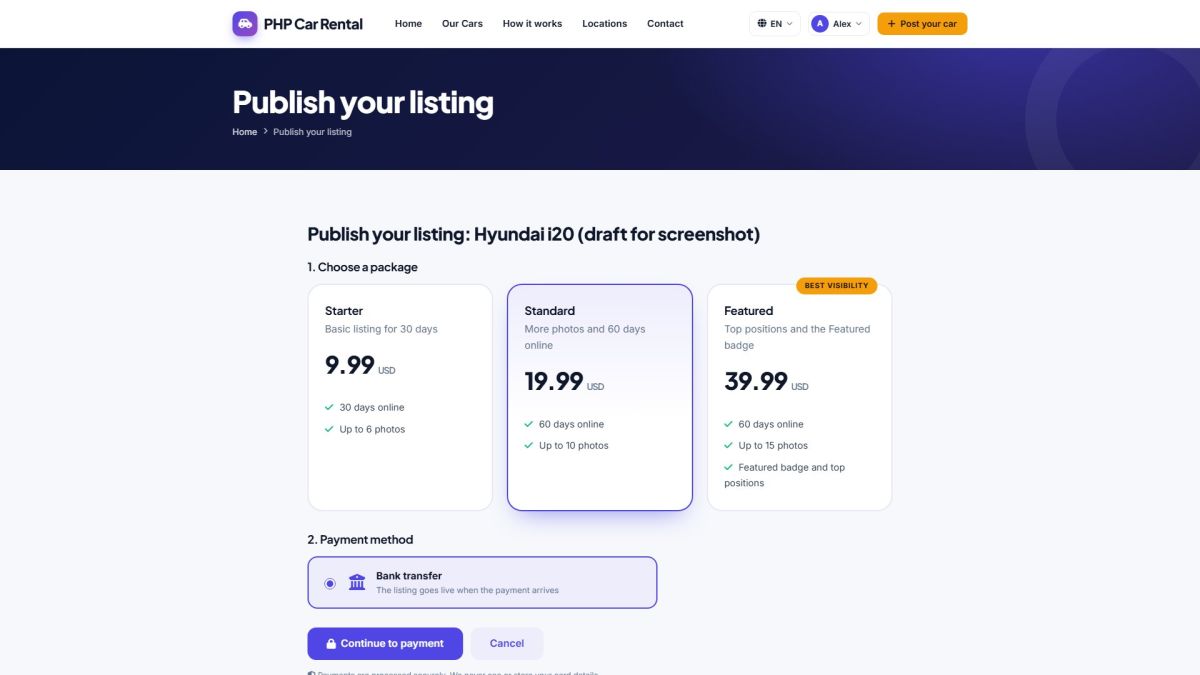
The user's path
- Save the listing and click Save & continue to payment (or Pay & publish in My listings).
- Choose a package: price, days online, number of photos and whether it is featured.
- Choose a payment method: card (Stripe), PayPal or bank transfer.
- Pay on the secure page of the provider and return to the site.
- The listing goes live, or waits for approval if the administrator approves listings manually.
Payment methods
| Method | What happens |
|---|---|
| Card (Stripe) | The customer is sent to the hosted Stripe Checkout page. When back, the payment is verified with Stripe and the listing is published. |
| PayPal | The customer approves the payment at PayPal. When back, the money is captured and checked. |
| Bank transfer | The page shows your bank details and a payment reference. The listing is published after the administrator marks the transfer as paid (Packages and transactions). |
Card data never touches your server. Amounts always come from the database, never from the browser, and every payment is verified with the provider.
If the user cancels
Nothing is charged. The listing stays a draft and can be published later from My listings.
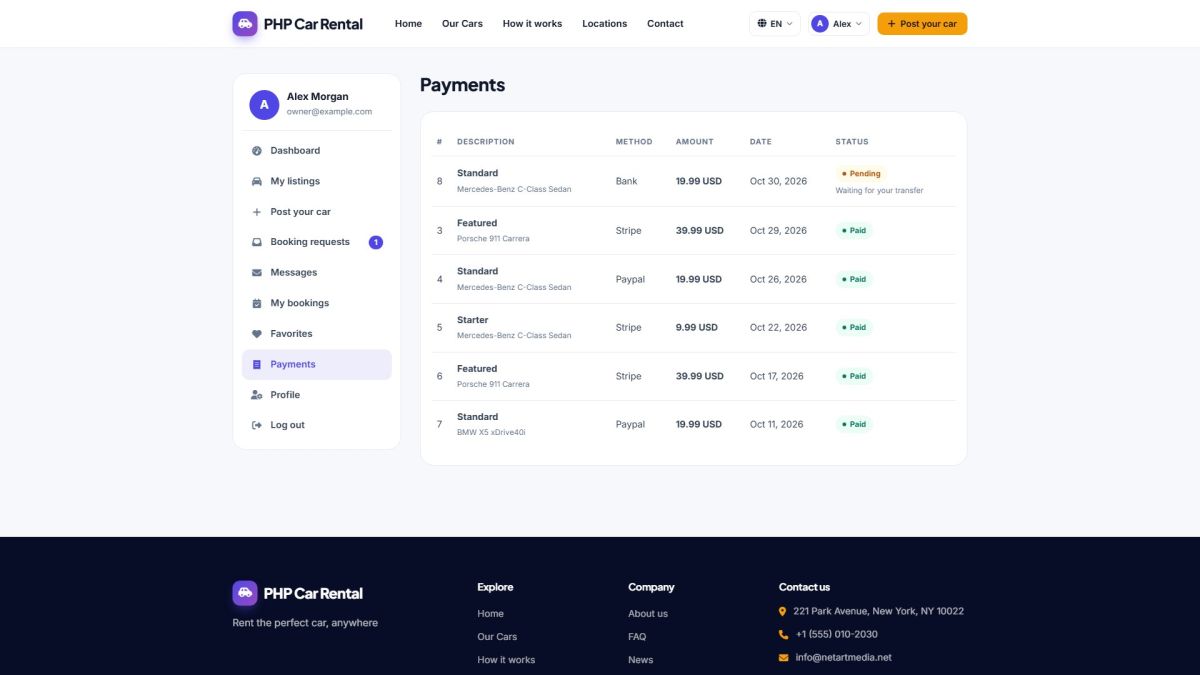
Payment history
Last updated