Packages and transactions
Packages are what users buy; transactions are the record of what they paid.
Packages
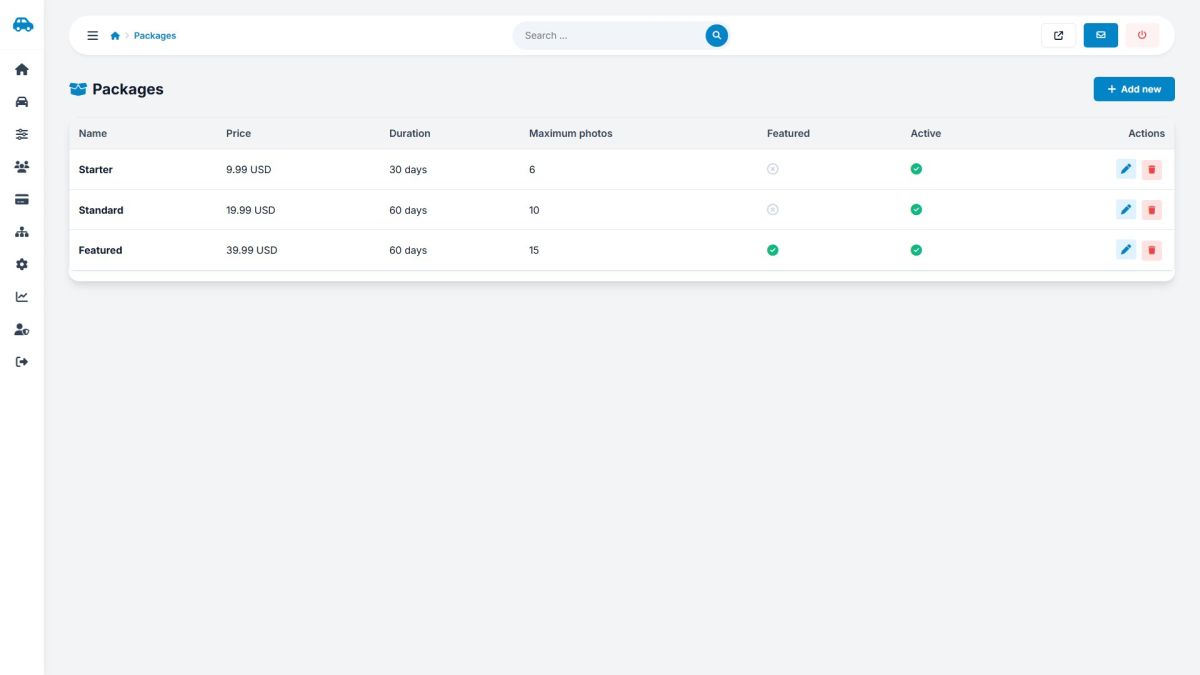
| Field | Meaning |
|---|---|
| Name, description | Shown on the checkout page. |
| Price | In the currency set in Payment settings. Price 0 creates a free package. |
| Duration | Days the listing stays online. |
| Maximum photos | Photo limit for the listing. |
| Featured listing | The car gets the featured badge and appears first. |
| Sort order, active | Order on the checkout page and visibility. |
Three sample packages (Starter, Standard, Featured) are installed with the demo data.
Transactions
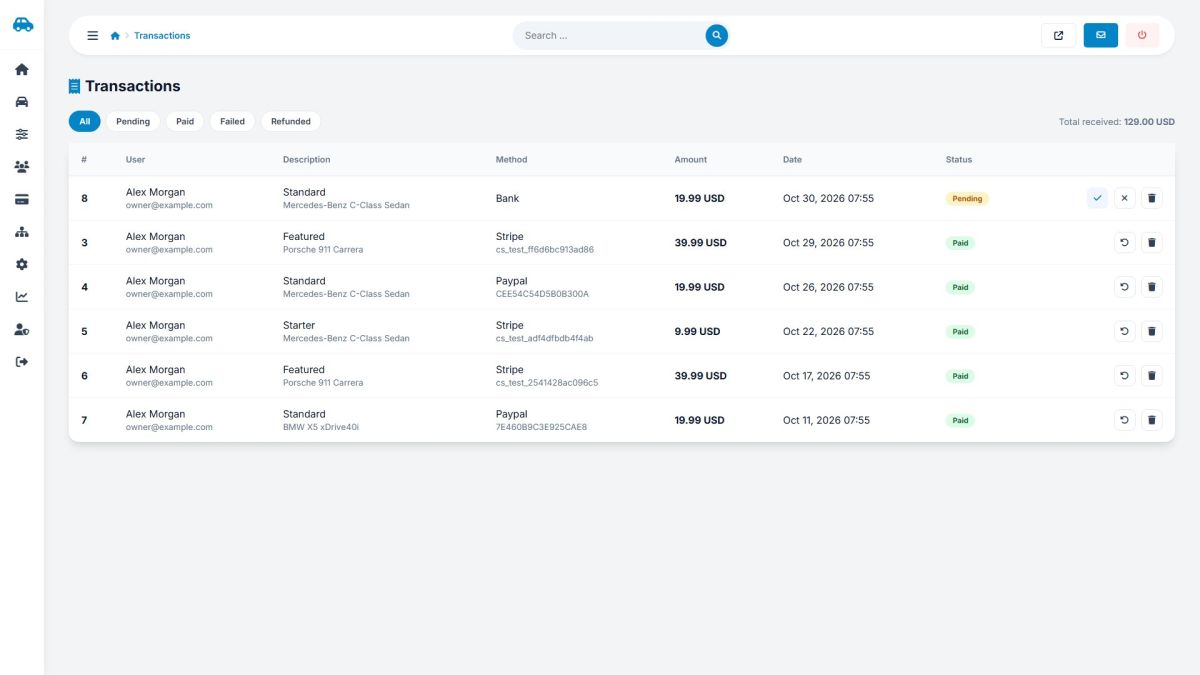
- Tabs filter by status: pending, paid, failed, refunded. The total received is shown on the right.
- Columns show the user, package, method (Stripe, PayPal, bank), provider reference, amount and date.
- Mark as paid (check icon) confirms a bank transfer. The car is published (or goes to pending approval) and the user gets a receipt e-mail.
- Mark as failed closes a payment that will not arrive.
- Mark as refunded pauses the car; return the money from your Stripe, PayPal or bank account, because refunds are not sent automatically.
Last updated