AI car search
Instead of choosing a location, dates, type and price one by one, a visitor can write one sentence. The AI turns it into search filters and opens the matching cars.
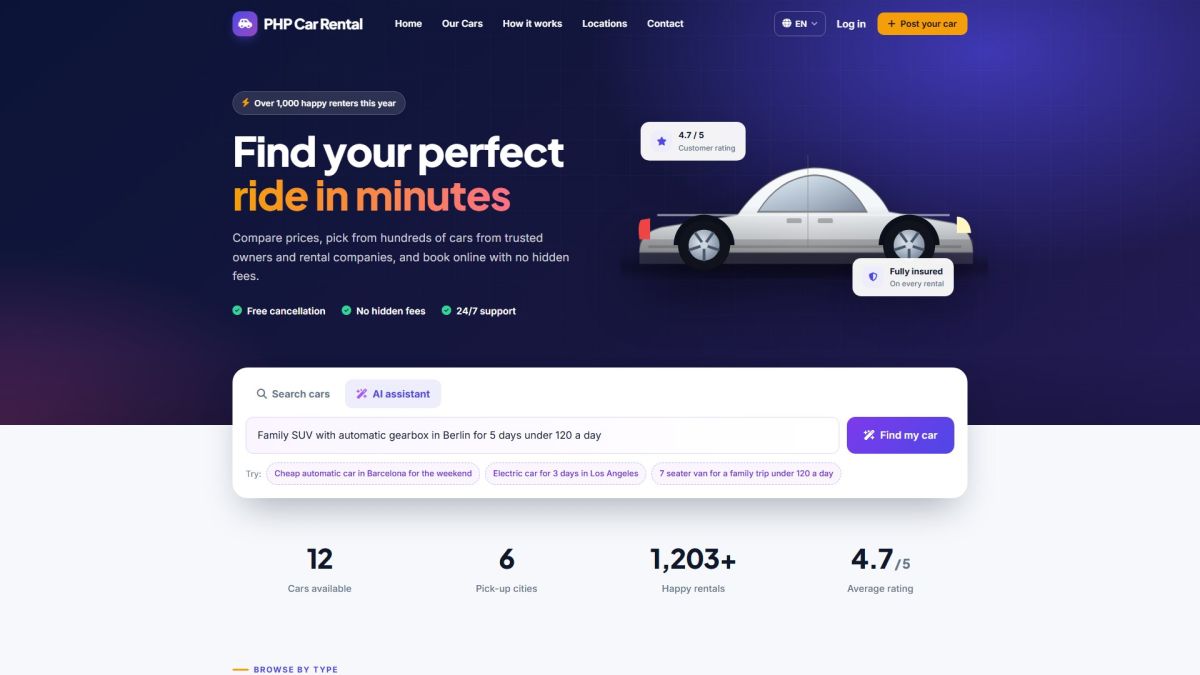
How a visitor uses it
- On the home page, click the AI assistant tab.
- Type what you need, for example: Family SUV with automatic gearbox in Berlin for 5 days under 120 a day.
- Press Find my car. A short friendly summary appears and the results page opens with the filters already set.
Example sentences are shown under the box as clickable chips and they can be translated in the language files.
What the AI understands
- Car type, for example SUV, electric, van or convertible (mapped to your own car types).
- Pick-up city or location (mapped to your locations).
- Minimum number of seats, automatic or manual gearbox, and fuel type.
- A maximum price per day.
- Dates such as "next weekend", "for 5 days" or "from Friday". The current date is sent to the AI so that relative dates are resolved correctly.
Works without an API key
If no AI provider is configured, a built-in keyword parser still reads the sentence: it finds words such as automatic, electric, "5 seats", "under 90", your car types, your cities and "weekend". The search box therefore never looks broken. Add an API key for much better understanding of free text.
Set it up
- Open Settings → AI settings (AI settings).
- Choose Groq, DeepSeek or ChatGPT, paste the API key and save.
- Make sure AI search on the home page is ticked.
The API key stays on the server and is never sent to the browser. Requests are rate-limited per visitor and per IP address so nobody can use up your credits.
Last updated