User manual · version 5.2
Real Estate Portal user manual
Guides for the public website, the agent dashboard and the admin panel of the Real Estate Portal script: search, listings, AI, payments, languages and more.
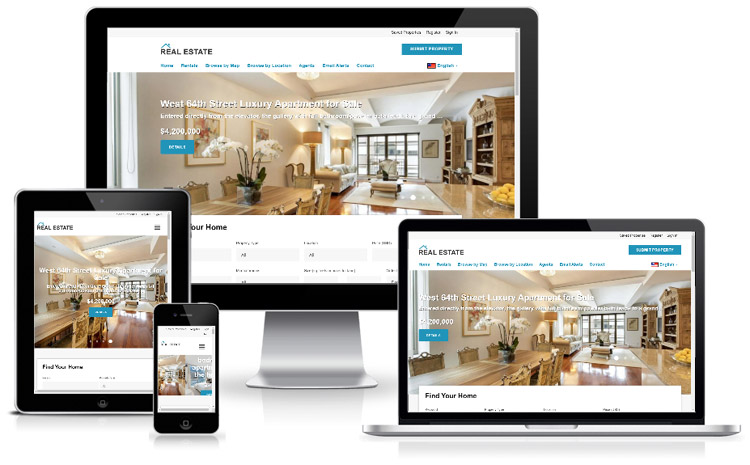
1Getting started
Real Estate Portal Script: Features OverviewWhat the Real Estate Portal script does: a property listing website with AI search, agent dashboards, payments and a full admin panel. Start here.
How to Install the Real Estate Portal ScriptServer requirements and step-by-step installation of the Real Estate Portal script with the web installer or the command line, plus demo data.
Real Estate Website Setup ChecklistThe first things to configure after installing your real estate portal: site name, e-mail, currency, locations, payments, AI and the template.
2Front end
Real Estate Website Pages and Menu StructureA tour of the public real estate website: home page, buy and rent pages, listing pages, agents, news, FAQ and contact, and how the menu works.
Property Search Filters for Real EstateHow the classic property search works: location autocomplete, price, bedrooms, amenities, sorting, grid and list views and removable filter chips.
AI Property Search in Natural LanguageLet visitors type "2 bedroom apartment for rent in Brooklyn under $3,000" and get filtered results. How the AI search works and how to configure it.
Real Estate Map Search with Price PinsBrowse listings on an interactive OpenStreetMap with price pins, filters and a listing sidebar. No map API key or fees required.
Property Page: Gallery, Facts and MapEverything on the property details page: photo gallery, key facts, amenities, energy class, floor plans, video tour, map and similar properties.
Property Enquiry and Viewing Request FormsHow visitors contact agents: message, book a viewing or request a call back. E-mail delivery, spam protection, phone reveal and WhatsApp.
Save Favorites and Compare PropertiesVisitors can save favorite properties with or without an account and compare up to four listings side by side with the best values highlighted.
Saved Searches and New Listing E-mail AlertsHow saved searches and e-mail alerts work for property seekers: daily or weekly alerts, unsubscribe links and the maintenance task that sends them.
Mortgage Calculator for a Property WebsiteThe built-in mortgage calculator: monthly payment, loan amount and total interest, on its own page and on every property for sale.
Agent Directory, Profiles and ReviewsThe public agent and agency directory: profile pages, verified badges, star ratings, moderated reviews and contact forms.
User Registration, Login and Password ResetHow accounts work: private sellers, agents, agencies and buyers, e-mail activation, login protection and password reset.
News, FAQ and Contact PagesContent pages of the portal: news articles and guides, the FAQ, the pricing page and the contact form that e-mails you.
Multilingual Real Estate Site and SEO URLsRun your portal in several languages, switch language from the header and enable search engine friendly URLs, meta tags and structured data.
3Agent & user panel
Real Estate Agent Dashboard OverviewA guide to the agent and seller dashboard: statistics, views chart, quick actions, plan status and the menu for each account type.
How to Add a Property ListingStep-by-step guide to the add listing form: type, price, location with map picker, details, amenities, photos, floor plans and video.
Write Property Descriptions with AIUse the AI assistant to generate listing descriptions, titles and agent biographies in any language and tone, and improve your own text.
Manage, Renew and Promote Property ListingsListing statuses explained, plus how to renew, promote to featured, mark as sold or rented, edit and delete listings from the dashboard.
Property Enquiries Inbox for AgentsRead and answer messages, viewing requests and call-back requests from the agent inbox, with unread highlighting and one-click replies.
Buy Listing Packages and Pay OnlineHow agents pay: listing packages, pay-per-listing, featured upgrades, checkout with Stripe, PayPal or bank transfer, payment history and invoices.
Agent Profile, Photo and Account SettingsEdit the account and public agent profile: photo, logo, AI-written bio, license, specialties, languages and social links; change password.
4Admin panel
Real Estate Admin Panel: Login and DashboardLog in to the administration panel and learn the dashboard, the menu and the quick actions of your real estate portal.
Approve and Manage Property ListingsModerate new listings, approve or reject with a reason, feature, renew, edit, export to CSV and review enquiries and saved searches.
Property Types, Amenities, Locations SetupDefine property types, amenities with icons, the location tree and listing options such as currency, units, expiry and moderation.
Manage Agents, Users and ReviewsManage registered agents, agencies, sellers and buyers: activate, verify, feature, log in as a user, moderate reviews and export subscribers.
Portal Payments: Stripe and PayPal SetupCharge for listings: charge modes, packages, featured upgrades, VAT, Stripe Checkout, PayPal, bank transfer, webhooks and the payments archive.
Connect Groq, DeepSeek or ChatGPTConfigure the AI features: choose Groq, DeepSeek or ChatGPT, paste the API key, set the model and daily limits and test the connection.
Manage Website Pages, News and FAQEdit menu pages, publish translated news articles, manage the FAQ, upload the logo and favicon and edit interface texts.
Change the Real Estate Website TemplateSwitch between website templates in one click, edit the template HTML in the browser, set brand colors and the hero image.
General Settings, E-mail, SEO and BackupsSite-wide settings: general options, company information, SMTP e-mail, tracking codes, social links, languages, maintenance mode and backups.
Website Traffic Statistics for the PortalTraffic reports, referrals and sources, audience and technology charts and the live activity log of the portal.
Admin Users, Groups and PermissionsCreate administrator accounts, groups and permissions so editors only see the admin sections they need. Login logs and password change.
5Reference
Scheduled Tasks and Cron Job SetupAutomatic expiry of listings and packages, saved-search alerts and how to run them from a real cron job.
Real Estate Portal Troubleshooting GuideFix common problems: e-mails not sent, AI not working, images not uploading, blank maps, SEO URLs returning 404, payments not activating.
Customize the Real Estate Portal ScriptFolder structure, adding pages, template tags, languages, CSS files and merging with other scripts for developers who edit the sources.