Real Estate Map Search with Price Pins
Properties with coordinates appear as price pins on a free OpenStreetMap map.
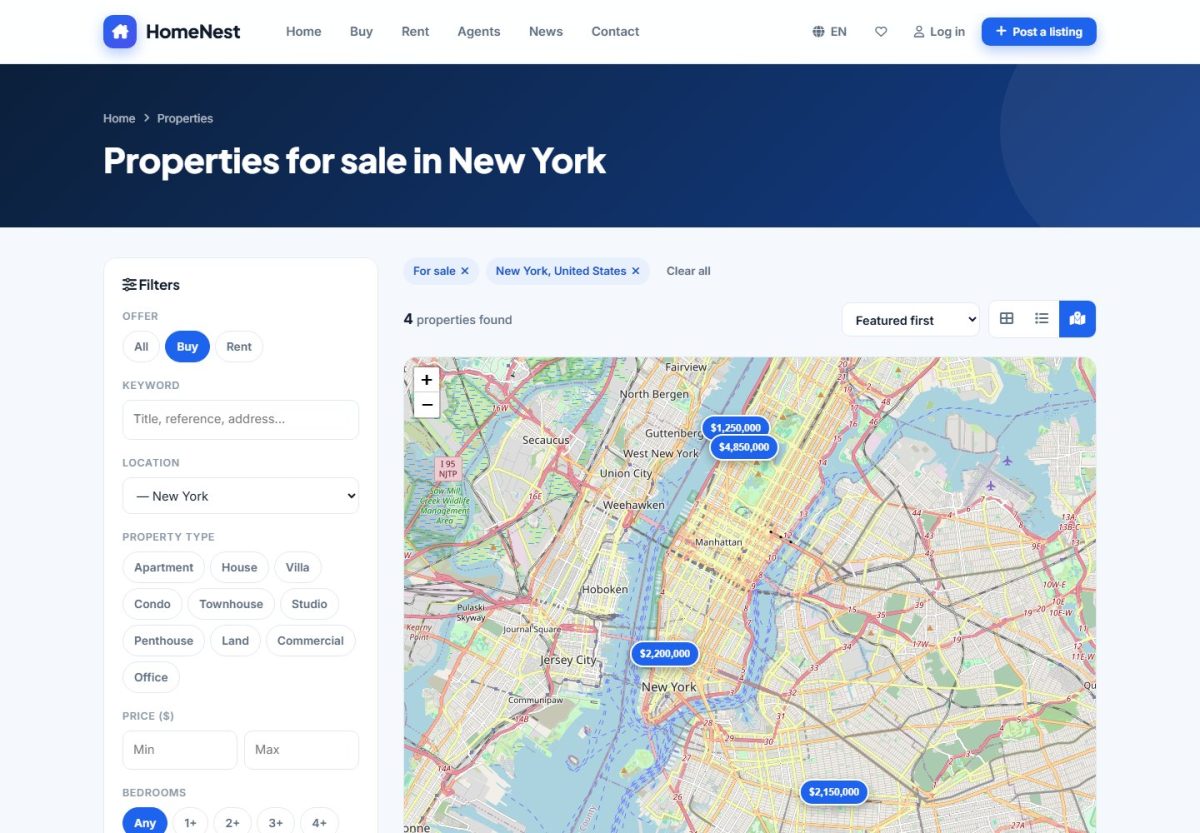
Open the map
Click Map search under the search card on the home page, or the map icon in the view switcher of the results page. All filters of the normal search are available on the map page as well.
How it works
- Every listing with coordinates is shown as a price pin. Click a pin to see a small card with photo, price and a link to the property.
- The list beside the map shows the same listings. Hovering a card highlights its pin.
- Move or zoom the map and press Search this area to load only the properties inside the visible area.
- The maps use Leaflet and OpenStreetMap: free, no API key and no usage limit to configure.
Where the coordinates come from
In the listing form the advertiser clicks on the map or drags the marker to set the exact position. Listings without coordinates are still found by the normal search but do not appear on the map.
Configuration
In Property settings › Listing options set the default latitude, longitude and zoom. The map opens there when no results exist. Choose a point in the middle of your market.
The property page also shows a small map with the exact location, so the same coordinates are used in both places.
Last updated