Real Estate Portal Script: Features Overview
Real Estate Portal is a complete property marketplace script: a public website for buyers and tenants, a dashboard for agents and private sellers, and an administration panel for you.
The script is written in plain PHP and MySQL. You upload it to your own hosting, run the web installer and you have a complete real estate marketplace: no monthly platform fees, no third-party lock-in, and full access to the source code.
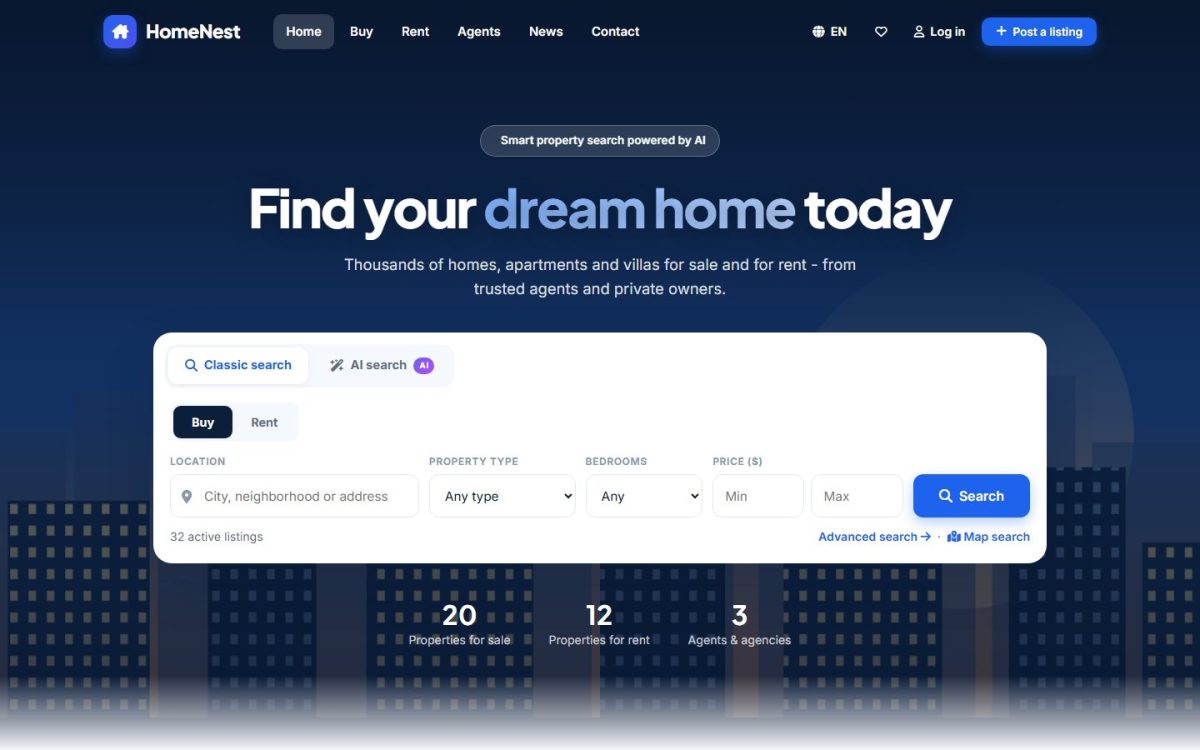
The three parts of the system
| Part | Who uses it | Where |
|---|---|---|
| Front end | Buyers, tenants and any visitor | The root of the website (/index.php) |
| Agent & user panel | Real estate agents, agencies, private sellers and registered buyers | /USERS/ |
| Admin panel | You, the portal owner, and your staff | /ADMIN/ |
Each part has its own section in this manual. The links in the left menu take you through them in order.
Main features
- Search: classic filters, AI search in plain language, map search, sorting, grid and list views.
- Listings: sale and rent, photo galleries, floor plans, video tours, amenities, energy class, map location, similar properties.
- Leads: message, viewing and call-back requests sent to the advertiser by e-mail and to the dashboard inbox.
- Retention: favorites and compare, saved searches with e-mail alerts, a mortgage calculator.
- Agents: public profiles, verified badges and reviews.
- AI: the AI listing assistant writes descriptions and titles; works with Groq, DeepSeek and ChatGPT.
- Revenue: free posting, pay-per-listing or subscription packages with Stripe, PayPal and bank transfer.
- Design: two templates you can switch with one click, brand colors, hero image.
- Languages and SEO: multilingual website, friendly URLs, meta tags and structured data.
Account types
| Type | Can publish listings | Typical use |
|---|---|---|
| Private seller (owner) | Yes | One or a few properties |
| Real estate agent | Yes | Independent professional with a public profile |
| Agency | Yes | Company profile with a logo |
| Buyer / tenant | No | Favorites and saved searches only |
Install the demo data first. It contains 32 listings, agents, news and FAQ so you can explore every feature before you add your own content.
What to read next
- Requirements and installation
- First steps checklist
- Then the section that matches your role: front end, agent panel or admin panel.
Last updated