Property Page: Gallery, Facts and Map
The listing page gives buyers every detail they need and keeps the contact box on screen while they scroll.
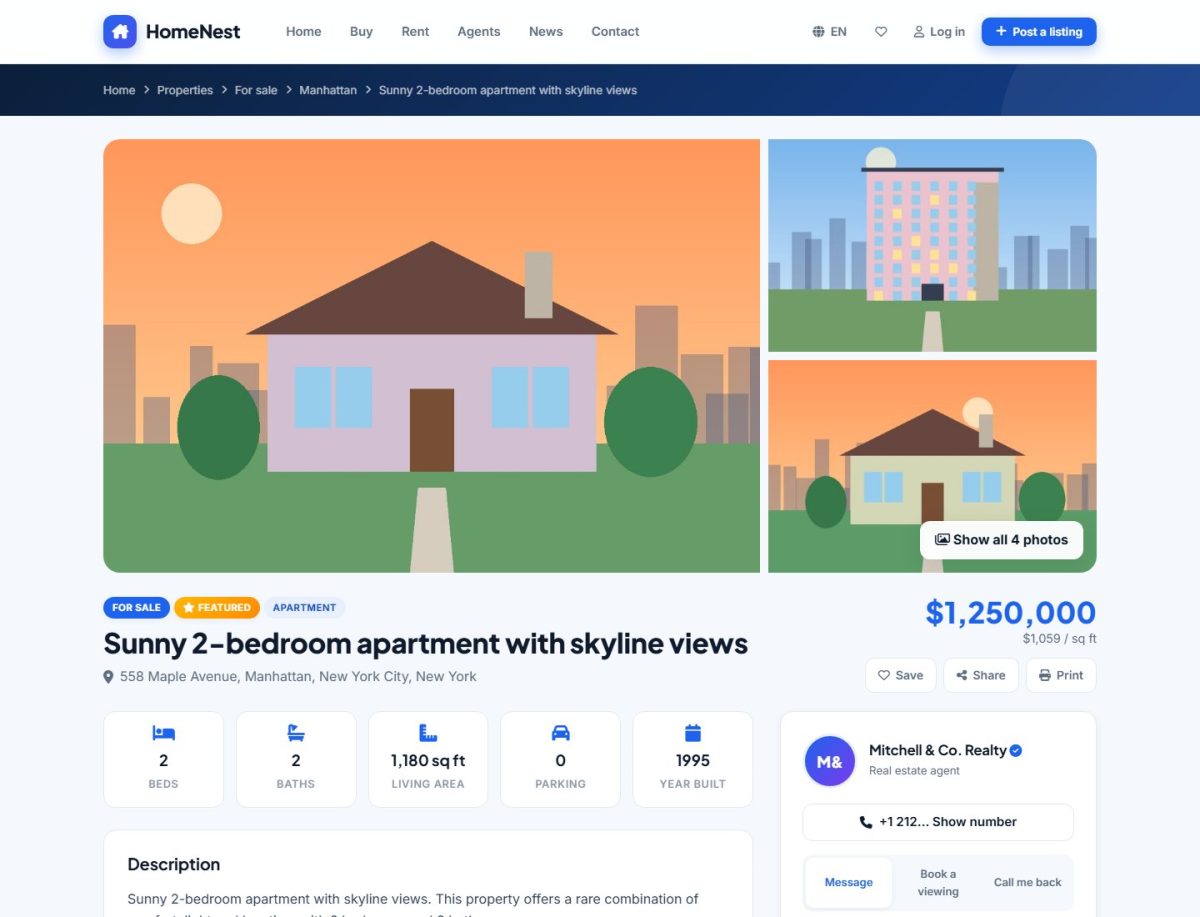
What the page contains
- Gallery with a large photo, thumbnails and a full-screen viewer with keyboard arrows.
- Header: title, address, price (with period for rentals), badges, favorite, compare and share buttons.
- Key facts: bedrooms, bathrooms, area, parking, year built, floor, energy class and furnishing.
- Description written with the rich-text editor (headings, lists, bold).
- Amenities shown as icons.
- Floor plans and an embedded video tour (YouTube or Vimeo link).
- Location map with the exact position.
- Mortgage calculator prefilled with the property price (sale listings).
- Similar properties of the same type and area.
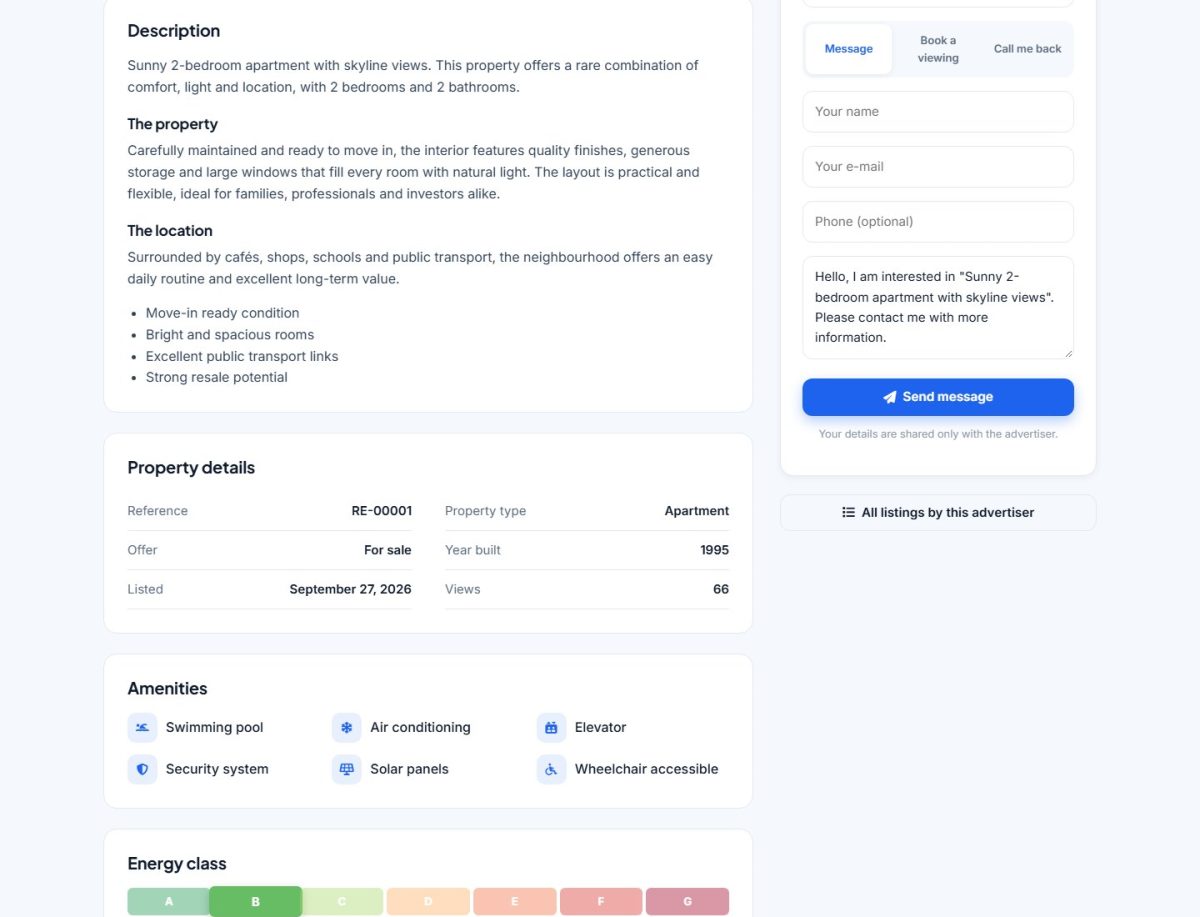
The contact card
On the right (below the gallery on phones) the advertiser's photo, name, company and verified badge are shown with the contact forms: send a message, request a viewing, or reveal the phone number. A link opens the full agent profile.
Views counter
Each visit increases the view counter, which is shown to the owner in My listings. Repeated visits from the same visitor in one session are counted once.
SEO of the page
Each listing gets its own title, meta description, canonical URL and Open Graph image (the main photo). The meta title and description are generated from the listing data. With SEO URLs enabled the address contains the title, for example /listing-sunny-apartment-12. A listing that has been sold, rented or expired shows a notice and is excluded from search.
Last updated