Property Search Filters for Real Estate
Visitors can start from the search card on the home page or open the full results page with the filter panel.
Search from the home page
The search card on the home page has:
- a Buy / Rent switch,
- Location with autocomplete: type a city or neighborhood and pick a suggestion. If you type free text without choosing a suggestion, it is used as a keyword (it matches titles, references, addresses, ZIP codes and place names),
- Property type, Bedrooms (1+ to 5+) and a Min / Max price.
The links Advanced search and Map search under the card open the full results page and the map.
The results page
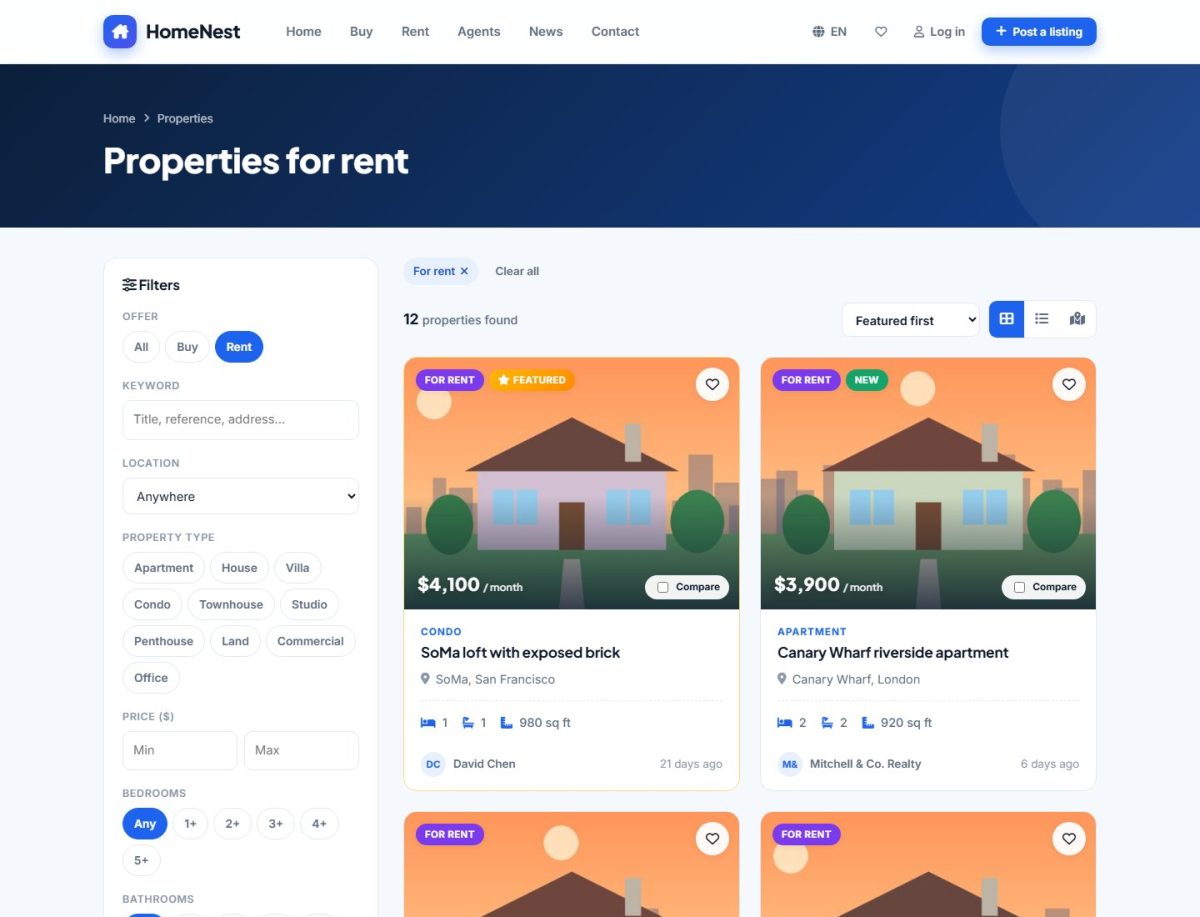
Filters
| Filter | How it works |
|---|---|
| Offer | All, Buy (sale) or Rent |
| Keyword | Searches title, reference number, address, ZIP code and location names |
| Location | Choosing a city includes all its neighborhoods; choosing a region includes all its cities |
| Property type | One or several types at once |
| Price | Minimum and maximum, in the currency of the portal |
| Bedrooms / Bathrooms | “2+” means two or more |
| Area | Minimum and maximum living area |
| Furnished | Any, yes, partly or no |
| Amenities | Every ticked amenity must be present in the listing |
Press Show results to apply the filters or Reset to start again. On phones the filters open in a full-screen panel from the Filters button.
Active filter chips
Every active filter is shown as a chip above the results. Click the × on a chip to remove that single filter, or Clear all to remove all of them.
Sorting and views
- Sort: Featured first (default), Newest, Price low to high, Price high to low, Largest area, Most viewed.
- Views: grid, list (with a short description) or map.
- Results are paginated; the number per page is set in Listing options.
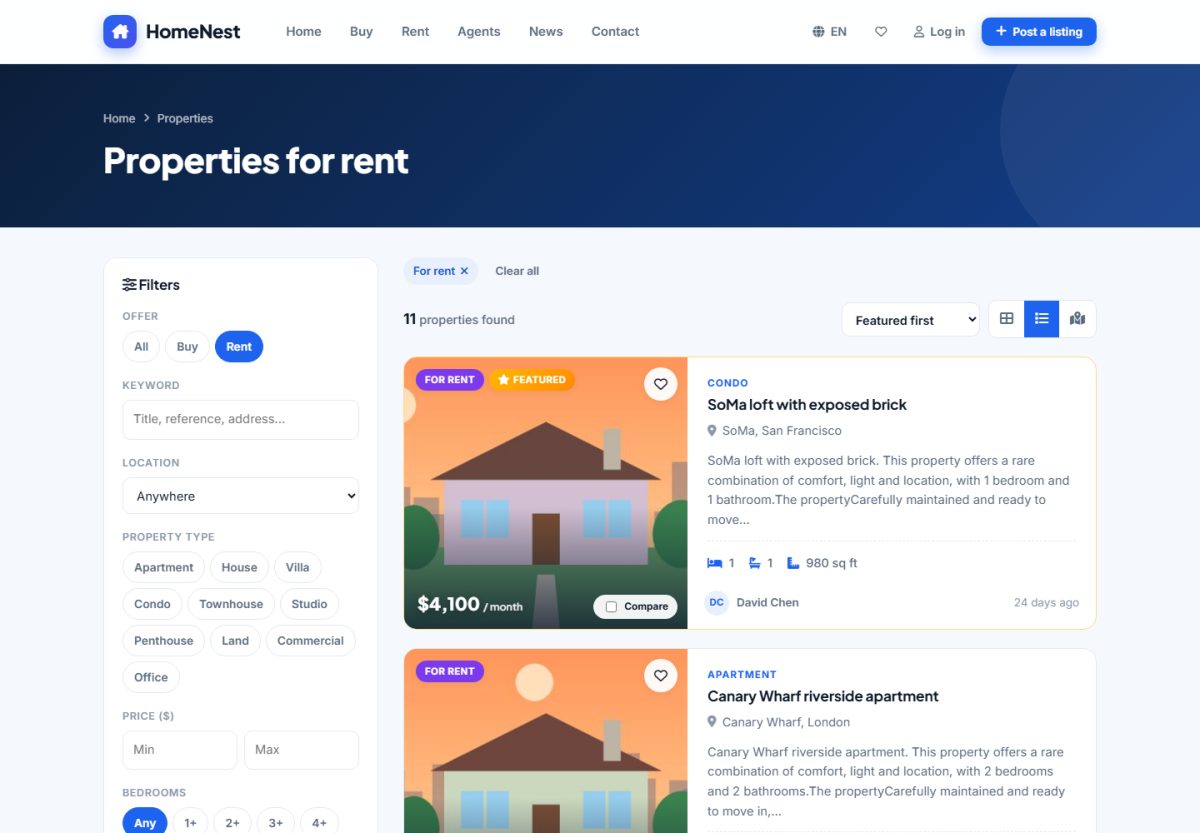
The listing card
Each card shows the main photo, a For sale / For rent badge, Featured or New badges, the price, type, title, location, bedrooms, bathrooms, area, parking and the advertiser. The heart saves the property as a favorite and the Compare checkbox adds it to the comparison.
Save the search
Below the results a box offers e-mail alerts for the current filters. See Saved searches and alerts.
Only active listings that have not expired appear in the search. Drafts, pending, rejected, sold and expired listings are hidden from visitors.
Last updated