Change the Real Estate Website Template
Change the look of the whole website without touching the content.
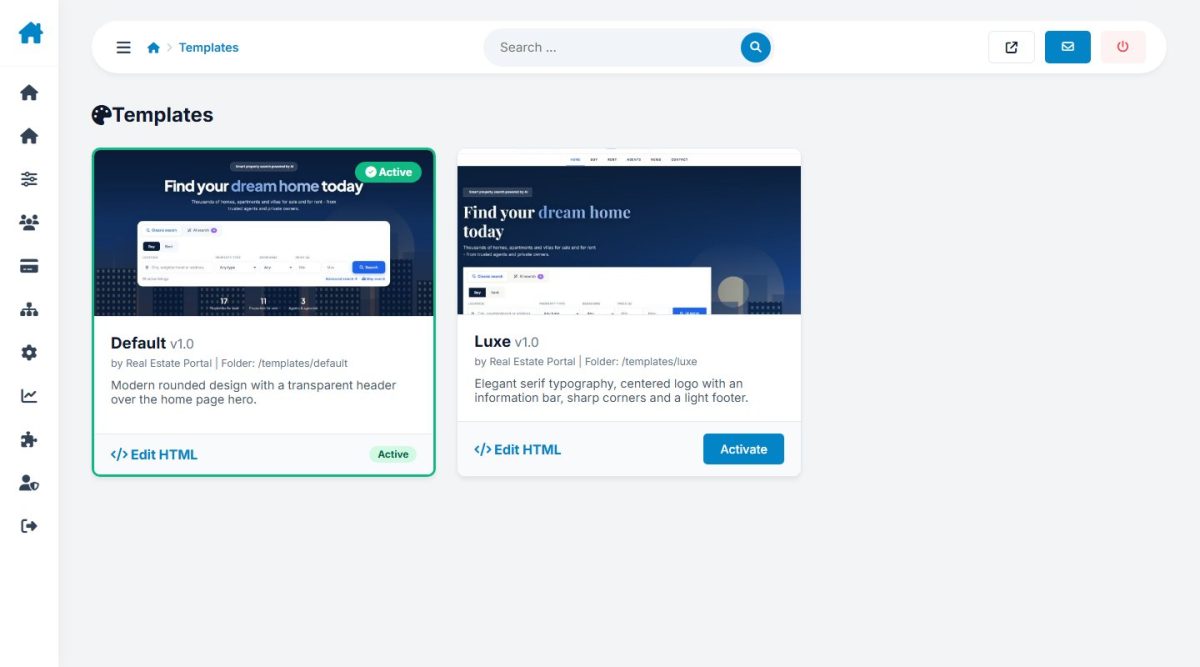
Switching the design
Two front-end templates are included: Default (bright and modern) and Luxe (dark, elegant). Open Website › Templates, look at the previews and press Activate. The site changes instantly with no data loss.
Colors and branding
Primary and accent colors, hero image and brand name are set in Configuration Options › Design and apply to the active template.
Template structure
Each template is a folder in templates/ with theme.json (name, author), preview.jpg, template.html (layout), a stylesheet and assets. To create your own, duplicate a folder, rename it and edit; it appears in the list automatically. See Customization.
Last updated