Locations: countries, cities and tourist spots
Locations are stored in a simple text file that you edit right in the admin panel. A European tourism tree is included.
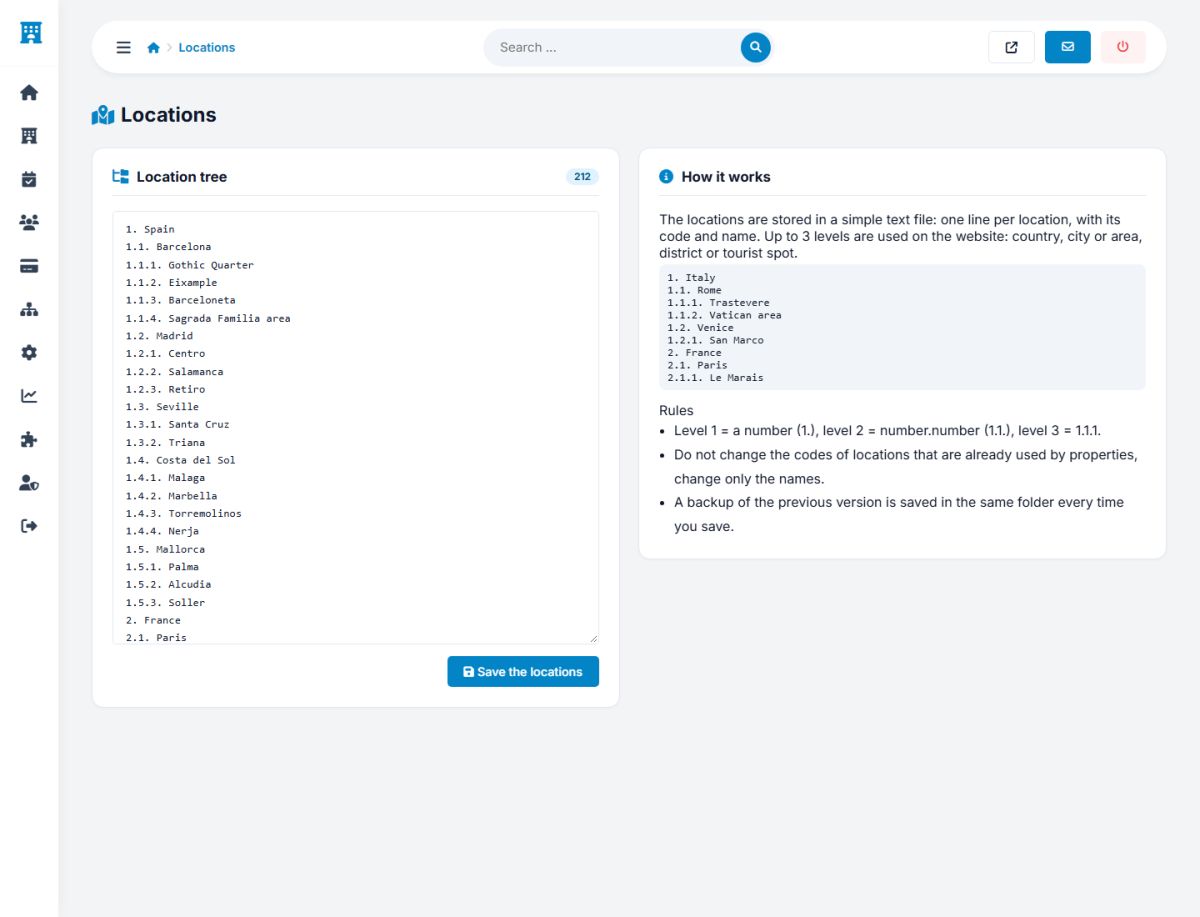
Every property belongs to a location, and guests search by location. The locations of the marketplace are a tree of up to three levels, stored in a simple text file that you edit in Settings → Locations.
The format
One location per line: a code, a dot, a space and the name.
1. Spain
1.1. Barcelona
1.1.1. Gothic Quarter
1.1.2. Barceloneta
1.2. Madrid
1.2.1. Centro
2. France
2.1. Paris
2.1.1. Le Marais
| Level | Code | Use |
|---|---|---|
| 1 | 1. | Country (or a big region) |
| 2 | 1.1. | City or area. This is the level of the popular destinations. |
| 3 | 1.1.1. | District, town or tourist spot |
The sample tree contains the most popular countries of Europe (Spain, France, Italy, Portugal, Greece, Germany, United Kingdom, Netherlands, Austria, Switzerland, Czechia, Croatia, Hungary, Poland, Ireland and Georgia) with their major cities and tourist spots.
Editing the tree
- Edit the text in the box. Add lines for your own regions, rename or remove entries.
- Press Save the locations.
- The script checks the format, saves a backup of the previous version in the folder
/locations(named with the time) and generates the file that the website uses.
Never change the codes of locations that are already used by properties. If a property uses 2.1.1, that line must keep the number 2.1.1; you can only rename it. Adding new lines at the end of a list is always safe.
The folder /locations must be writable by the web server. If the page says that the file is not writable, change the permissions of the folder and of the two files in it.
Where locations are used
- The three linked lists of the registration form and of the property profile (Property profile).
- The destination field of the search, with its autocomplete, and the filter of the results (Search and filters).
- The location line of the hotel cards and pages, for example "Le Marais, Paris, France".
- The popular destinations of the home page (Destinations).
- The AI trip search, which matches the words of the traveler with this list (AI trip search).
Keep the tree focused on the markets you really serve. A short list of well-known places is easier for travelers than a long list of villages with one property each.
Last updated