Packages, commissions, payouts and transactions
The money tools: what hotels buy, what you earn and what you owe.
Packages
A package is what a hotel owner buys to be listed (or for extra visibility). Open Payments → Packages. The sample site contains a free Starter package and paid monthly and yearly plans.
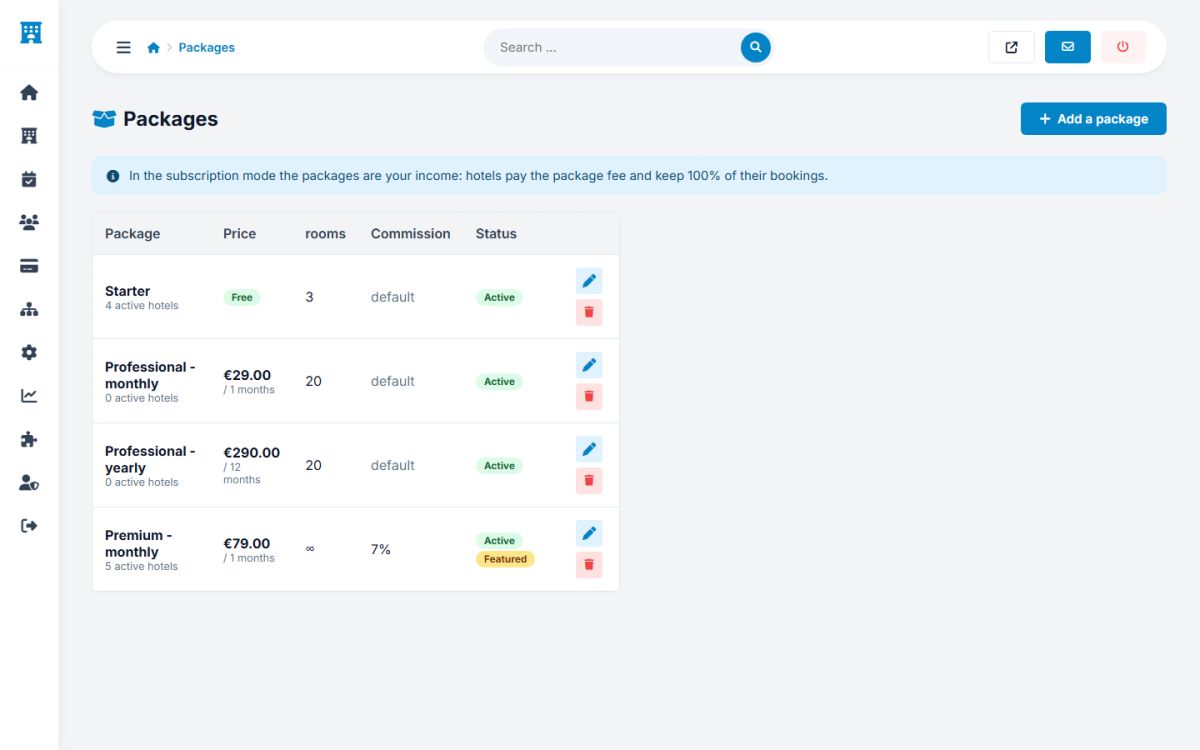
Press Add a package, or the pencil of an existing one:
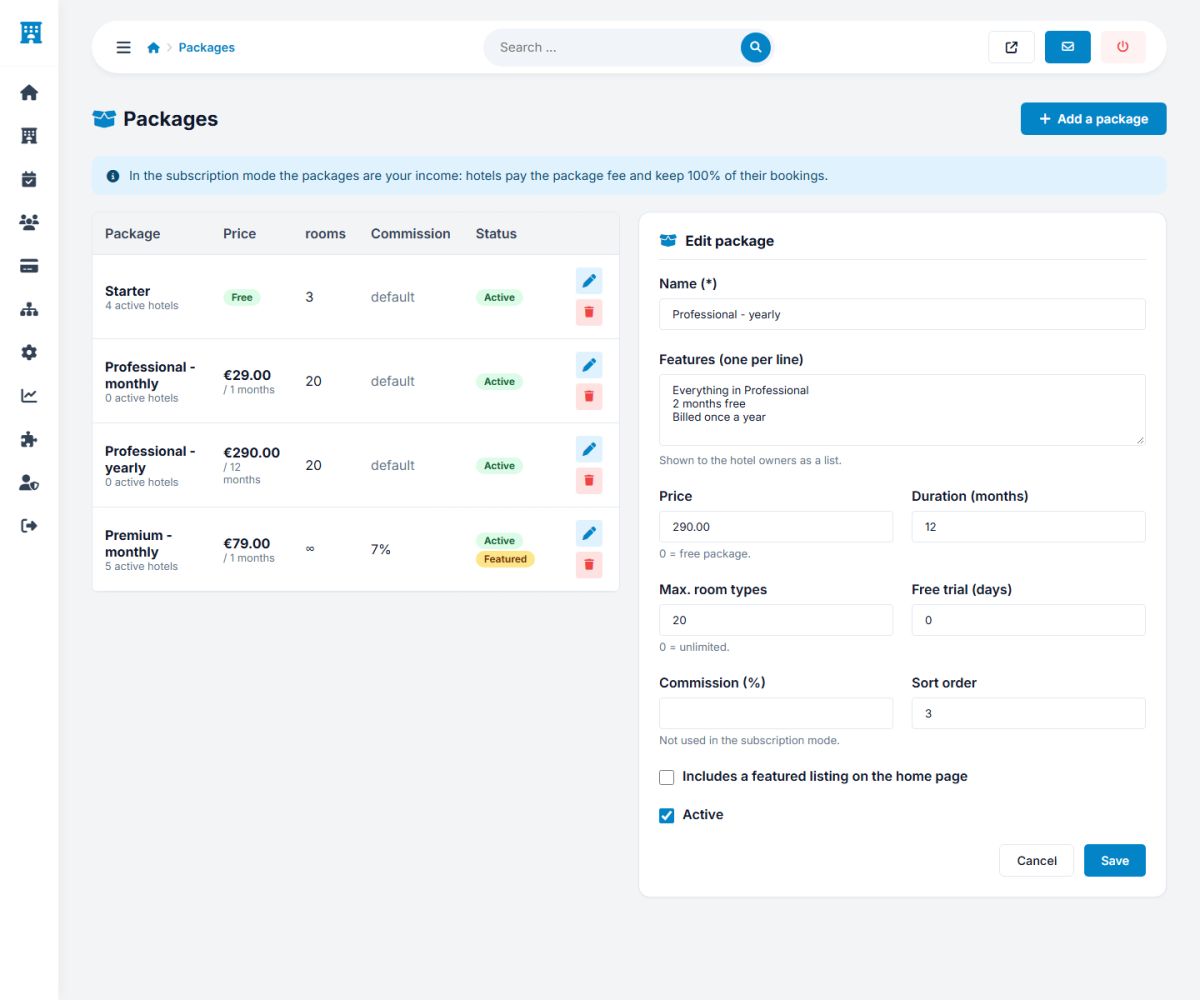
| Field | Explanation |
|---|---|
| Name | For example "Professional - monthly". |
| Features | One feature per line. They are shown as ticks on the pricing cards, after the automatic lines for rooms, commission and featured listing. |
| Price, Period (months) | What the owner pays and how long the package lasts. A price of 0 makes it a free package. |
| Max. rooms | The maximum number of room types the owner can create. 0 means unlimited. |
| Trial days | Lets an owner start this paid package once for free for this number of days (a button Start free trial on the package card). |
| Commission (%) | A commission for the hotels with this package (models 2 and 3). Leave empty for the global commission. A premium package can have a lower rate. |
| Featured listing | Hotels with this package appear in the featured places. |
| Order, Active | The position on the cards, and whether the package can be bought. |
The packages are shown to the owners on the List your property page and in their panel (Packages and earnings). Owners pay for packages with your Stripe or PayPal account.
Which commission applies?
In the models 2 and 3 the commission of a booking is chosen in this order:
- the special commission set for the property in its edit page, if any;
- otherwise the commission of the package of the property, if any;
- otherwise the global commission of the payment settings (a percentage plus an optional fixed fee per booking).
The rate that was used is saved with the booking, so later changes never affect old bookings.
Commissions report
Payments → Commissions shows the money you earned. Choose the year at the top.
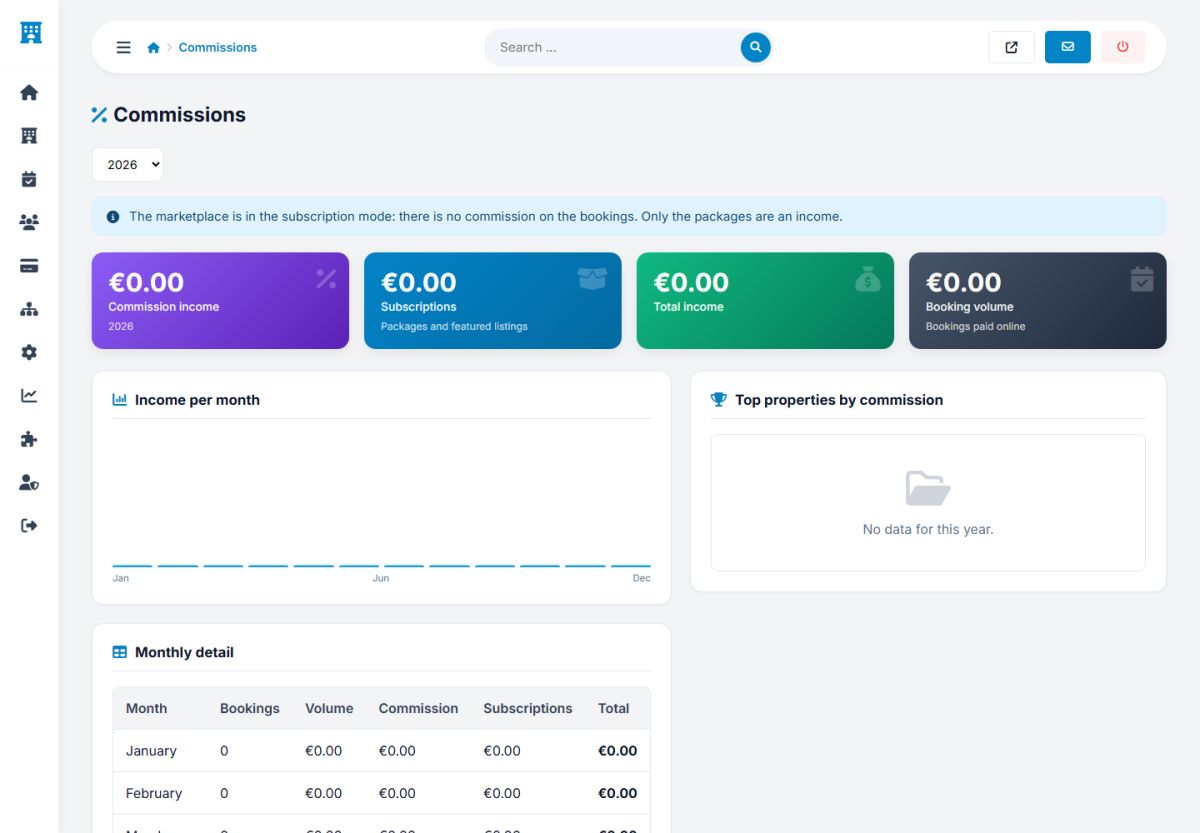
- Four tiles: commission income, subscription income (packages and featured listings), total income and booking volume paid online.
- A chart with the income per month, and the top properties by commission.
- A table with the monthly detail: bookings, volume, commission, subscriptions and total.
Payouts
With the model 2 you owe the hotels the money that guests paid you, minus your commission. Payments → Payouts prepares the payments for you.
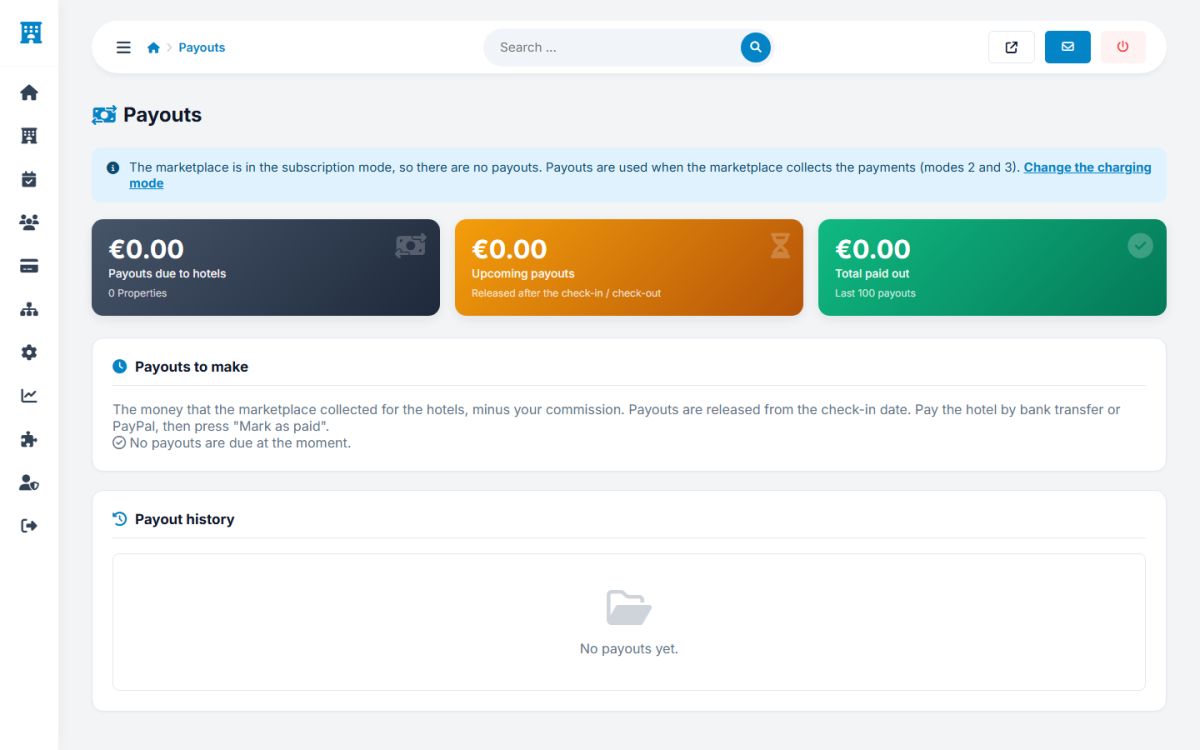
- Payouts to make: for every hotel, the amount that became due, with its bank details or PayPal e-mail from its panel. A booking becomes due at the booking, at check-in or after check-out, depending on the setting When is the money released to the hotel?.
- Transfer the money with your bank or PayPal, then press Mark as paid. The hotel sees it in its Earnings and payouts page and receives an e-mail.
- Upcoming payouts: money that is not yet due.
- Payout history: every payout that was made.
When a booking is cancelled and refunded, its payout is removed automatically, and the money that was already marked as paid stays in the history.
Transactions
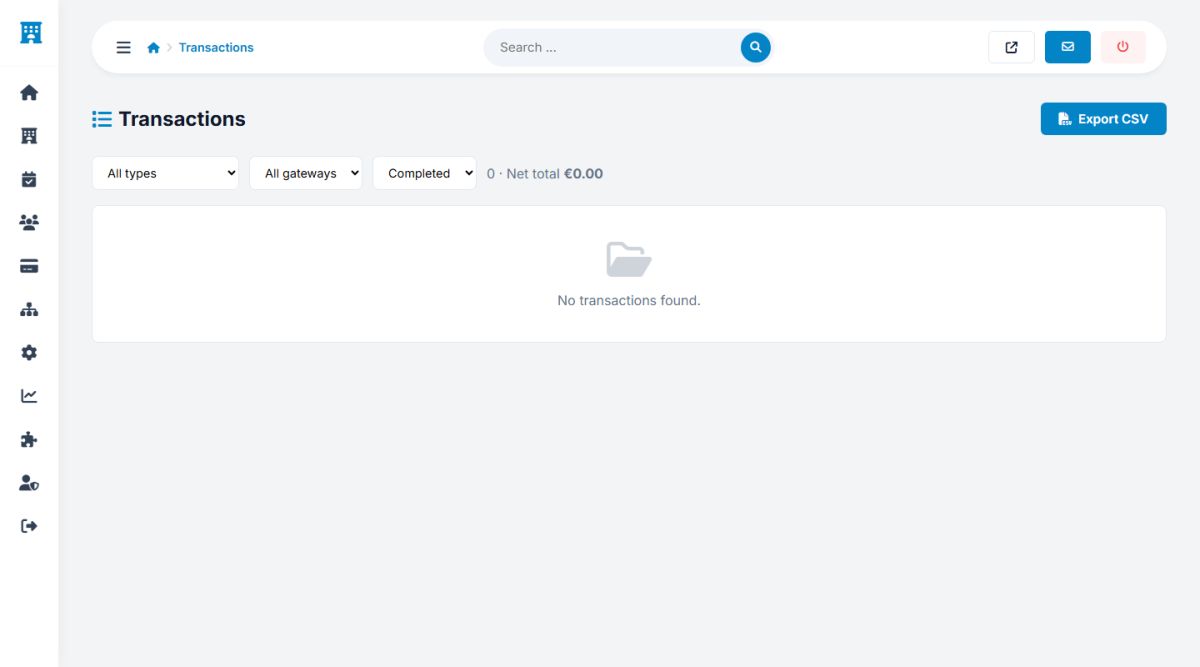
The page Payments → Transactions lists every payment, refund and package purchase. Filter by type, gateway (Stripe, PayPal) and status, and export to CSV for your accountant.
Last updated