How to list a hotel room: add and edit room types
A room type is a group of identical rooms, for example "Classic Double Room" with six units.
Room types
A room type is a group of identical rooms: "Classic Double Room, 6 rooms" is one room type with six units. Guests choose a room type and the script keeps count of how many units are still free for every night. Open Rooms and prices → My rooms to see the list of room types with capacity, number of rooms, price and status.
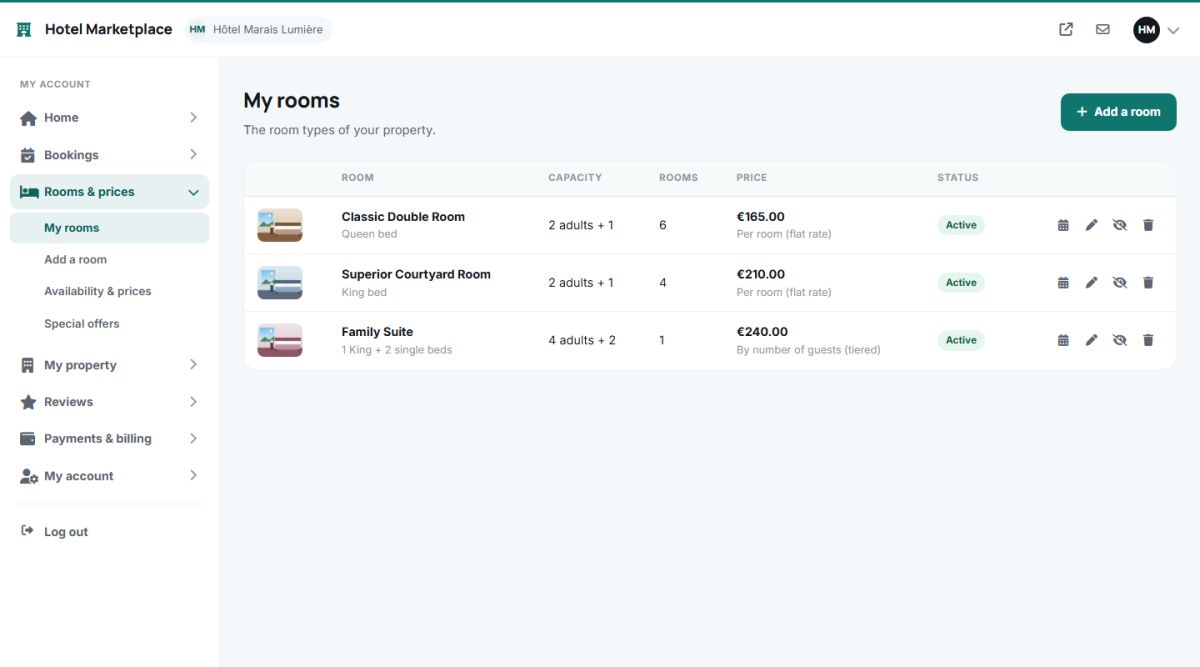
Each row has buttons to open the availability calendar, edit, hide or show, and delete the room type.
Adding a room type
Press Add a room. The form has the sections below.
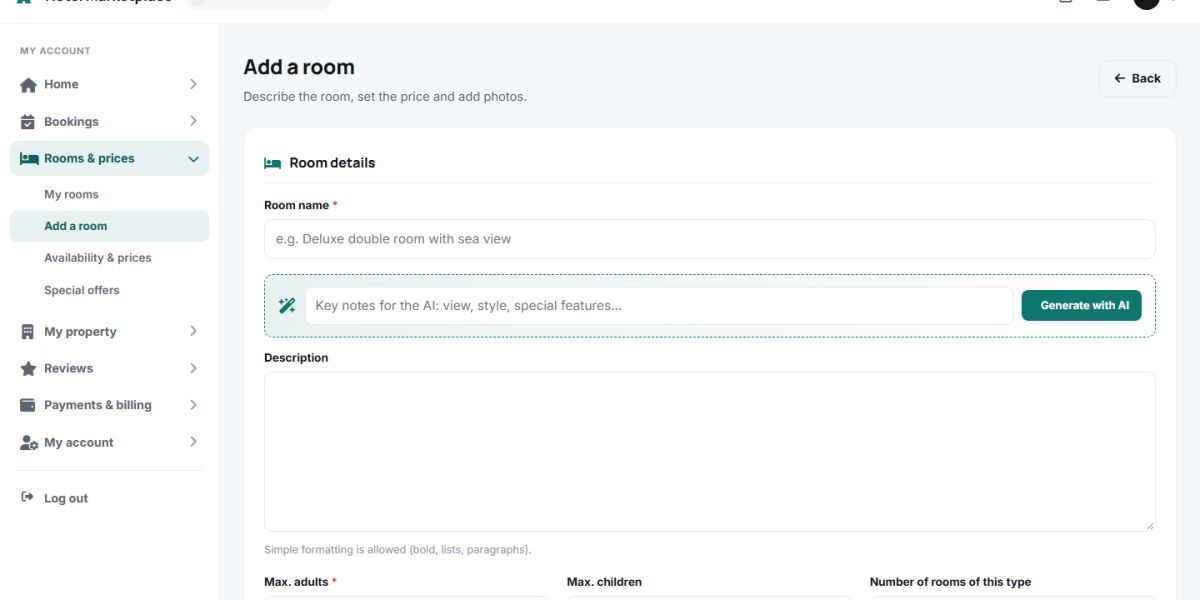
Room details
| Field | Explanation |
|---|---|
| Room name | For example "Deluxe double room with sea view". Required. |
| Description | Free text with simple formatting. The blue AI strip above it writes it for you: see AI descriptions. |
| Max. adults, Max. children | The capacity. A search for more guests than this does not show the room. |
| Number of rooms of this type | How many identical rooms you have. This is the stock that is reduced by every booking. |
| Beds | For example "1 King + 2 single beds". |
| Size (m²) | Shown on the room card. |
| Minimum nights | Shorter stays are refused for this room. |
Pricing
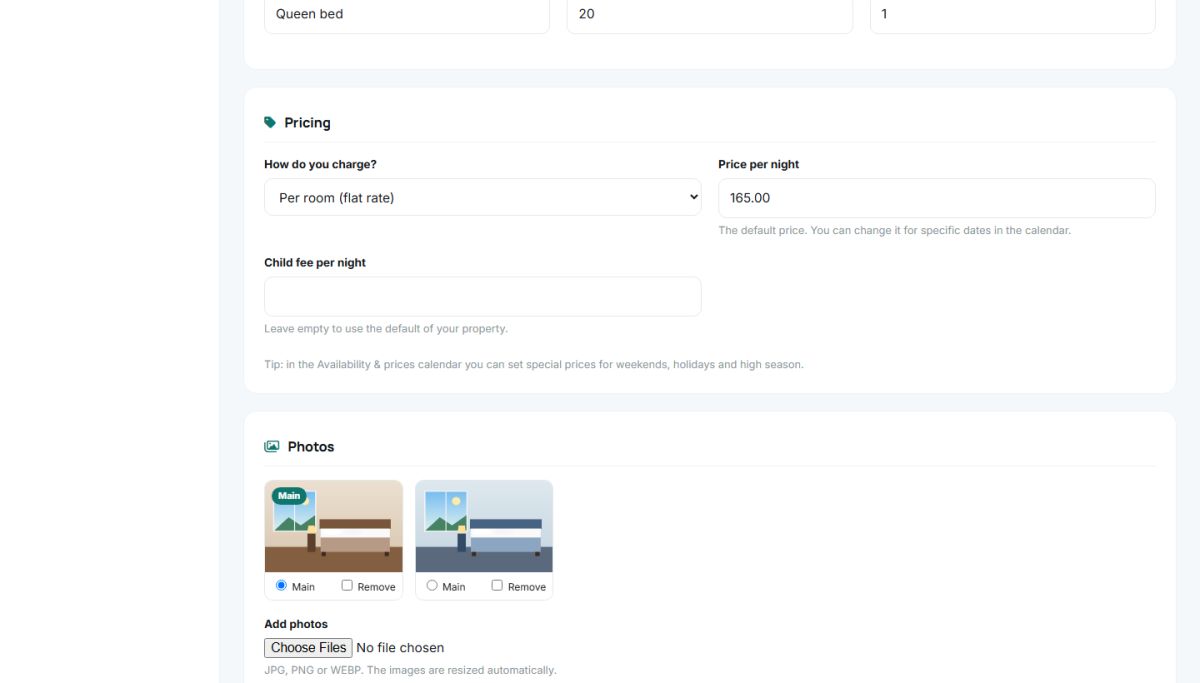
Choose how the room is charged and enter the price. There are three models, explained in Room pricing: per room, per person, or by the number of guests. A Child fee per night can be set as well.
Photos and facilities
Upload photos of the room: they are resized automatically and the first one is the main photo of the room. Then tick the facilities of the room: private bathroom, flat-screen TV, kitchenette, balcony, sea view, mountain view, minibar, coffee machine, work desk, heating, fireplace, washing machine, private pool and more. They are shown as small tags on the room card.
Active
A room type that is not active is hidden from travelers but keeps its data and bookings. Use it for a room under renovation.
Editing and removing
The same form opens with the pencil icon. Changes of price or capacity apply to new bookings only, existing bookings keep the price they were made with. A room type that has bookings can be hidden instead of deleted.
Start with two or three room types. A long list of almost identical rooms is harder for the guest to choose from.
Last updated