Manage hotel bookings: list, calendar, confirm and cancel
All reservations of the property in one place, as a list and as a month calendar.
The bookings list
Open Bookings → All bookings. The list shows the booking code and date, the guest, the room, the stay (dates, nights, guests), the total and the status.
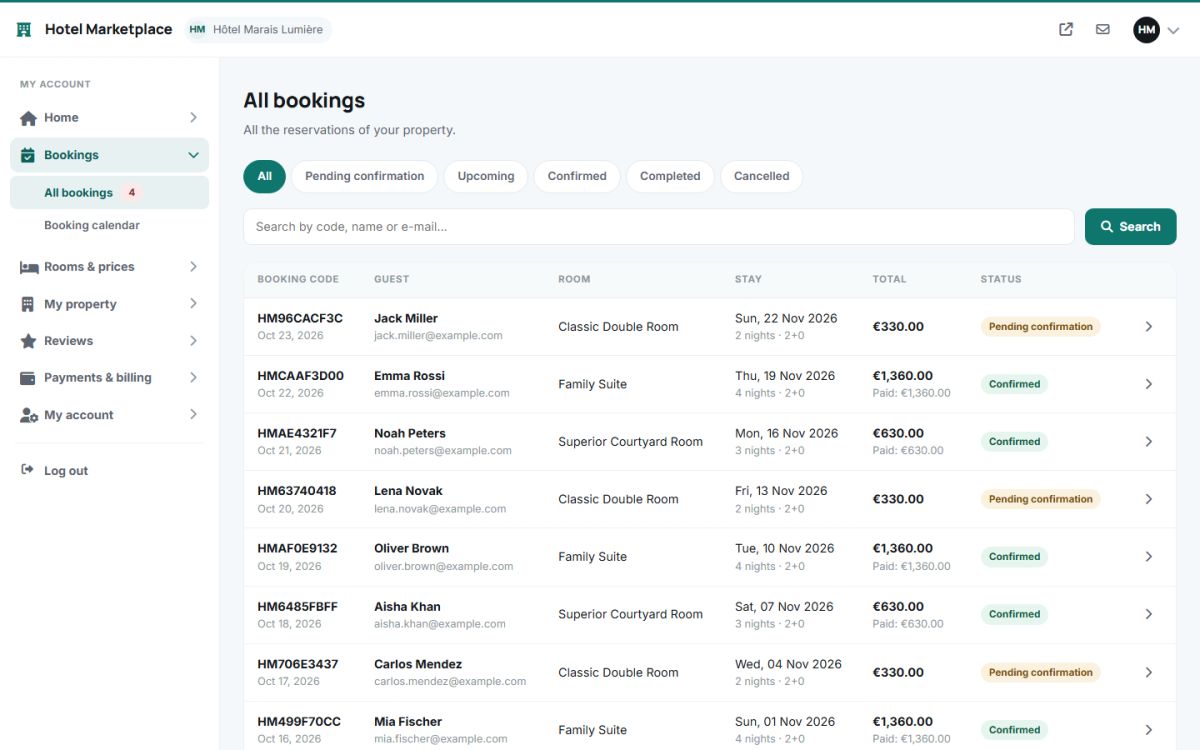
- Filters: All, Pending confirmation, Upcoming, Confirmed, Completed, Cancelled.
- Search: by booking code, guest name or e-mail.
Booking statuses
| Status | Meaning |
|---|---|
| Pending confirmation | The guest booked and waits for the property to confirm (when automatic confirmation is off, or for new requests). |
| Awaiting payment | The guest started an online payment that is not completed yet. The room is held for a limited time. |
| Confirmed | Accepted, and paid online or to be paid at the property. |
| Completed | The stay is over (set automatically after check-out by the cron job, or by hand). |
| No-show | The guest did not arrive. |
| Cancelled | Cancelled by the guest or by the property. |
The booking page
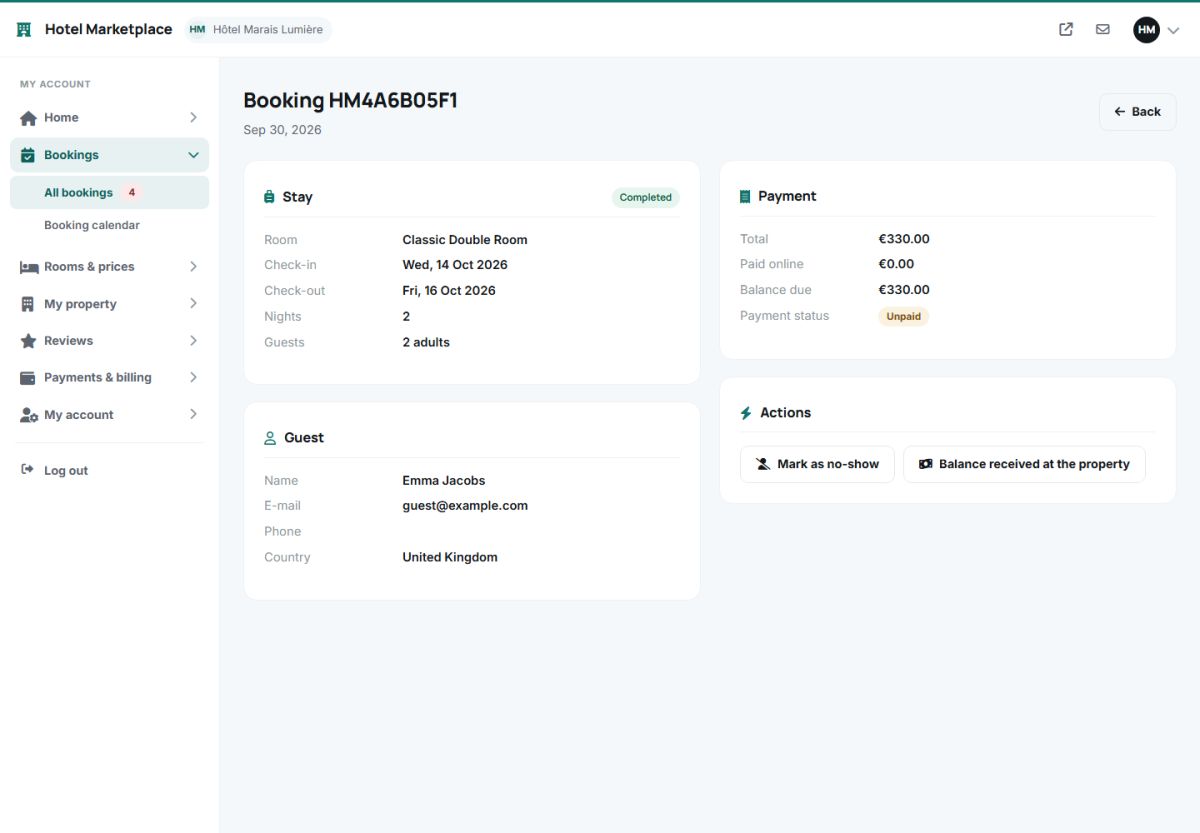
Click a booking to see the stay (room, dates, nights, guests), the guest (name, e-mail, phone, country, remarks), the payment (total, paid online, balance due, payment status) and the actions that are possible for the current status:
- Confirm booking: accepts a pending booking. The guest receives the confirmation e-mail.
- Cancel booking: cancels with a reason that is shown to the guest. When the property cancels, everything that was paid online is refunded in full automatically through Stripe or PayPal.
- Mark as completed and Mark as no-show.
- Balance received at the property: records that the guest paid the remaining amount on arrival.
The booking calendar
Open Bookings → Booking calendar for a month overview of all room types in one table.
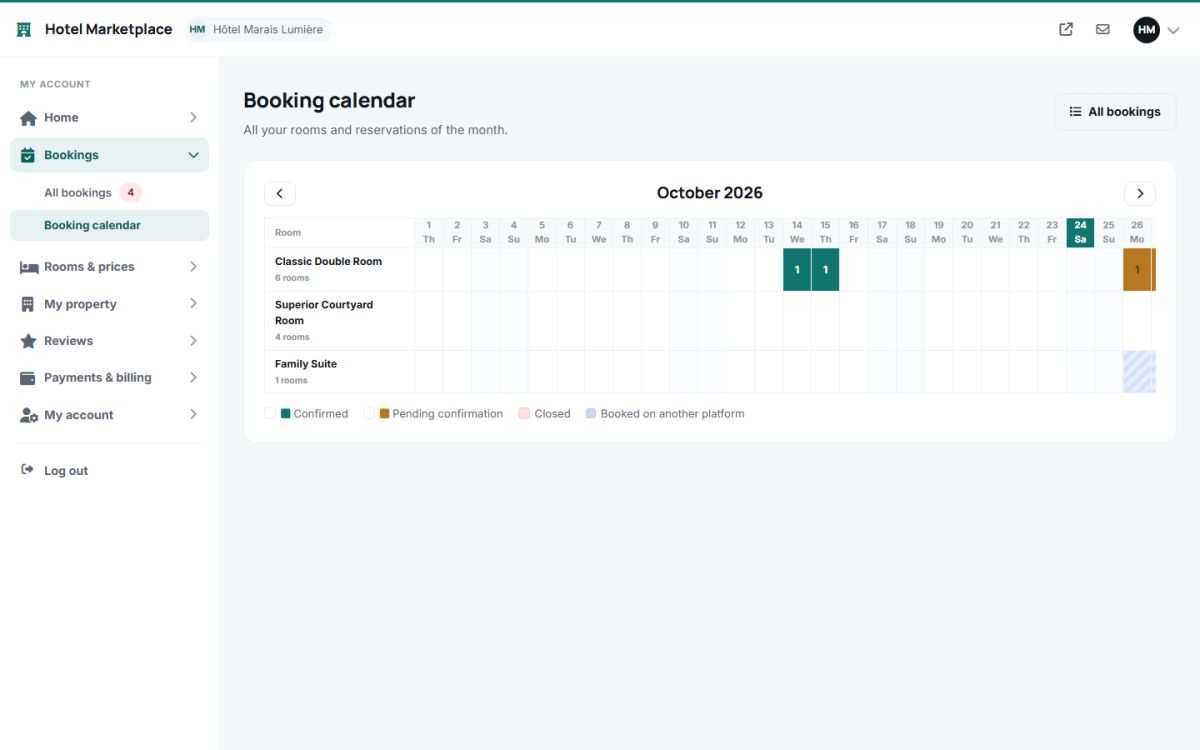
- Each row is a room type, each column a night, and the number in a cell tells how many rooms are booked.
- Green: confirmed. Orange: pending. Pink: closed. Blue stripes: booked on another platform (iCal sync).
- Click a cell with a booking to open the booking.
E-mails
The owner receives an e-mail at the notification address for every new booking, cancellation and guest message. The guest gets the confirmation, the payment receipt and the cancellation e-mails. See E-mail settings.
Last updated