Booking and checkout: Stripe, PayPal or pay at the property
The checkout is short and clear. Guests see the full price, the cancellation terms and choose how to pay.
The three steps
The guest sees a small progress bar: Choose your room (the hotel page), Your details (the checkout form) and Confirmation.
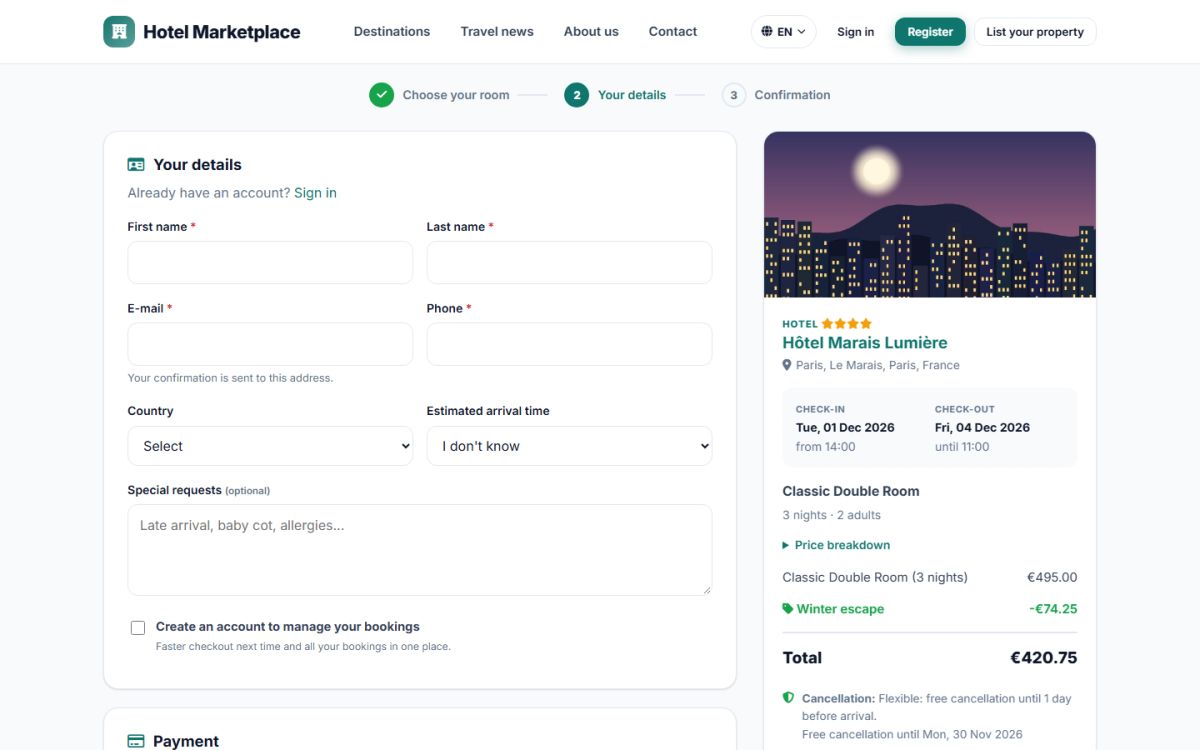
Guest details
| Field | Notes |
|---|---|
| First name, last name, e-mail, phone | Required. The confirmation is sent to the e-mail. |
| Country | Select list. |
| Estimated arrival time | Helps the property to prepare. |
| Special requests | Late arrival, baby cot, allergies... |
| Create an account | Optional. The guest only chooses a password and the account is created together with the booking. |
Guests who are already logged in see their details filled in.
Summary and price breakdown
The box on the right shows the property, the room, the dates and nights, the guests and a price breakdown: nights, special offer discount, child fees and the total. It also shows the cancellation terms with the last date for free cancellation, for example Free cancellation until Mon, 30 Nov 2026.
Payment
The payment options shown depend on the charging model and on what the property accepts:
- Card (Stripe): the guest is sent to a secure Stripe page. Card data never touches your server.
- PayPal: the guest pays in PayPal.
- Pay at the property: no online payment, the guest pays on arrival. It can be switched off globally or for each property.
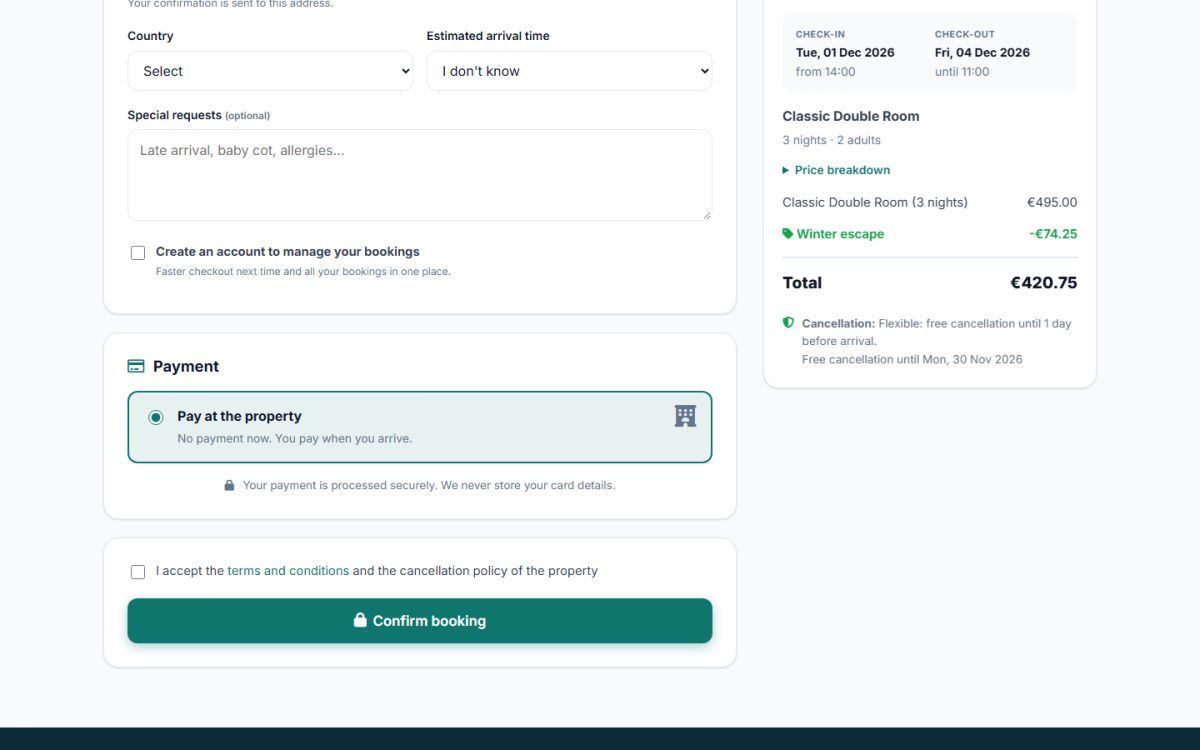
Online payments can be a deposit (for example 30%, the rest is paid at the property) or the full amount. The percentage is a setting of the marketplace (Charging models). The guest must tick that they accept the terms and the cancellation policy, then press Confirm booking.
Holding the room while paying
As soon as the guest starts an online payment the room is held for a limited time (30 minutes by default). If the payment is not completed, the cron job releases the room again, so the inventory is never blocked for long.
After the booking
The guest lands on the My booking page, with the booking code, and receives an e-mail. The property owner is notified by e-mail too. Depending on the settings the booking is confirmed automatically or waits for the confirmation of the owner.
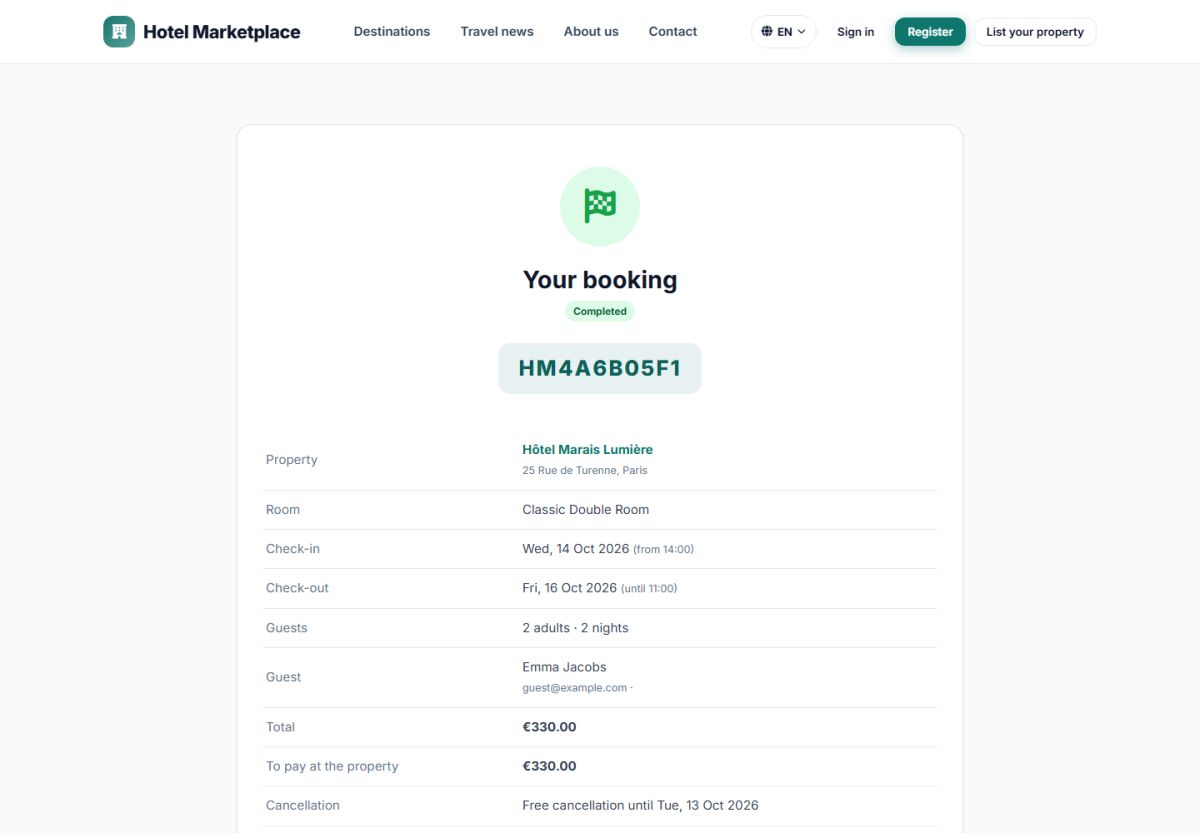
On this page (opened with the booking code and the e-mail, also from the link in the e-mail) the guest can:
- see the status: Confirmed, Pending confirmation, Awaiting payment, Cancelled, Completed;
- pay the open amount with Stripe or PayPal;
- print the booking, add it to a calendar (.ics file) or call the property;
- cancel the booking. The page first says how much will be refunded according to the cancellation policy.
Cancellation policies
| Policy | Free cancellation until |
|---|---|
| Flexible | 1 day before arrival |
| Moderate | 5 days before arrival |
| Strict | 14 days before arrival |
| Non-refundable | No free cancellation |
Each owner chooses the policy of the property. When the property cancels a booking the guest always gets a full refund. Refunds of online payments are sent automatically to Stripe or PayPal.
Last updated