Quick start: launch your hotel booking website in 30 minutes
You installed the script. This checklist shows the settings to review, in the order that makes sense, before you invite the first hotel owners.
Work through the list from top to bottom. Each step links to the page that explains it in detail. Most steps take only a minute.
1. Secure the administrator account
- Log in at
/ADMINand change the password in Home → Change password. - Set your real e-mail in Settings → Configuration options (the administrator e-mail receives notifications).
2. Basic site settings
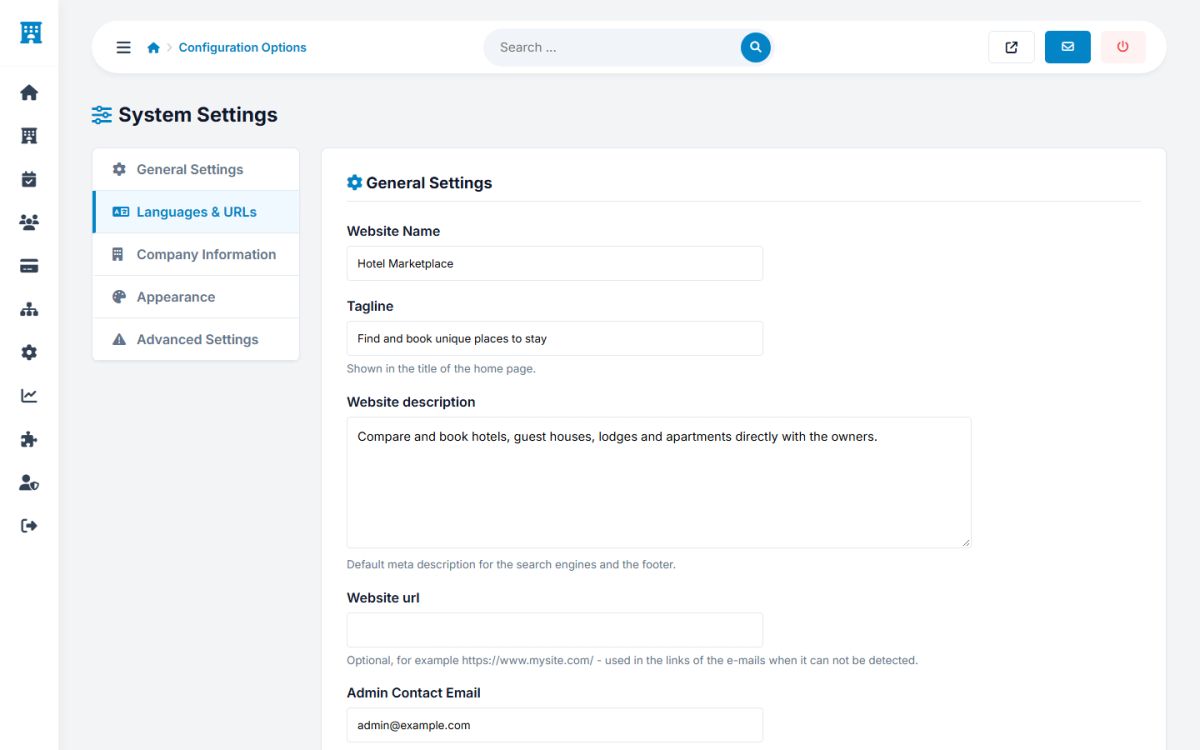
Open Settings → Configuration options and set the site name, tagline, description, the full site address (with https), the time zone and the company contact details. See General settings.
3. Choose how the marketplace earns
Open Payments → Payment settings and choose the charging model: monthly packages, collect and pay out, or split payments. Read Charging models before you decide. You can change it later.
4. Currency, Stripe and PayPal
Set the currency code and symbol, then paste the Stripe and PayPal keys and create the webhooks. Use the test (sandbox) keys first. See Stripe and PayPal.
5. E-mail
Enter the sender name and address, and preferably an SMTP account, in Settings → E-mail. Press Send a test e-mail. See E-mail settings.
6. Packages
Review the sample packages in Payments → Packages. Adapt names, prices and room limits to your business. See Packages, commissions and payouts.
7. AI assistant
Paste the API key of Groq, DeepSeek, OpenAI or any compatible service in Settings → AI assistant. The AI buttons for hotel owners and the AI trip search start working immediately. See AI settings.
8. Locations
A European tourism tree of countries, cities and tourist spots is included. Edit it in Settings → Locations to match your market. See Locations.
9. Brand and content
- Upload the logo and favicon, and choose the colors and the font (Home page, logo and templates).
- Edit the About us, Privacy policy and Terms pages. The installed texts are samples that you must adapt (Pages, news and FAQ).
10. Languages and URLs
Activate the languages you need and enable search friendly URLs in Settings → Configuration options → Languages and URLs (Languages and translations).
11. Cron job
Add the hourly cron job. Without it unpaid bookings are not released and the iCal calendars are not refreshed. See Cron job.
12. Remove the demo data and test everything
- Delete the demo hotels, guests and bookings.
- Register a test property from the List your property page, approve it in the admin panel, add a room and make a test booking with the sandbox payment keys.
- Check the e-mails, the booking in the hotel panel and the payment in Payments → Transactions.
Ask a friend with a phone to repeat the test. Booking from a mobile phone is how most of your visitors will do it.
Last updated