Hotel owner panel: registration, login and dashboard
Every property owner gets a private panel to manage the property, the rooms, the prices and the bookings.
How a property owner joins
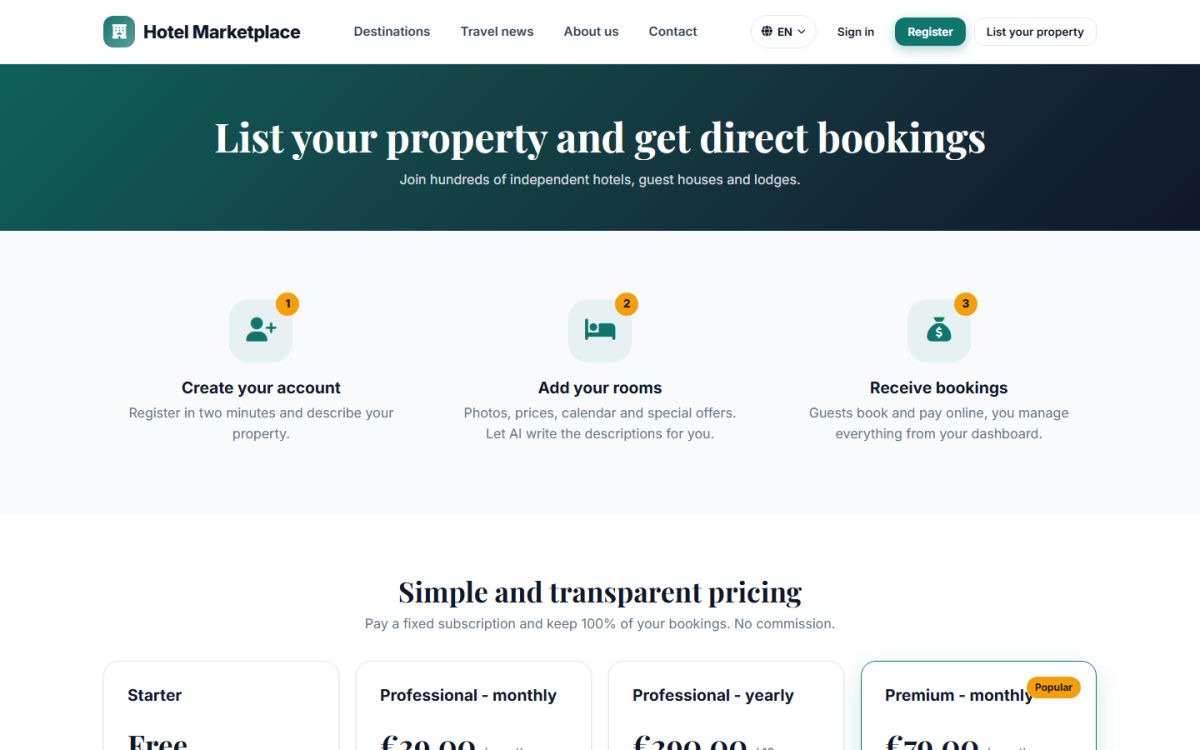
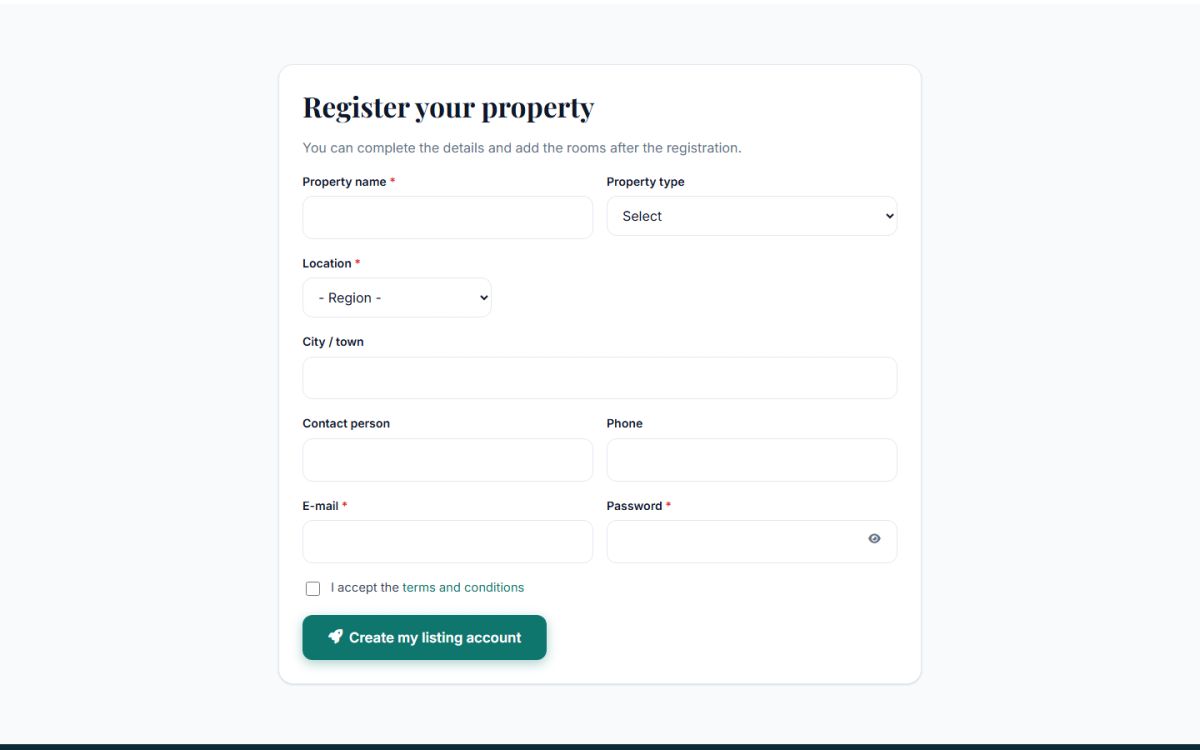
Owners register themselves on the List your property page of the website (?mod=list_property). The page explains how it works in three steps (create an account, add rooms, receive bookings), shows your packages and prices, and has the registration form.
| Field | Notes |
|---|---|
| Property name and type | Hotel, guest house, lodge, bed and breakfast, apartment... |
| Location | Three linked lists (country, city or area, spot) from your locations, and the town name. |
| Contact person, phone, e-mail | The e-mail is also the login of the owner. |
| Password | At least 8 characters. |
After registering the owner is logged in at once and lands on the dashboard. If you require approval (Approve new properties automatically is off) the property stays hidden from travelers until you approve it, and the owner sees a notice explaining that. You receive an e-mail about every new property.
Logging in
Owners use the normal login page of the website. They are sent to /hotel_admin, the owner panel. A link Hotel dashboard is also in their account menu on the website. The session lasts 12 hours of activity.
The dashboard
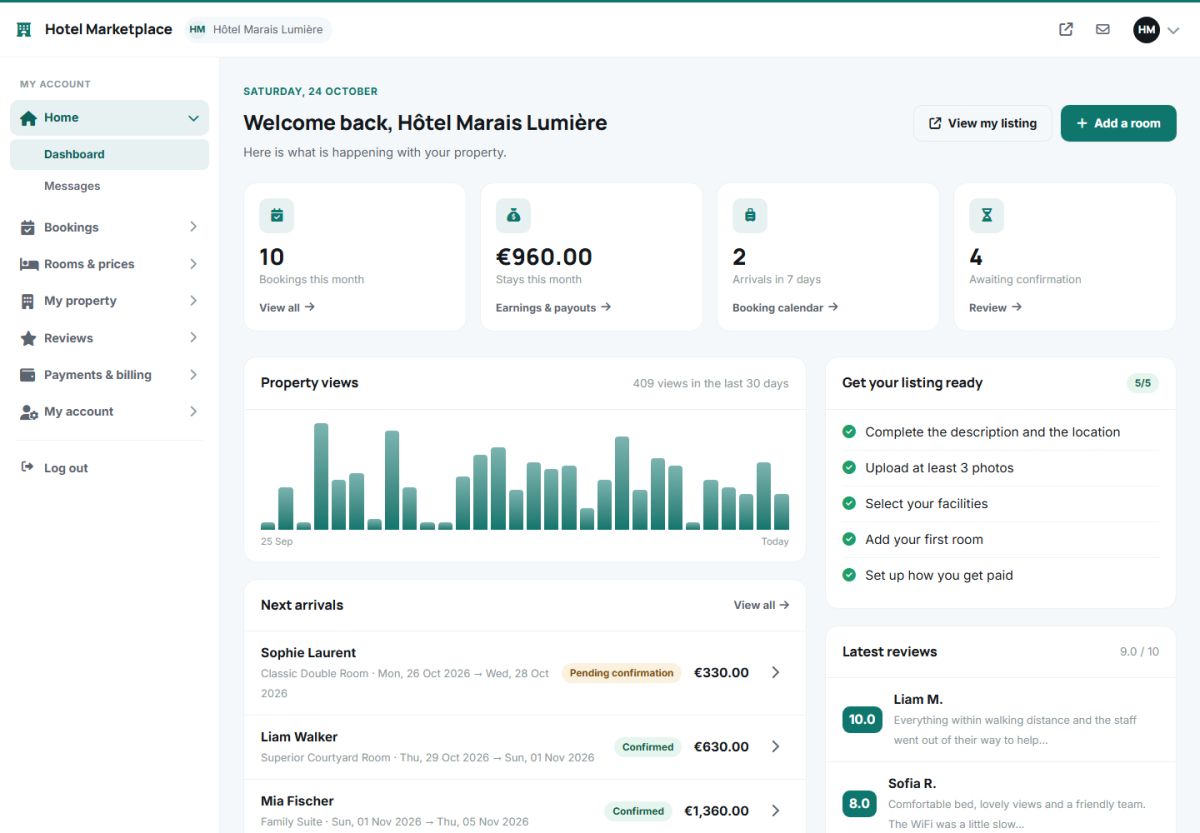
- Four tiles: bookings this month, value of the stays this month, arrivals in the next 7 days and bookings awaiting confirmation.
- Property views: a chart of the visits of the hotel page in the last 30 days.
- Next arrivals: the coming guests with room, dates, status and amount.
- Get your listing ready: a checklist (complete the description and location, upload at least 3 photos, select the facilities, add the first room, set up how you get paid) that turns green as the owner progresses.
- Latest reviews with the score and a part of the text.
- Buttons View my listing and Add a room in the top right corner.
The menu
| Section | Pages |
|---|---|
| Home | Dashboard, Messages |
| Bookings | All bookings, Booking calendar — see Bookings |
| Rooms and prices | My rooms, Add a room, Availability and prices, Special offers — see Add rooms |
| My property | Property details, Photos, Facilities — see Property profile |
| Reviews | Guest reviews — see Reviews and messages |
| Payments and billing | Earnings and payouts, Payment settings, My package, Transactions — see Packages and earnings |
| My account | Change password |
Number badges in the menu show new messages and bookings that wait for the owner.
Last updated