Pages, menus, travel news and FAQ
The content tools of the site: pages and menus, a travel blog and a FAQ, all in several languages.
Pages and menus
Open Website → Pages. The structure of the website is shown as a tree. The order of the tree is the order of the menu, and pages can be placed under other pages.
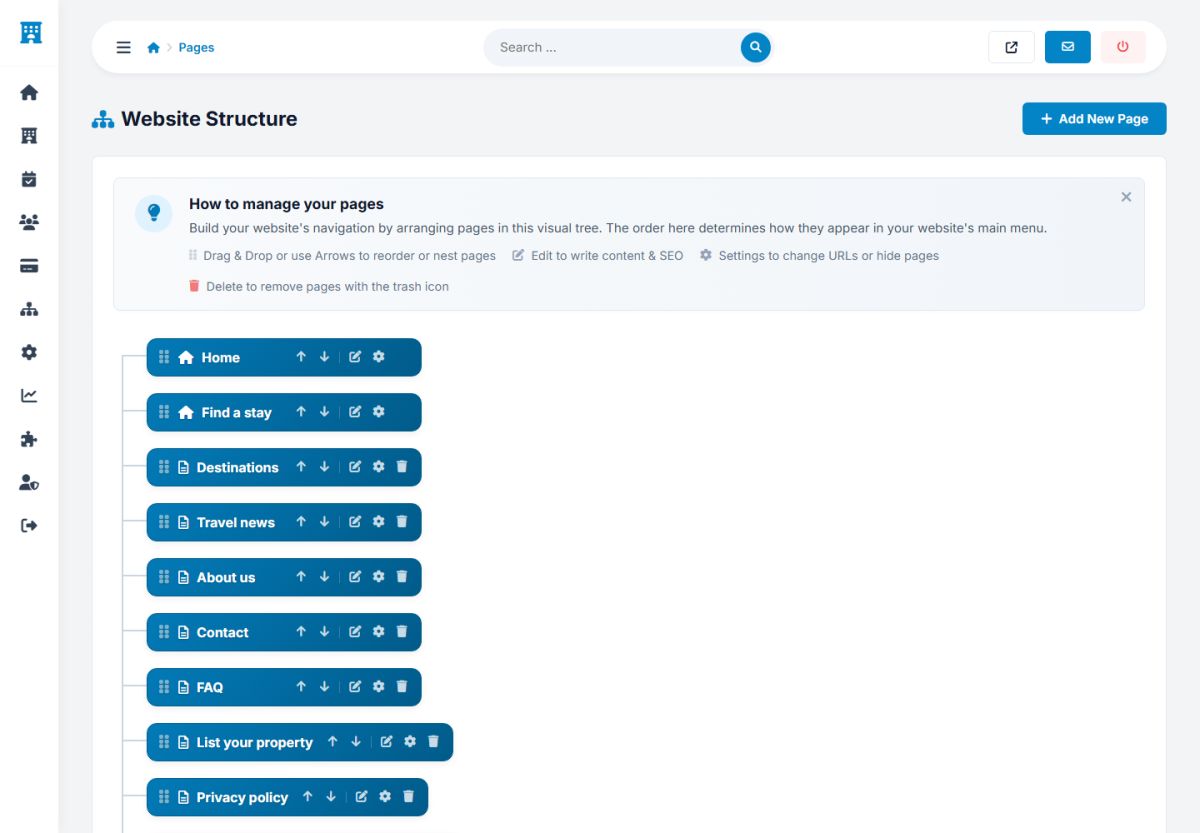
- Add a page: the button Add new page creates a page with a title and a content in every active language.
- Reorder: drag and drop, or use the arrows, to change the order of the menu.
- Edit: the pencil opens the editor with a rich text editor for the content and tabs for the languages.
- Settings: the gear sets the address (slug), the page title and the meta description of every language, whether the page shows in the main menu or in the footer menu, and which extension file (a PHP file of the
/extensionsfolder) the page runs. - Delete: the trash icon removes a page you do not need.
Pages such as Find a stay, Destinations, Travel news, Contact and FAQ run a PHP file that builds them. Pages such as About us, Privacy policy and Terms and conditions are simple content pages. The installed texts are samples: write your own, with the help of a lawyer for the legal pages.
The privacy policy and the terms must describe your real business and country. The text of the installer is only a starting point.
Travel news (blog)
Website → News is the blog of the site. Articles about destinations and travel tips attract visitors from search engines and give them a reason to come back.
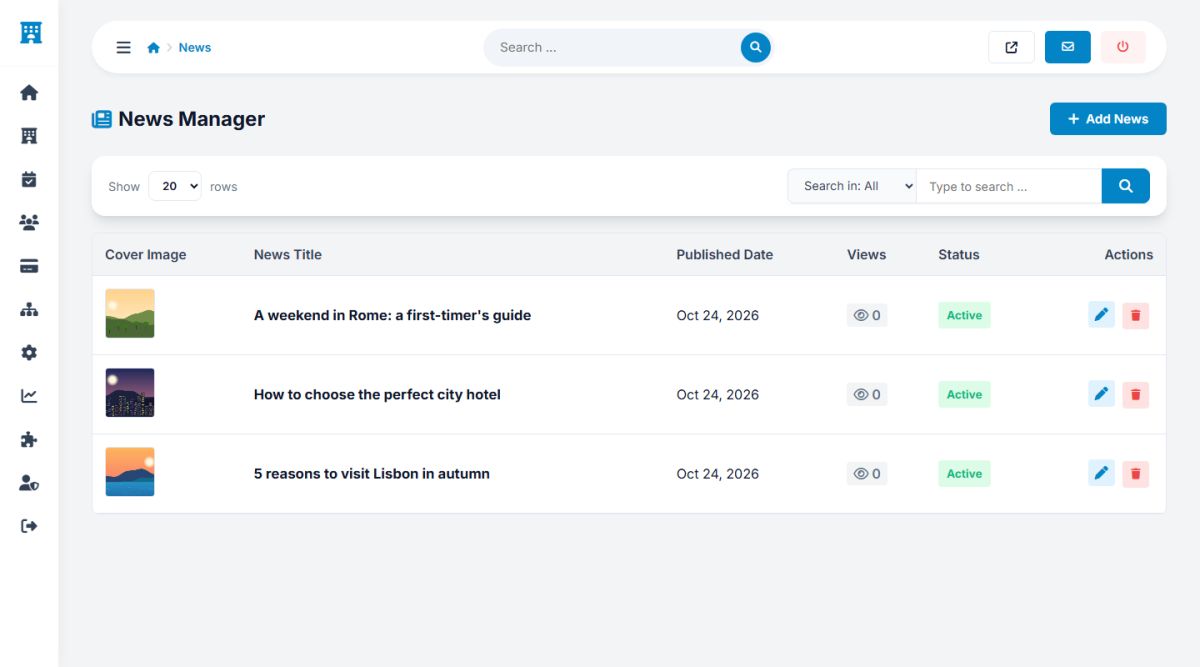
- Each article has a cover image, a title, a short text, the content, the publish date and a status, with a translation per language.
- The list shows the views of every article and the buttons to edit and delete.
- The latest articles are shown on the home page and in the footer, and the whole list on the page Travel news.
Write one article for each destination you want to rank for, for example "Weekend in Lisbon: where to stay". Link it to the destination and to your best properties.
FAQ
Extensions → FAQ manages the questions of the FAQ page. Add a question with its answer in every language, set the order and the status.
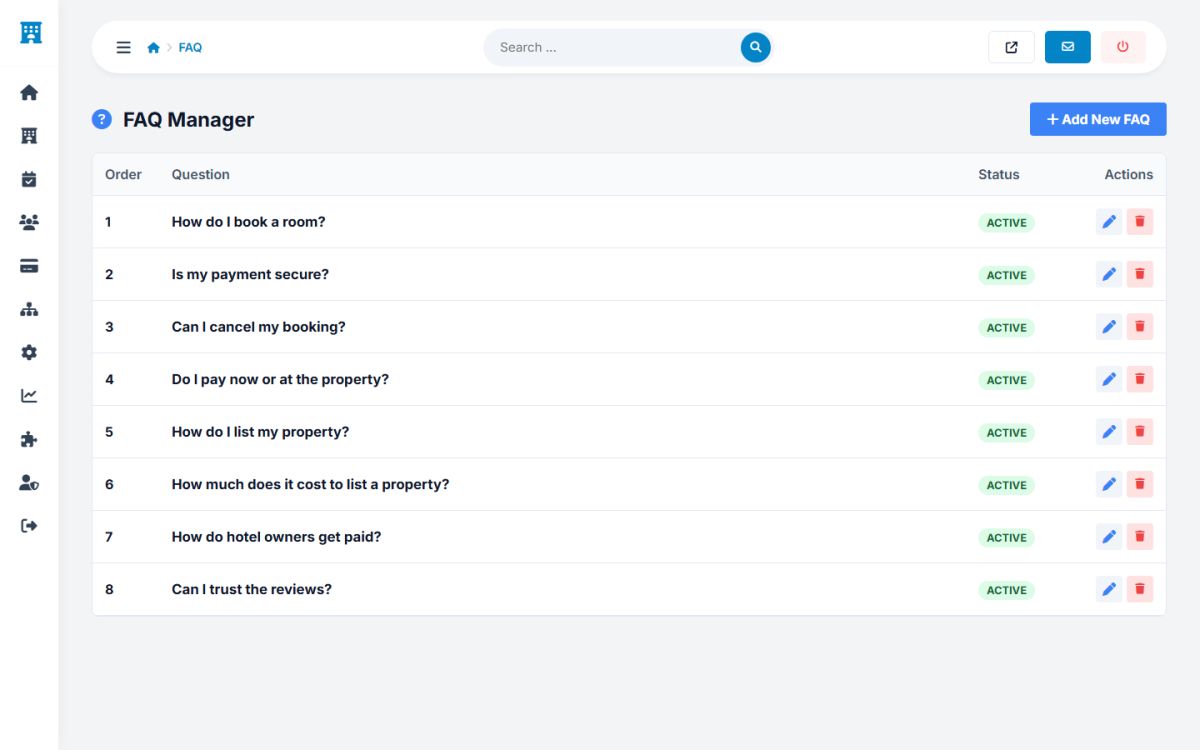
The FAQ page publishes structured data (FAQPage markup), so search engines can show your questions and answers directly in the results.
Extension files and tags
Advanced users can add their own pages and blocks:
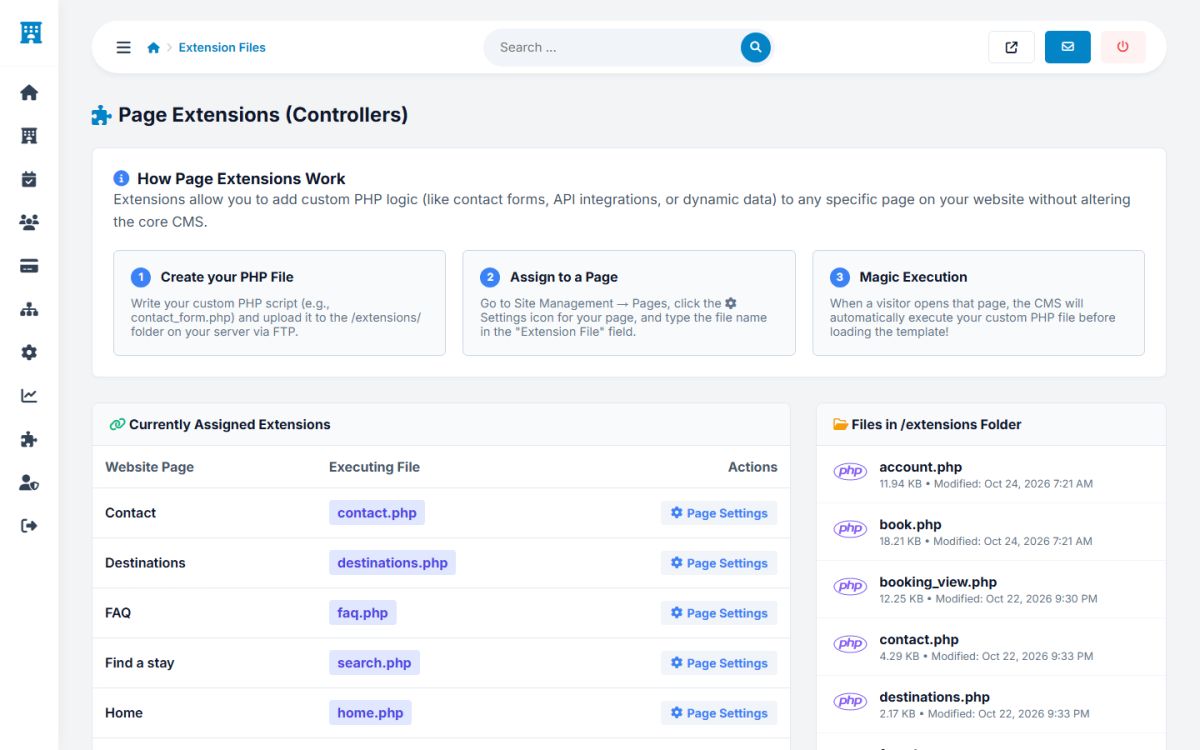
- Extensions → Extension files shows which PHP file runs each page and lists the files of the
/extensionsfolder. To add a custom page, upload a PHP file there and assign it to a page in the page settings. - Extensions → Tags registers the small blocks that can be used in the template as
<site name/>.
Last updated