Customize the hotel marketplace: colors, logo, CSS and code
Most of the look and the texts can be changed from the admin panel without touching code. For deeper changes the code is plain PHP and one CSS file.
From the admin panel (no code)
| What | Where |
|---|---|
| Primary color, secondary color, footer color | Settings → Configuration options → Appearance |
| Font of the website (system font, Inter, Roboto, Poppins, Montserrat and more) | Same page, Font |
| Roundness of buttons and cards (sharp to pill) | Same page, Roundness of the buttons and cards |
| Logo and favicon | Website → Logo and favicon |
| Hero image and text of the home page | Website → Home page |
| Any text of the interface | Website → Interface texts |
| Menus and pages | Website → Pages |
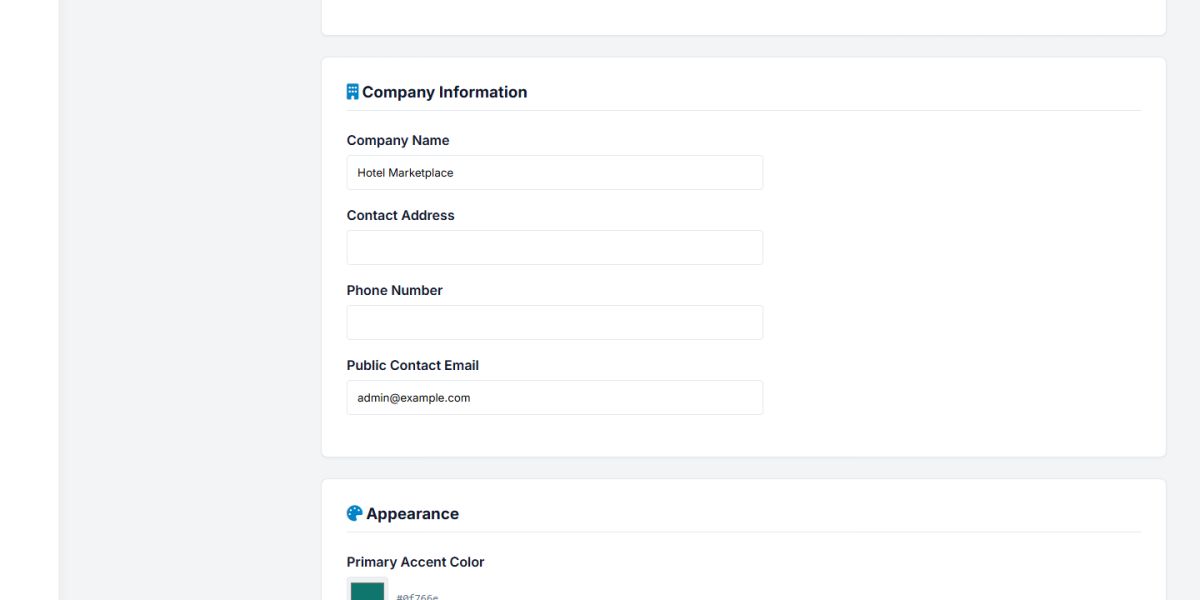
The colors and the font are written as CSS variables on every page, so a change is visible immediately after saving, on the whole website.
Edit the stylesheet
All the styling of the website is in one file: templates/default/css/main.css. The first lines define the design variables:
:root {
  --primary: #0f766e;   /* main color of buttons and links */
  --accent: #f59e0b;    /* highlights, stars, badges */
  --radius: 12px;       /* roundness of cards */
  --header-h: 76px;     /* height of the header */
  --font-body: 'Inter', system-ui, sans-serif;
}
Change a variable and the whole site follows. Sections of the file are separated by comments (Header, Hero, Search card, Hotel cards, Hotel page, Booking, Footer, and so on), so you can find what you need quickly. The panels have their own small files: hotel_admin/css/hotel.css for the owner panel and ADMIN/assets/hotel.css for the admin panel.
Make a copy of a file before you edit it, and keep your changes in a separate block at the end of the file. This makes updates easier.
Edit the template
The structure of every page (header, menu, footer, mobile menu) is in templates/default/template.html. It is normal HTML with a few tags that the script replaces:
| Tag | Replaced with |
|---|---|
<site content/> | The content of the requested page |
<site menu/> | The main menu built from the Pages section |
<site login_links/> | Sign in and register links, or the account menu |
<site languages_menu/> | The language dropdown |
{{ m_register }} | A text from the language file |
You can add your own blocks: create extensions/my_block_tag.php and write <site my_block/> in the template.
Edit the pages and the behavior
Every page of the website is a small file in extensions/. For example extensions/home.php builds the home page and extensions/hotel.php the hotel page. The business logic (prices, availability, payments) is in include/BookingEngine.class.php and include/PaymentManager.class.php. The code uses simple PHP and short comments, written for people who are not professional programmers.
Back up your files and database before changing code, and test the booking and payment flow in sandbox mode after every change.
Last updated