The admin dashboard
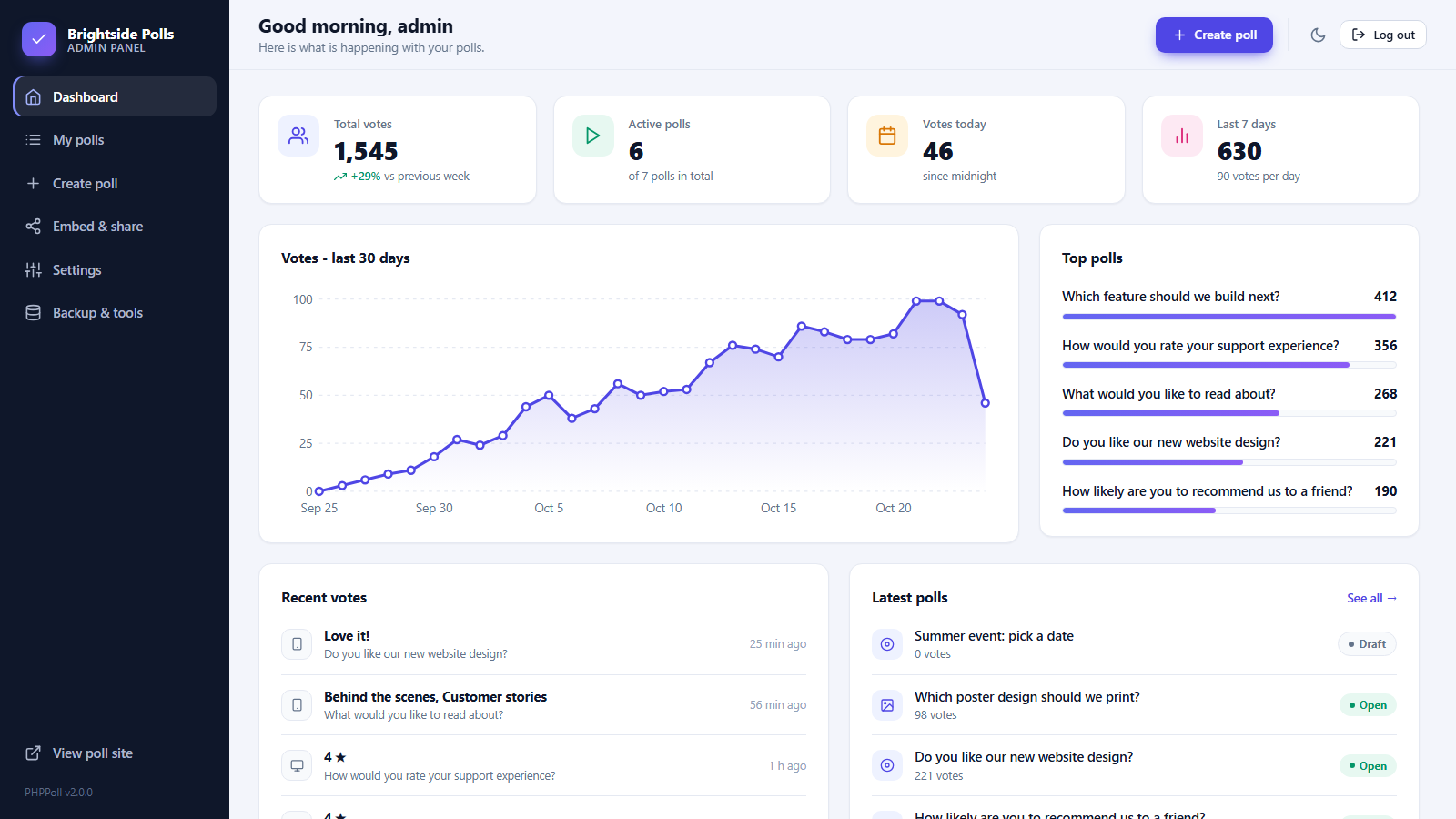
A tour of the PHPPoll dashboard: total votes, weekly trend, active polls, 30-day activity chart, top polls, recent votes and quick-start templates.
The dashboard is the first page after login. It summarizes the activity of all your polls so you immediately see what is happening.
Statistics cards
| Card | Meaning |
|---|---|
| Total votes | All votes in all polls, with the change compared to the previous week. |
| Active polls | Polls that are currently open, out of the total number of polls. |
| Votes today | Votes received since midnight in your time zone. |
| Last 7 days | Votes in the last week and the daily average. |
Votes – last 30 days
An area chart shows how many votes arrived each day. Hover over a point to see the exact number. It helps you spot the effect of a newsletter, a social media post or a new embed.
Top polls
The five polls with the most votes, with a bar for comparison. Click a poll to open its results.
Recent votes and latest polls
- Recent votes: the latest answers with the device used and the time.
- Latest polls: your newest polls with their status. Click a title to see results.
Templates for the first poll
When no poll exists, the dashboard offers templates: Yes/No, Multiple choice, Star rating, Net Promoter Score, Image poll and a Blank poll. See Create your first poll.
Top bar and menu
- Create poll: opens the poll editor.
- Moon / sun icon: switches between light and dark mode.
- View poll site (sidebar): opens the public poll website in a new tab. See The standalone poll website.
- The sidebar links to My polls, Embed & share, Settings and Backup & tools.
On phones the sidebar opens with the menu button. See Mobile, dark mode and themes.
Last updated