Share and embed polls
Four ways to publish a PHPPoll poll: direct link, JavaScript embed, iframe and PHP include. The Embed and Share page creates the code and shows a live preview.
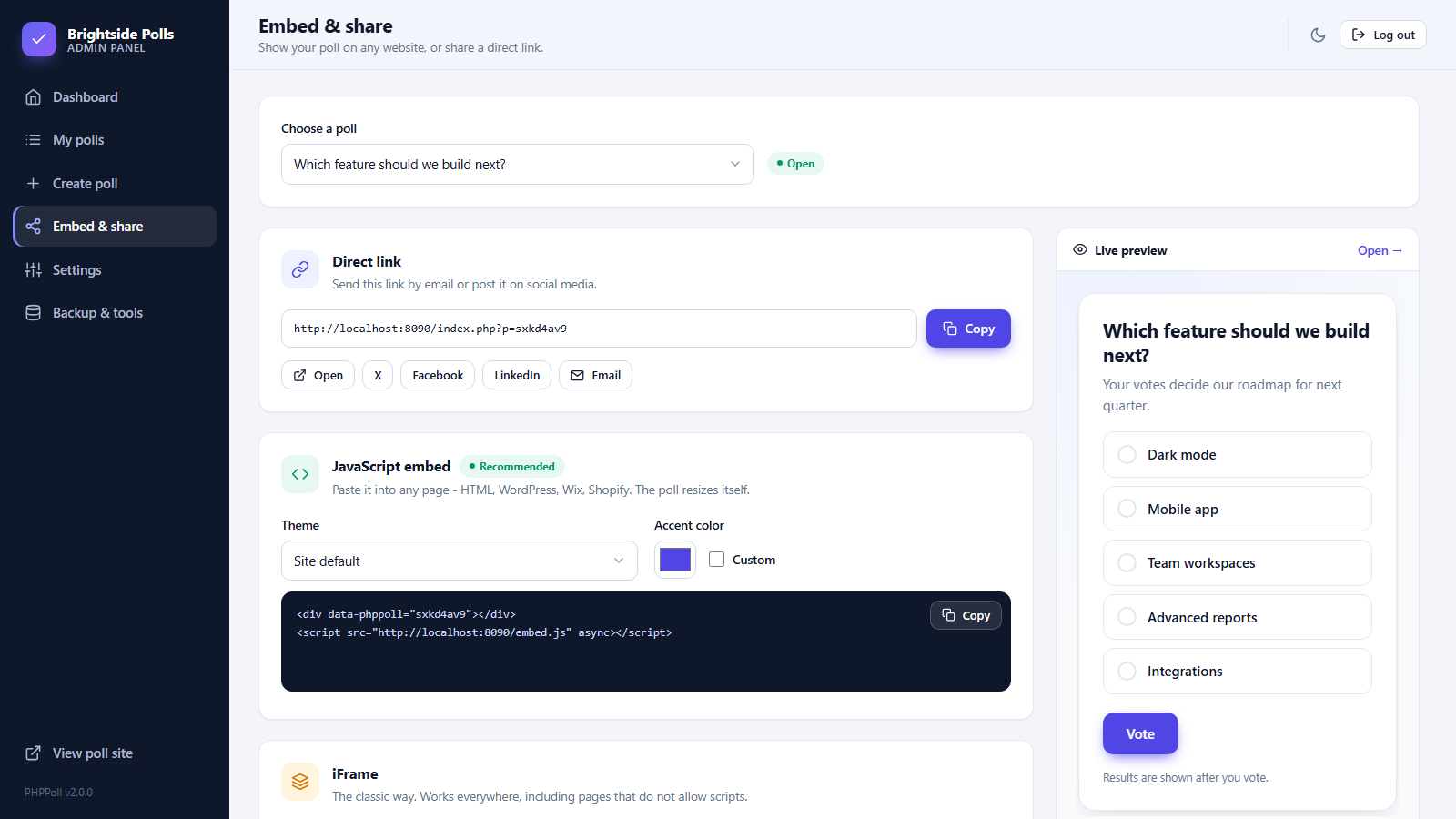
The page Embed & share in the admin menu prepares everything you need to publish a poll. Choose a poll from the list at the top (or click the share icon in the polls list) and copy what you need.
Four ways to publish
| Method | Best for | Guide |
|---|---|---|
| Direct link | Emails, social media, QR codes, messaging | below |
| JavaScript embed (recommended) | Any website or CMS – two lines of HTML, automatic height | Embed a poll with JavaScript |
| iFrame | Pages that allow iframes but not scripts | Embed a poll with an iframe |
| PHP include | PHP websites on the same server | PHP include: add a poll to a PHP page |
Direct link
Copy the poll address, open it, or share it with the buttons for X, Facebook, LinkedIn and Email. The link opens the poll on the standalone site. See The standalone poll website. With Pretty poll links enabled it looks like https://www.example.com/poll/abc123.
Customize the embed
For the JavaScript and the iframe code you can choose a theme (site default, light, dark or automatic) and a custom accent color. The code and the preview update as you change them, so one poll can match several websites.
Live preview
On the right side the poll appears exactly as it will on your page, including the automatic height. Use Open to see it in a separate tab.
Important
- Only Active polls collect votes. Draft polls show a warning on this page. See Manage your polls.
- If the code contains a wrong web address, correct the Script URL in Settings → Public site. See Settings.
- You may embed the same poll on as many pages as you like. Votes are counted together, and the sources are listed in the statistics. See Poll statistics and individual votes.
Last updated