Upgrade from PHPPoll 1.x
Move from PHPPoll 1.x to 2.0: import your old polls and votes with the built-in import tool, and learn what is converted and what you need to set up again.
PHPPoll 2.0 is a new, redesigned version of the script. Your polls and votes from PHPPoll 1.x can be imported automatically, so you do not lose any data.
Before you start
- Install PHPPoll 2.0 in a new folder next to the old version. Do not overwrite the old files. See How to install the PHP poll script.
- Keep the old
PHPPollfolder on the same server – the importer reads it from disk. - Note the server path of the old folder, for example
/home/user/public_html/PHPPoll-old.
Import the old data
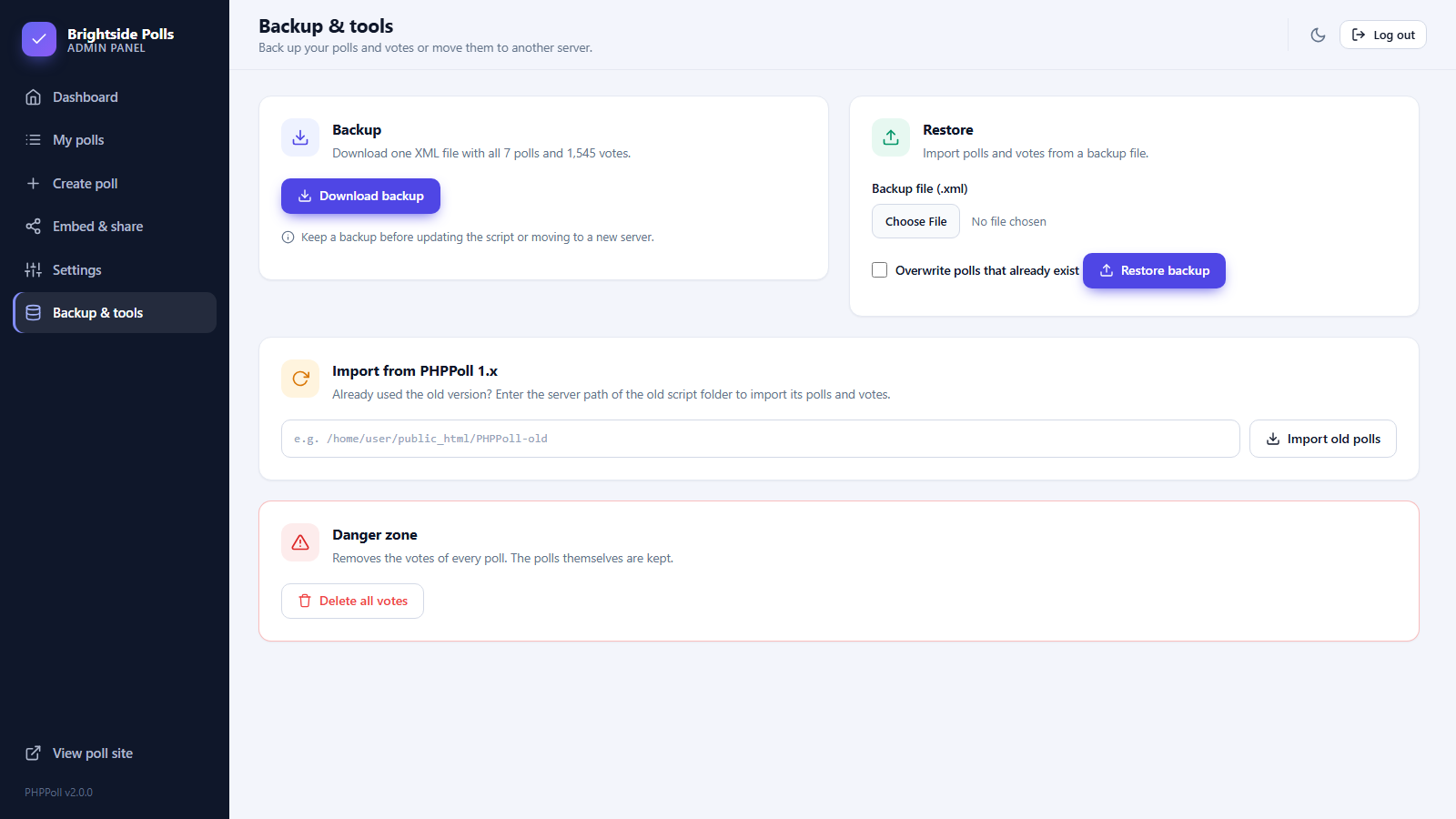
- Log in to the new admin panel and open Backup & tools.
- In the card Import from PHPPoll 1.x enter the server path of the old folder.
- Click Import old polls. A message tells you how many polls and votes were imported.
What is converted
| In PHPPoll 1.x | In PHPPoll 2.0 |
|---|---|
| Poll name and description | Question and description of a single choice poll |
| Possible answers (one per line) | Answer options |
| Votes | Votes, matched to the options by answer text, with the original vote date |
| Poll ID | The same ID, converted to lowercase |
| "Only one vote per IP" | Vote limit by cookie and IP address |
| "Show results after voting" | Results visibility: after voting (or only admin when it was off) |
| Captcha images | The math captcha |
| Non-anonymous polls | Name and email required |
Visitor IP addresses are stored only as anonymous hashes in version 2.0. The administrator account and other settings are not imported – you created a new account during installation.
Update your links
Old links such as poll-name-ID.html do not exist in 2.0. Use the new links from Embed & share or the pretty links described in Settings, and replace old embed codes on your pages with the new ones: Share and embed polls.
Last updated