Poll appearance settings
Style every poll to match your website: light, dark or automatic theme, accent color, rounded corners, button text, chart type, result sorting and vote numbers.
The Appearance tab of the poll editor controls how a poll and its results look. The live preview shows every change at once.
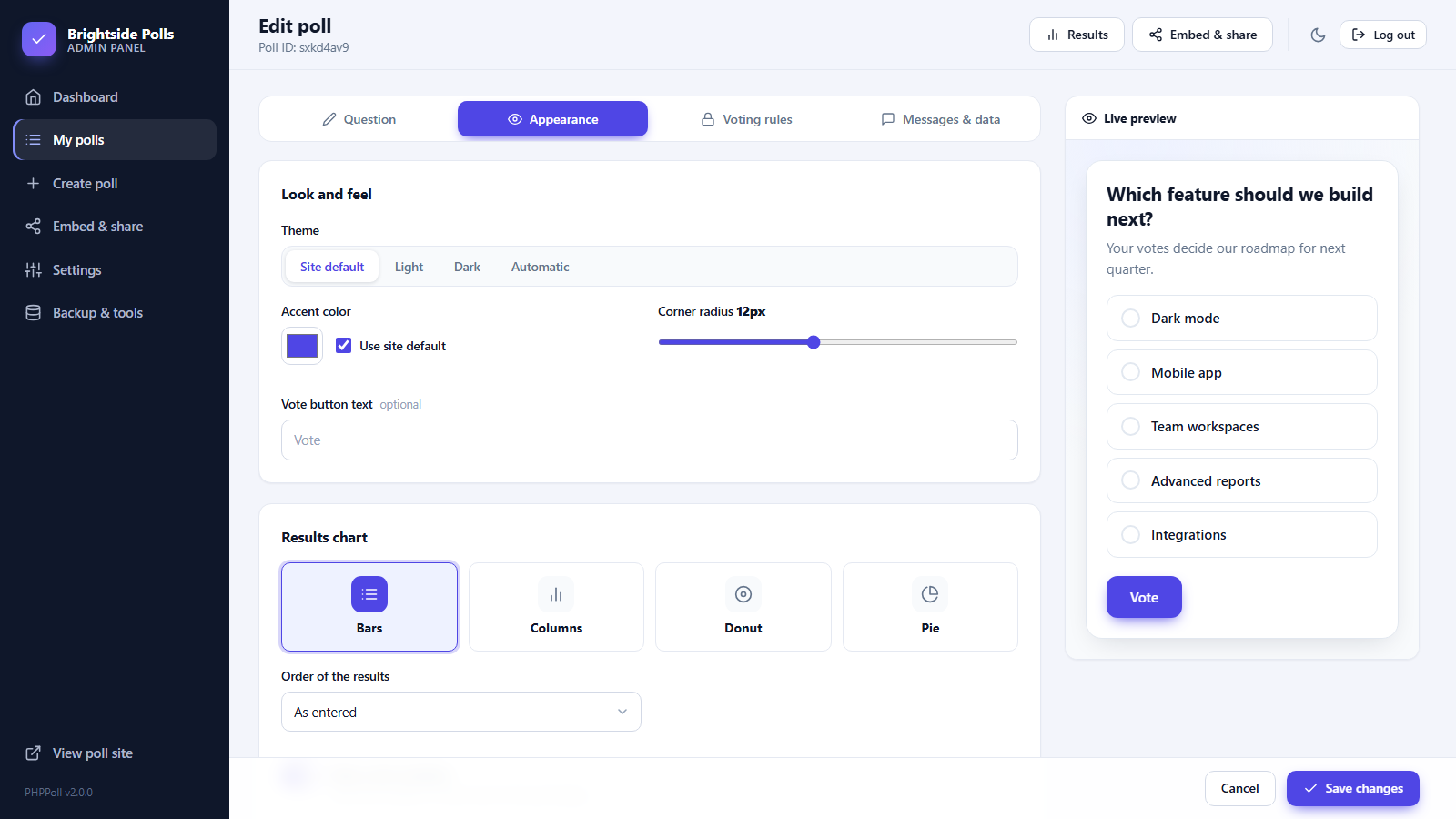
Look and feel
| Setting | Description |
|---|---|
| Theme | Site default, Light, Dark or Automatic (follows the visitor's device). |
| Accent color | Used for buttons, selected options, links and the main chart color. Tick Use site default to inherit the color from Settings. |
| Corner radius | From 0 (sharp) to 28px (very round) for the card, options and buttons. |
| Vote button text | Replaces the word "Vote", for example "Send my answer". |
Results chart (choice and image polls)
Select how the results are drawn: Bars, Columns, Donut or Pie. See Chart types for poll results for examples and tips.
Order and numbers
- Order of the results: As entered keeps your order, Most votes first sorts the winners to the top.
- Show vote numbers: displays the number of votes next to the percentage. Switch it off to show percentages only.
Site-wide defaults
Set the default theme and accent color once in Settings → General → Default poll style. All polls that use "Site default" change together, which makes it easy to match a redesign of your website. See Settings.
Advanced styling
For full control edit assets/poll.css. All colors are CSS variables at the top of the file. See Customize the poll script.
Embedding the same poll on a light and a dark page? Keep the poll theme on Automatic or override it in the embed code. See Embed a poll with JavaScript.
Last updated