The poll editor
A guide to the PHPPoll poll editor with live preview and four tabs: Question, Appearance, Voting rules and Messages and data. Create any poll quickly.
The poll editor is used to create a new poll and to change an existing one. Open it with Create poll, or with the Edit icon in the polls list.
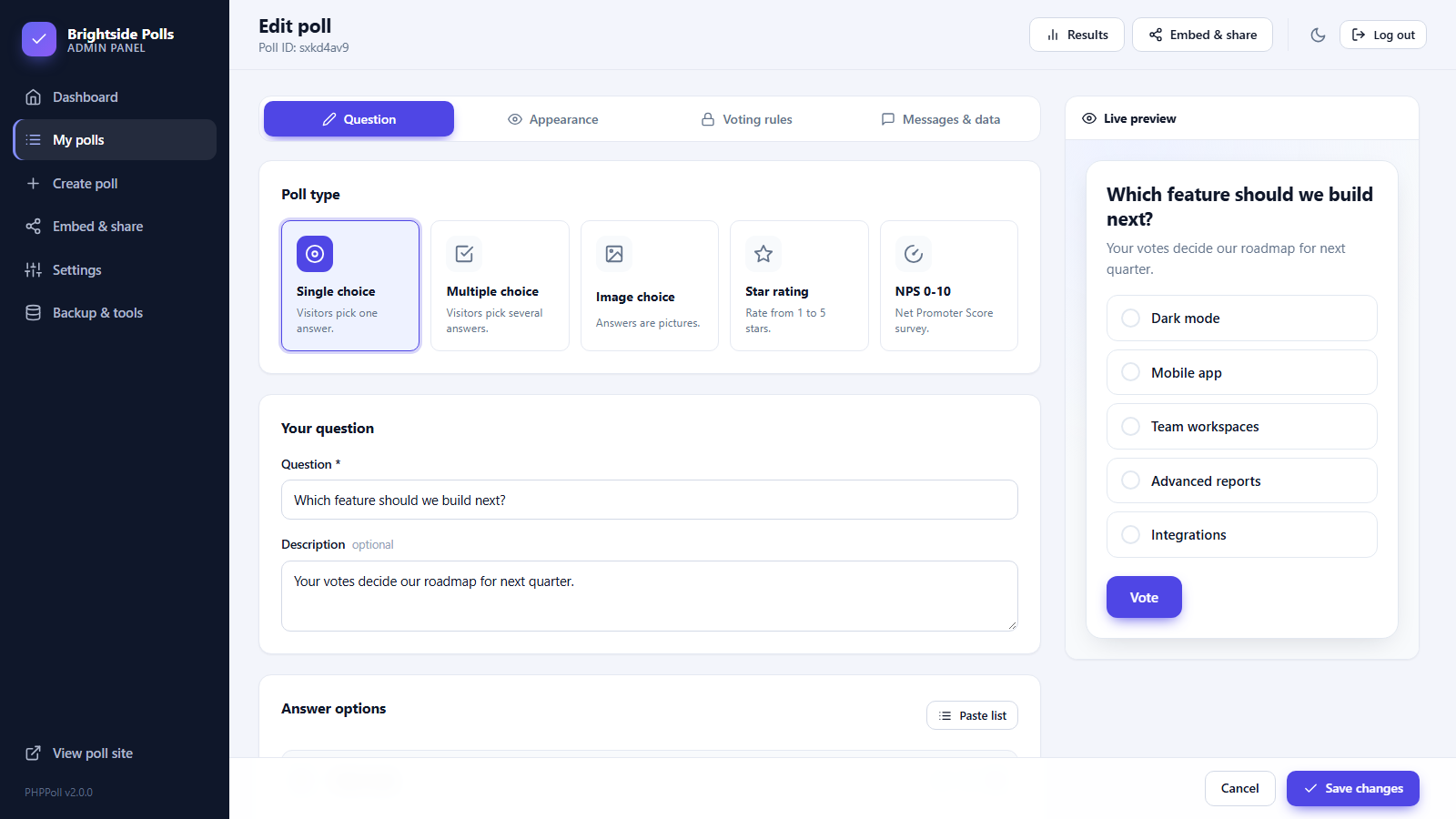
Layout of the editor
- Left side: four tabs with all settings.
- Right side: a live preview that shows the poll exactly as visitors will see it. It updates with every keystroke: question, options, colors, theme and extra fields.
- Bottom bar: Cancel and Create poll / Save changes are always visible while you scroll.
The four tabs
| Tab | What you set | Guide |
|---|---|---|
| Question | Poll type, question, description and answer options. | Poll types: which one should you use? |
| Appearance | Theme, accent color, corners, button text, chart style, result order. | Poll appearance settings |
| Voting rules | Status, schedule, vote limits, captcha, who sees results. | Voting rules |
| Messages & data | Thank-you text, redirect, name/email/comment fields, notifications. | Collect voter details and comments |
Working with answer options
- Add option adds a new line. Paste list adds many options at once, one per line.
- Use the up and down arrows to reorder and the X to remove a line.
- Empty lines are ignored when you save. A choice poll needs at least two options.
- Options keep an internal number, so changing the text of an option does not lose its existing votes.
Saving
After saving, the editor stays open with a green confirmation and shows the poll ID in the header. From the top bar you can jump to Results or Embed & share.
Validation
PHPPoll tells you what is missing: the question is required, choice polls need two options, and the closing date must be after the opening date. Correct the highlighted tab and save again.
Not sure where to start? Use the template cards on the dashboard: Create your first poll.
Last updated