Voting rules
Configure who can vote and when: poll status, maximum votes, opening and closing dates, duplicate vote protection, captcha and the visibility of the results.
The Voting rules tab decides when a poll accepts votes, who may vote and who may see the results.
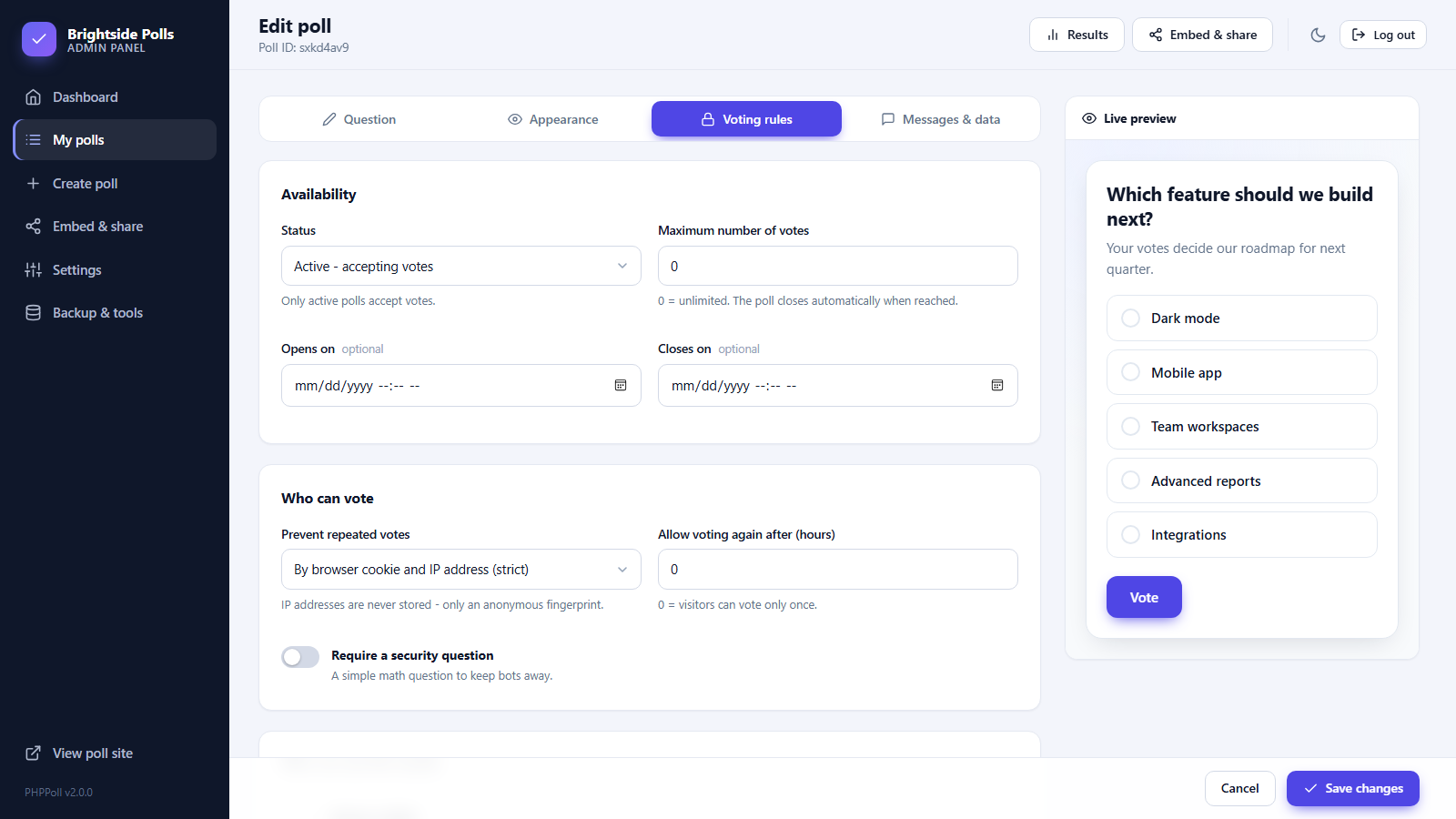
Availability
| Setting | Description |
|---|---|
| Status | Active – accepting votes. Draft – hidden from the public. Closed – no more votes, results remain visible according to your rule. |
| Maximum number of votes | 0 is unlimited. When the number is reached the poll closes automatically (status Full). |
| Opens on / Closes on | Optional dates. See Schedule polls and set end dates. |
Who can vote
| Setting | Description |
|---|---|
| Prevent repeated votes | By cookie and IP address, cookie only, IP only, or no limit. |
| Allow voting again after (hours) | 0 = once only. For example 24 allows one vote per day. |
| Require a security question | Adds a simple math captcha. |
Details and recommendations are in Prevent duplicate votes and spam.
Who can see the results
Choose between Always visible, After voting, After the poll closes and Only me (admin). See Results visibility settings.
Examples
| Goal | Suggested settings |
|---|---|
| Daily "poll of the day" | Vote limit: cookie and IP, voting again after 24 hours. |
| Contest with a deadline | Closes on a date, results after the poll closes, captcha on. |
| Limited survey | Maximum votes 500, results only for admin. |
| Testing a new poll | Status Draft, then no limit while you try it. |
Last updated