Image polls
Create an image poll with PHPPoll: upload pictures or use image URLs, set one or several choices, and show results as charts. Ideal for logos, designs and photos.
An image poll shows each answer as a picture in a tile grid. Visitors tap the image they like best. It is a great way to choose a logo, a poster design, a product colour or a holiday photo.
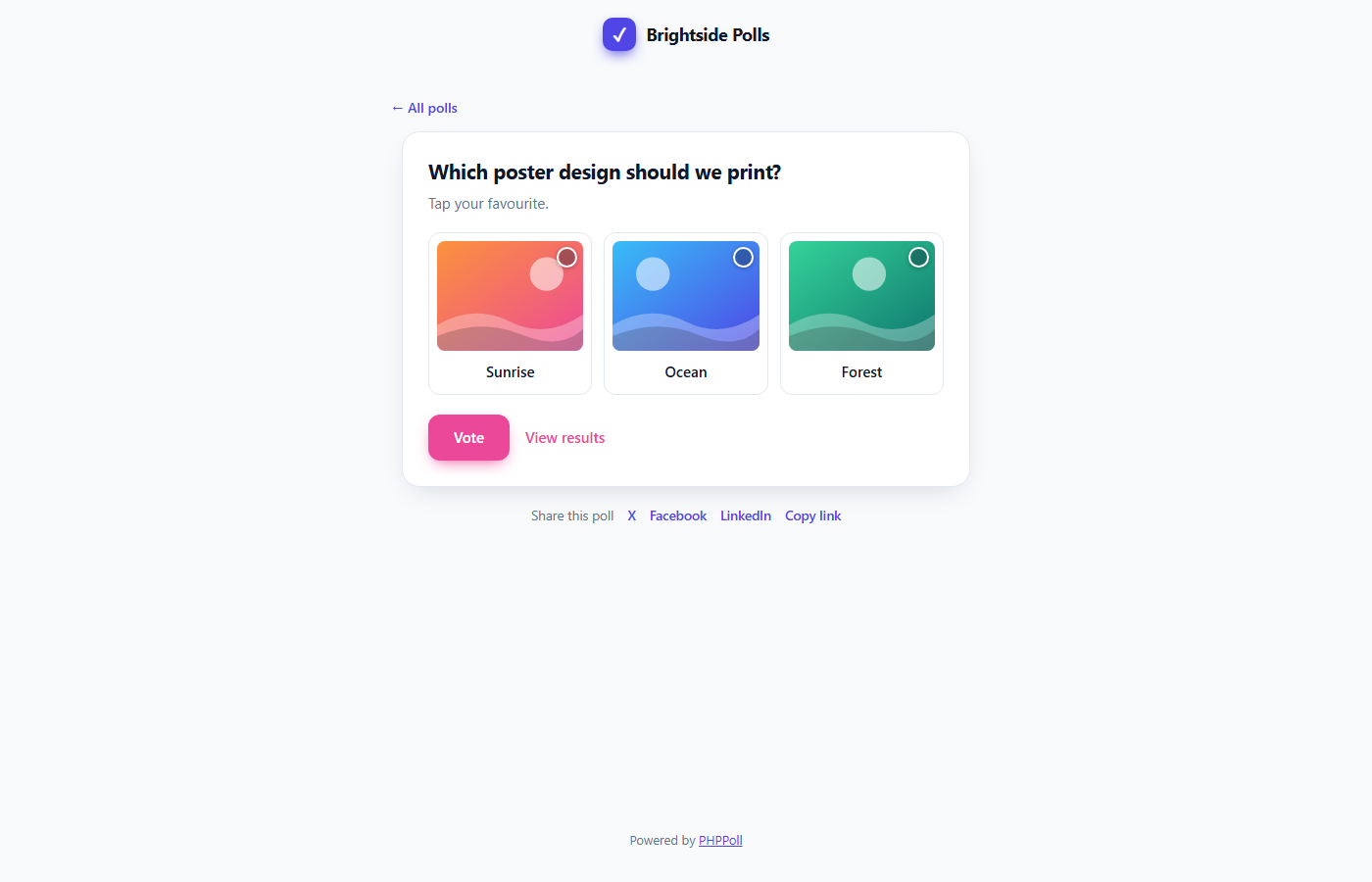
Create an image poll
- Click Create poll and select Image choice.
- Enter a question and a description such as "Tap your favourite".
- For each option type a text (used as caption and alt text) and add a picture, in one of two ways:
- click the square image box and upload a file from your computer, or
- paste the web address of an existing image into Image URL.
- Set Maximum choices:
1for one favourite, or more to let people select several pictures. - Save the poll.

Image requirements
- Formats: JPG, PNG, GIF and WebP.
- Maximum size: 3 MB per file.
- Uploaded files are checked and stored in the
uploads/folder. Files that are not real images are rejected. - Tiles are shown in a 4:3 ratio, so use pictures of a similar shape for the best result.
Results
Results show a small thumbnail next to each percentage. Choose bars, columns, donut or pie in the Appearance tab. See Chart types for poll results.
Uploaded pictures are not part of the XML backup, only their paths are. When you move to a new server, copy the uploads/ folder too. See Backup, restore and moving to a new server.
Last updated