Attendee Profile and Password
The profile holds the personal details used to fill in the checkout and the interests used for recommendations.
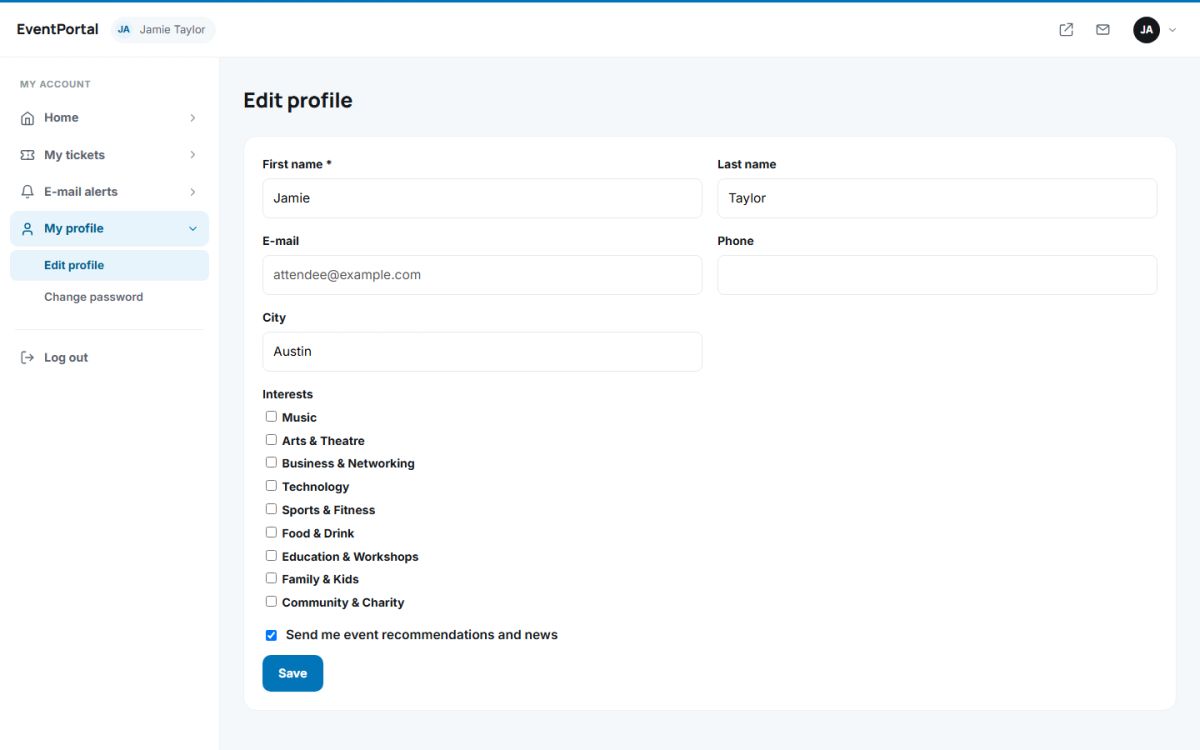
Edit profile
Open My profile → Edit profile. You can change first name, last name, phone and city. The e-mail address is shown but cannot be changed here, because it is the login. Tick the categories you are interested in to improve the recommendations, and choose whether you want to receive event news by e-mail.
Change password
Open My profile → Change password, enter the current password and the new one twice. The new password needs at least 6 characters.
Language
Open the menu at the top right (your initials) and choose a language. The choice is remembered for the next login. Available languages are managed by the administrator in Languages and translations.
Logging out
Use Log out in the side menu or in the user menu. Sessions also end after 12 hours without activity.
Last updated