Searching and Filtering Events
The search page lets visitors narrow thousands of events down to the right few. All filters can be combined and the result updates with a click.
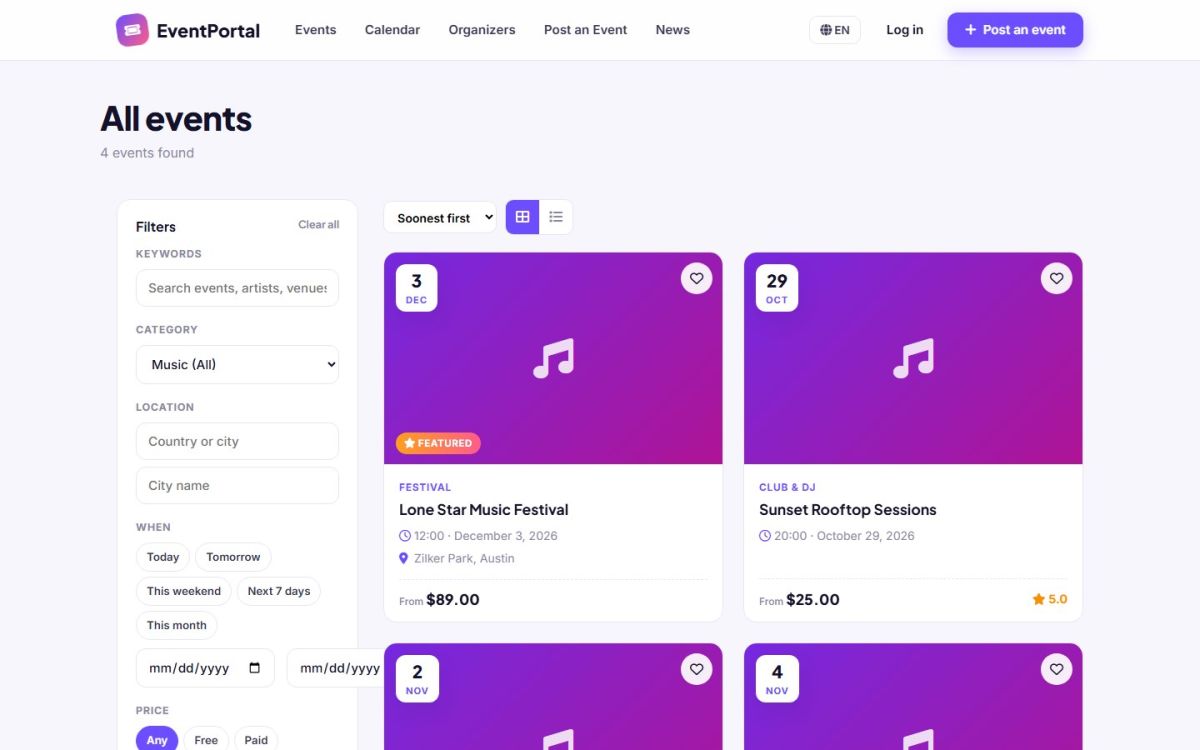
Filters
| Filter | What it does |
|---|---|
| Keywords | Searches title, short description, description, tags, venue and city. |
| Category | A main category includes all its sub categories. Choose a sub category to be more precise. |
| Location | Type a country or city and pick it from the suggestions. A country includes all its cities. |
| City name | A free text match on the city field of the event. |
| When | Today, Tomorrow, This weekend, Next 7 days, This month, or an exact from and to date. |
| Price | Any, Free (lowest ticket price is zero) or Paid. |
| Online events | Shows only events held online. |
Past events are never listed. Active filters stay in the address, so a filtered search can be bookmarked or shared. Clear all resets the page.
Sorting and views
- Soonest first (default), Most popular (by views, featured first), Newest and Lowest price
- Switch between grid and list view with the two buttons above the results
- Pagination appears when there are more events than the page size. The size is set in General settings (Events per page)
On mobile
The filter panel collapses behind a Filters button, so the result list gets the whole screen.
Ready-made search links
You can link to a filtered search from any page, banner or newsletter. For example index.php?mod=search&price=free&when=weekend shows free events this weekend. Other parameters are q, category, city, online=1 and sort.
Add links to the most popular searches in your pages or footer. They are great landing pages for search engines too.
Last updated