SEO, Analytics Tracking and Social Media
Event Portal is built to be found. This page lists what is automatic and what you can add.
Built-in SEO
- A unique title and description on every page. Events use the event name, date and short description
- Open Graph and Twitter cards, so shared links show a title, text and the cover image
- Structured data (Schema.org Event) on event pages for rich results in Google
- Sitemap at
/sitemap.phpwith the home page, main pages, all active events and organizers - Optional friendly event URLs in General settings
- Per page SEO title and description fields in Pages
Add your sitemap address to Google Search Console and to robots.txt (a line Sitemap: https://your-domain/sitemap.php).
Tracking
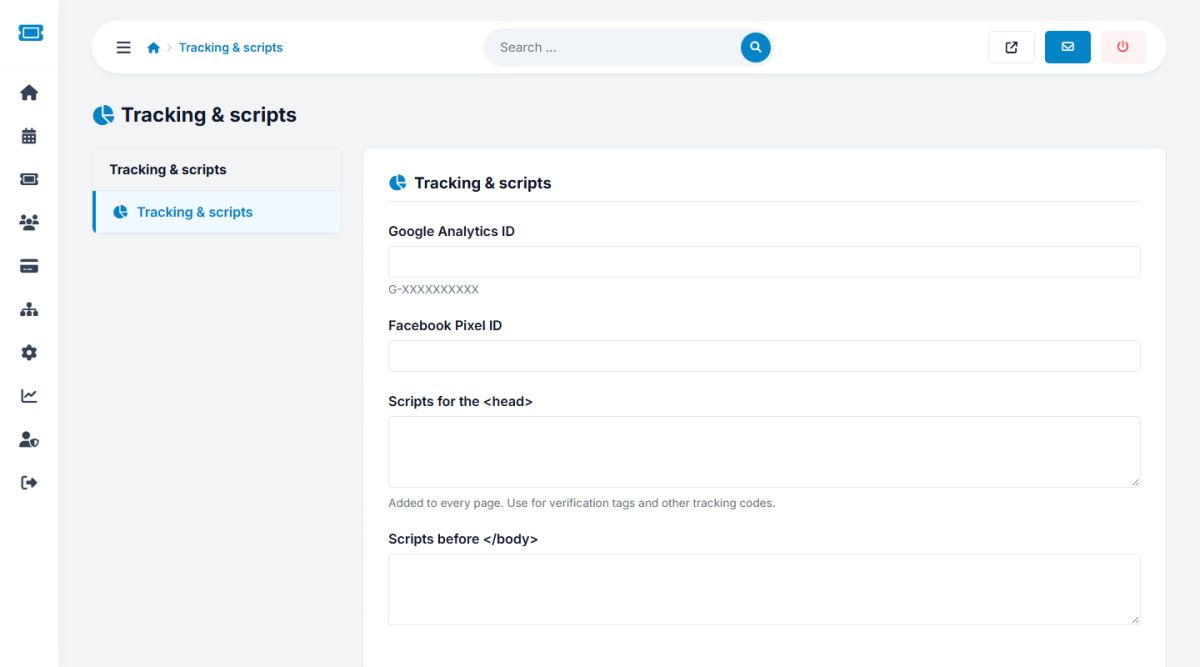
Open Settings → Tracking and scripts.
- Google Analytics ID: for example
G-XXXXXXXXXX - Facebook Pixel ID
- Scripts for the <head> and before </body>: paste any other code, such as site verification tags, chat widgets or other pixels. They are added to every public page exactly as typed
Only paste code from sources you trust. Scripts added here run on every page of your website.
Social media
Settings → Social media accepts the web addresses of your Facebook, X, Instagram, LinkedIn, YouTube, TikTok and Pinterest profiles. Icons linking to them appear in the footer for every address you fill in.
Built-in statistics
The portal also records visits itself. See Statistics and reports.
Last updated