E-mail Alerts for New Events
An alert tells Event Portal: e-mail me when a new event appears that matches what I like. It is one of the best ways to bring attendees back.
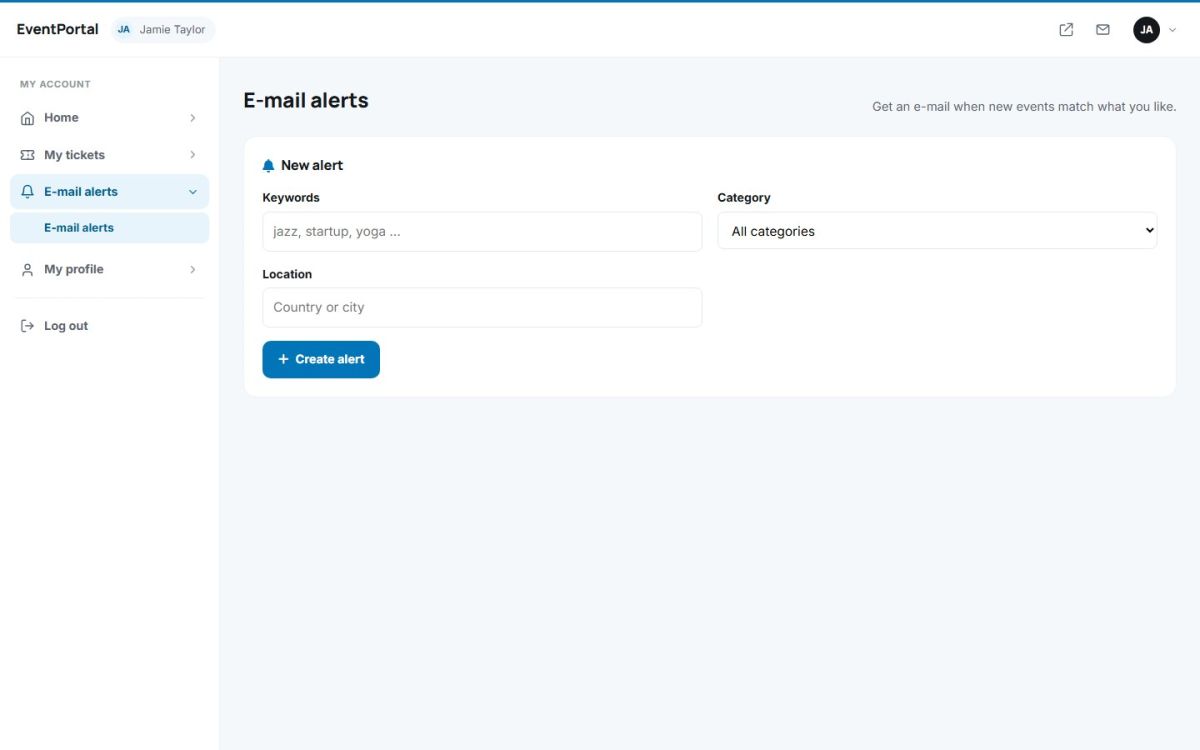
Creating an alert
- Log in and open E-mail alerts in the attendee panel.
- Fill in at least one of: keywords (for example jazz), a category, or a location (type a country or city and pick it from the list).
- Press Create alert. The alert appears in the list below and can be deleted at any time.
An alert may combine several filters, for instance category Music in Spain.
How alerts are sent
The scheduled task cron.php checks every alert and e-mails the events created since the previous message. If nothing new matches, no e-mail is sent. For alerts to work the administrator needs to schedule the task and configure e-mail sending. See The configuration file and General settings and e-mail.
Attendees can also get a reminder e-mail the day before an event they have tickets for. This uses the same scheduled task.
Last updated