Languages and Translating the Website
Event Portal ships with English and Spanish and can speak any language you add. You translate it in the browser, without editing files.
Adding a language
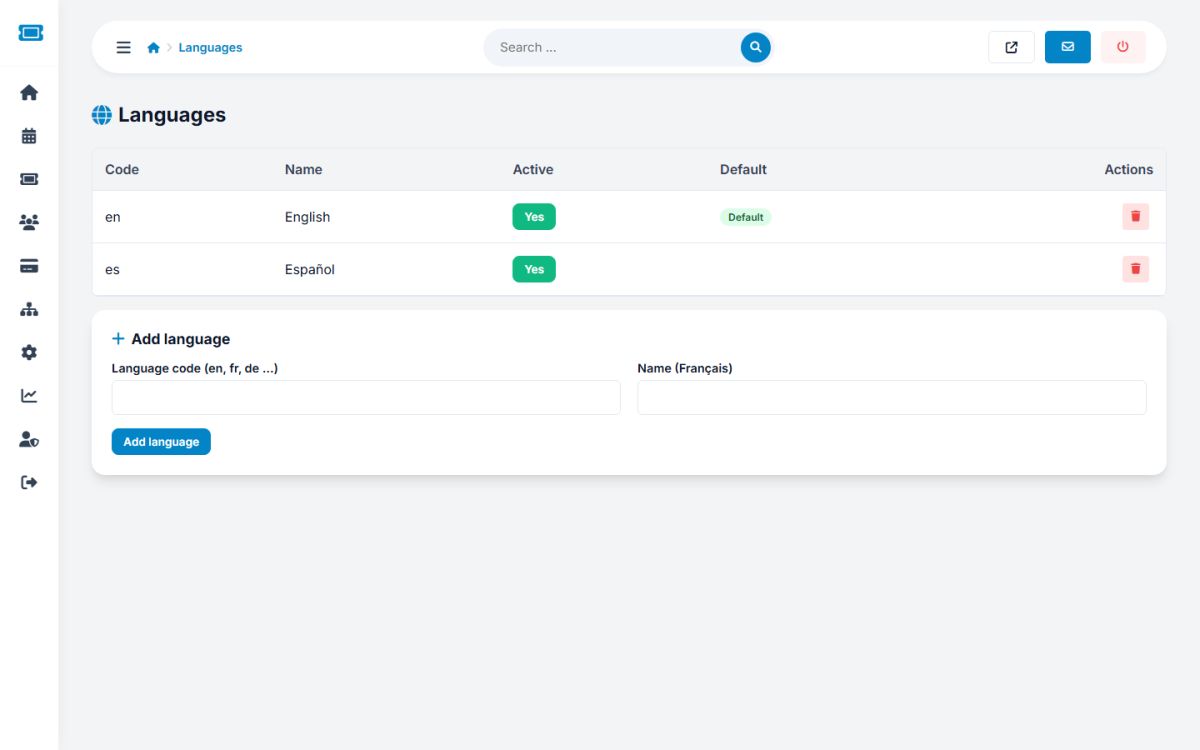
- Open Settings → Languages.
- Enter the two-letter code (for example
fr) and the name shown in the language switcher (for example Français). - Press Add language. The portal creates an empty translation file, copies the English category list and copies the page titles so the menu is complete.
- Translate the texts, pages and categories as described below.
The Active button hides or shows a language. The default and English languages cannot be deleted. The language switcher appears in the header when Multi-language website is on in General settings, and the default language is set there too.
Translating interface texts
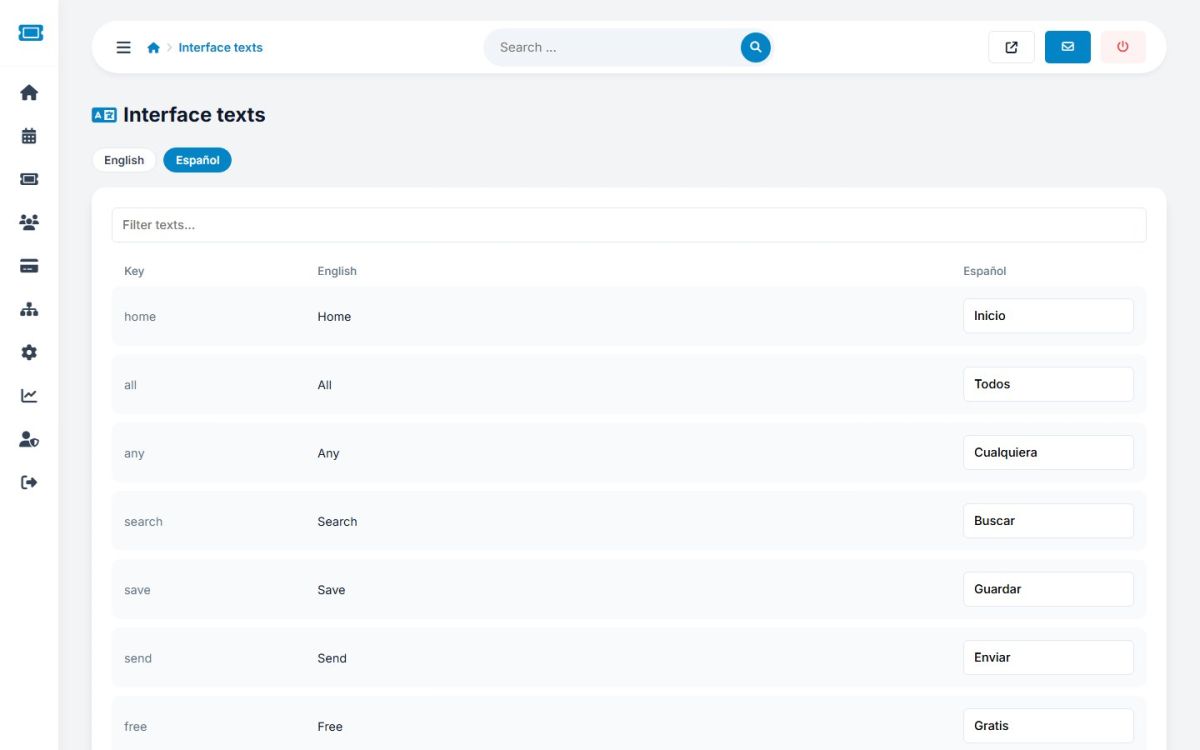
Open Website → Interface texts, choose the language tab and type the translations. English is shown next to each field. Use the filter box to find a text. Texts you leave empty fall back to English, so a language can be translated step by step. Press Save at the bottom.
What else to translate
- Pages: titles, URL slugs, SEO texts and content have a tab per language in Pages
- News and FAQ entries are written per language
- Home headline per language in Logo and branding
- Categories: edit the new language's file in Events → Categories
- Events are written by organizers in their own language
Admin panel language
The administration panel texts are in ADMIN/en.php. To translate the panel, copy it to ADMIN/xx.php, translate the values and set the language code in the administrator's profile. Organizers and attendees choose their panel language in the user menu.
Last updated