User manual · version 8.0
Jobs Portal user manual
Everything you need to install, configure and run your own job board: the public website, the jobseeker and employer panels and the complete admin panel.
1Getting Started
Jobs Portal overviewOverview of Jobs Portal, a PHP and MySQL job board script with AI search, resume builder, employer packages, CV database and a full admin panel. Learn how...
Installing Jobs PortalStep-by-step installation of the Jobs Portal PHP job board script: upload files, create the MySQL database, import the SQL file, edit config.php and set...
First steps after installationWhat to configure first after installing the Jobs Portal job board script: admin password, site name, logo, e-mail, pricing, categories, locations...
FAQ and troubleshootingAnswers to common Jobs Portal questions: e-mails not arriving, blank pages, upload limits, resetting the admin password, cron and payments.
2Public Website
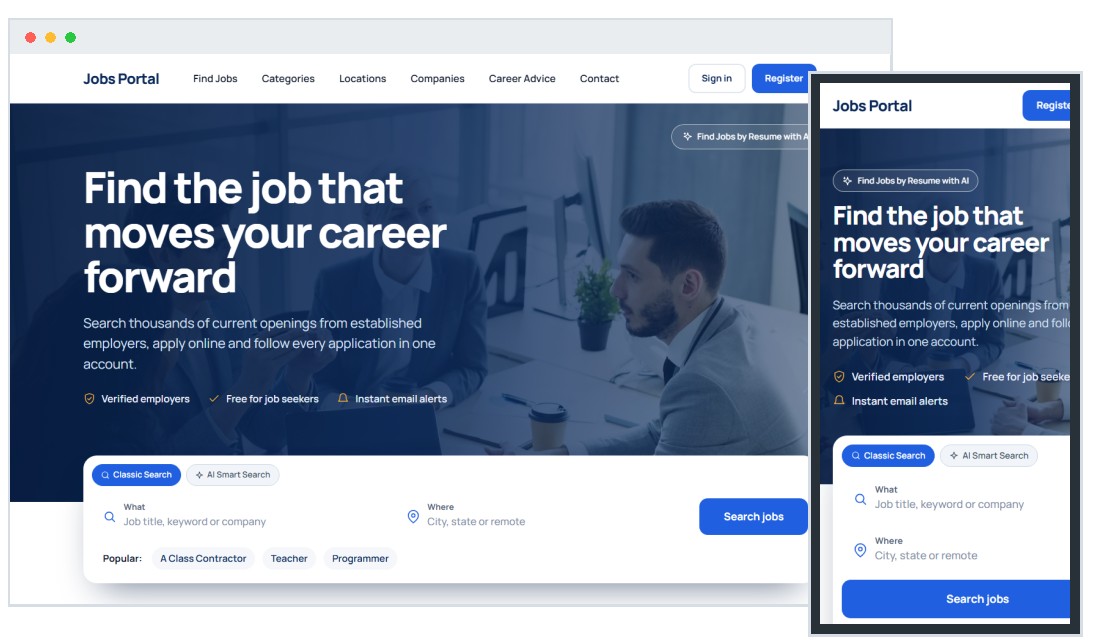
The public home pageThe Jobs Portal public home page: hero job search, classic and AI search tabs, live statistics, latest and featured jobs, categories, locations...
Searching for jobsHow job search works in Jobs Portal: keyword and location search, category, job type, date posted and salary filters, sorting, pagination, featured jobs...
The job details pageThe Jobs Portal job details page: description, salary, apply button, external apply link, PDF attachment, similar jobs, sharing and Google-ready...
Company directory and employer profilesJobs Portal company directory: search hiring companies, view branded employer profiles with logo, description, gallery, video and open jobs.
Browsing jobs by category and by locationCategory and location pages in Jobs Portal: featured category images, job counts, sub-categories, country and city listings, and custom SEO titles...
AI job search and AI resume matcherJobs Portal AI features: natural-language job search and an AI resume matcher that reads PDF, DOCX or TXT resumes, extracts skills and ranks open jobs by...
Registration, login and password resetRegistration and login in Jobs Portal: jobseeker and employer sign-up, resume upload, e-mail validation, captcha, forgotten password reset and account...
E-mail job alertsHow e-mail job alerts work in Jobs Portal: visitors save a search with keyword, category and location, confirm by e-mail and can cancel anytime.
News, FAQ and contact pagesThe content pages of Jobs Portal: news and career advice articles, FAQ accordion, contact form with spam protection, privacy policy and terms pages.
3Jobseeker Panel
The jobseeker dashboardThe Jobs Portal jobseeker dashboard: application history with status, documents, job alerts, messages, quick actions and the account menu.
Creating a resume with AICreate an online resume with AI in Jobs Portal: visual editor, AI-written summary and job duties, work history, education, skills, languages, interests...
Documents and video resumeManage documents in the Jobs Portal jobseeker panel: upload resume, cover letters and certificates, choose a primary resume, add a YouTube or uploaded...
Applying for jobs and tracking applicationsHow jobseekers apply for jobs in Jobs Portal, attach documents, answer employer questions, track application status and exchange private messages...
Job alerts in the jobseeker panelCreate and manage e-mail job alerts in the Jobs Portal jobseeker panel: choose a keyword, category and location and edit or delete alerts at any time.
Profile, preferences and account settingsEdit the jobseeker profile in Jobs Portal: personal details, photo, public or private profile, job preferences, salary expectations, password and profile...
4Employer Panel
The employer dashboardThe Jobs Portal employer dashboard: active job postings, applications, received messages, create job listing shortcut and the employer menu explained.
Posting a jobHow employers post a job in Jobs Portal: title, category, AI job description generator, salary, location, PDF, screening questions, featured option...
Managing job adsManage job listings in the Jobs Portal employer panel: edit ads, renew expired jobs, promote to featured, remove ads and view application counts.
Reviewing applicationsReview applications in the Jobs Portal employer panel: filter by job, open candidate details and resume, approve or reject, reply and delete applications.
Searching the CV databaseEmployer CV database in Jobs Portal: search public resumes by keyword, category, location, education and work history, view candidate profiles and send...
Packages, subscriptions, credits and invoicesHow employers pay in Jobs Portal: job packages, subscriptions or credits, coupons, payment methods, payment history, invoices and pending payments.
Banner advertising for employersEmployers can buy banner placements in Jobs Portal: choose a banner area, upload an image, link to a page, renew, edit or delete banners and track their...
Sub-accounts for your recruiting teamLet your recruiting team work in one employer account: create Jobs Portal sub-accounts and decide which pages each team member can open.
Importing and exporting job ads (CSV)Import many job ads at once from a CSV file or export your jobs with Jobs Portal: choose fields, upload, review staged ads and import them as active...
Company profile and brandingSet up your employer profile in Jobs Portal: company description, contact details, social links, logo, photo gallery and video presentation, plus password...
5Admin: Jobs & Users
Admin panel: login and dashboardLog in to the Jobs Portal admin panel and use the dashboard: key numbers, traffic overview, latest jobs and employers, quick links, messages, login logs...
Managing jobs, applications and job alertsAdmin job management in Jobs Portal: add, edit, approve, renew and delete job ads, view applications, manage job alerts and import or export jobs in CSV.
Managing employers and jobseekersUser management in Jobs Portal: add and edit employer and jobseeker accounts, credits, packages, featured companies, import permission, uploaded files...
6Admin: Job Settings
Job Portal settingsAll Jobs Portal job settings explained: manual approval, job expiry, guest applications, free jobs, captcha, reCAPTCHA, search options, e-mail templates...
Categories, locations, keywords and SEO titlesManage job categories, locations, search keywords and SEO custom titles in Jobs Portal: multi-level trees in every language, images for featured items...
Custom fields and field valuesAdd custom fields to job ads, employer and jobseeker profiles in Jobs Portal and edit field value lists such as job types, experience levels and education...
AI configurationConfigure the AI features of Jobs Portal: enable AI, choose the job description and cover letter generators, set the API endpoint, model name and API key...
External job feedsFill your job board with content: connect Adzuna, Jooble, CareerJet, Talent.com, Talroo or ZipRecruiter job feeds in Jobs Portal and choose main...
GDPR and cookie consentSet up GDPR compliance in Jobs Portal: enable the cookie consent banner, edit the consent text, and publish a data processing agreement shown on...
7Admin: Payments & Ads
Payments, packages, credits and invoicesMonetize your job board with Jobs Portal: charging models (packages, subscriptions, credits, direct payments), PayPal, Stripe and bank wire setup, coupons...
Banners and advertisementsEarn from advertising with Jobs Portal: create banner areas and prices, approve employer banners, and paste AdSense or custom ad code into predefined page...
8Admin: Website & Content
Pages, menu structure and newsManage the website structure in Jobs Portal: drag and drop the page tree, edit page content and SEO meta tags per language, assign extensions, and publish...
Logo, templates, interface texts and custom tagsCustomize the look of your job board: upload a logo and favicon, activate a template, edit the HTML, rename interface texts and use custom tags in Jobs...
9Admin: System
General settings, e-mail, tracking and social mediaConfigure the website name, SEO URLs, time zone, colors, fonts, e-mail and SMTP, maintenance mode, Google Analytics, tracking codes and social links...
Languages and translationsRun your job board in several languages: add a new language, translate the interface file, and translate pages, categories and locations in Jobs Portal.
Statistics and reportsBuilt-in analytics for your job board: traffic reports, referral sources, audience and technology reports and the live activity log in the Jobs Portal admin.
Admin users, groups and permissionsCreate admin users and groups with limited access in Jobs Portal: define which modules each moderator can open using the permissions matrix.
BackupsCreate and download database backups from the Jobs Portal admin panel, and learn what to back up on your server including uploaded files.