Packages, subscriptions, credits and invoices
What an employer sees in Home → Payments depends on the charging method you selected in the admin panel.
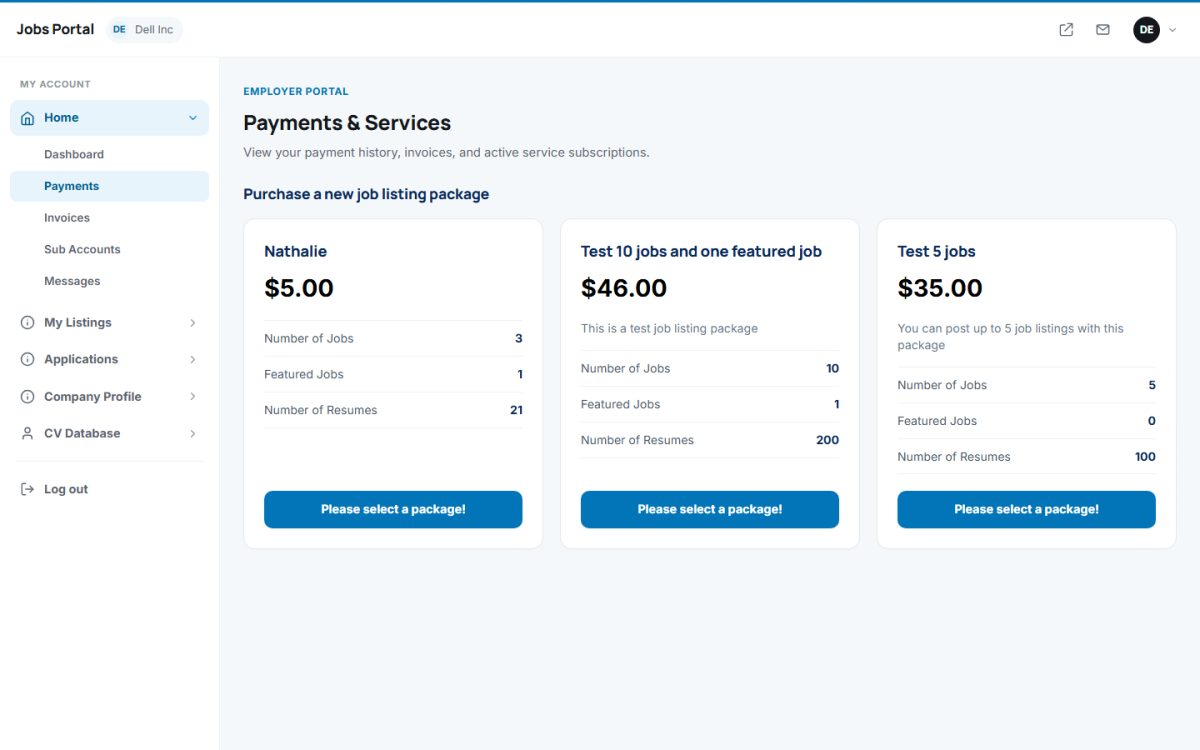
Charging methods
| Method (admin setting) | What the employer sees |
|---|---|
| Site Free for Employers | A notice that posting is free. |
| Using Packages | Cards with the price, number of jobs, featured jobs and resume views. A coupon code can be entered for a discount. After payment the package appears in the list of active packages and is used when posting. |
| Using Subscriptions | The current subscription, its limits (jobs, featured jobs, banners) and the plans available to switch to. |
| Using Credits | The credit balance and a form to buy credits (limited by the minimum and maximum purchase). Credits are then spent on posting, renewing, featuring and viewing resumes. |
Paying
After choosing a package, the employer selects a payment method among those you enabled: PayPal, card payment (Stripe), or bank wire transfer and cheque with the instructions you entered. Bank transfers and cheques stay pending until you approve them in Payments → Approve Payments. An employer can cancel a pending order.
Invoices and history
Home → Invoices lists paid orders with the invoice code, so employers can download their invoices. The numbering, VAT and company details are set in Invoice Settings.
New employers
New employers can get free jobs and free credits to try the service, configured in Employer & Candidate Rules and Credits.
Last updated