The job details page
Every job has its own page designed to drive applications and to rank in Google.
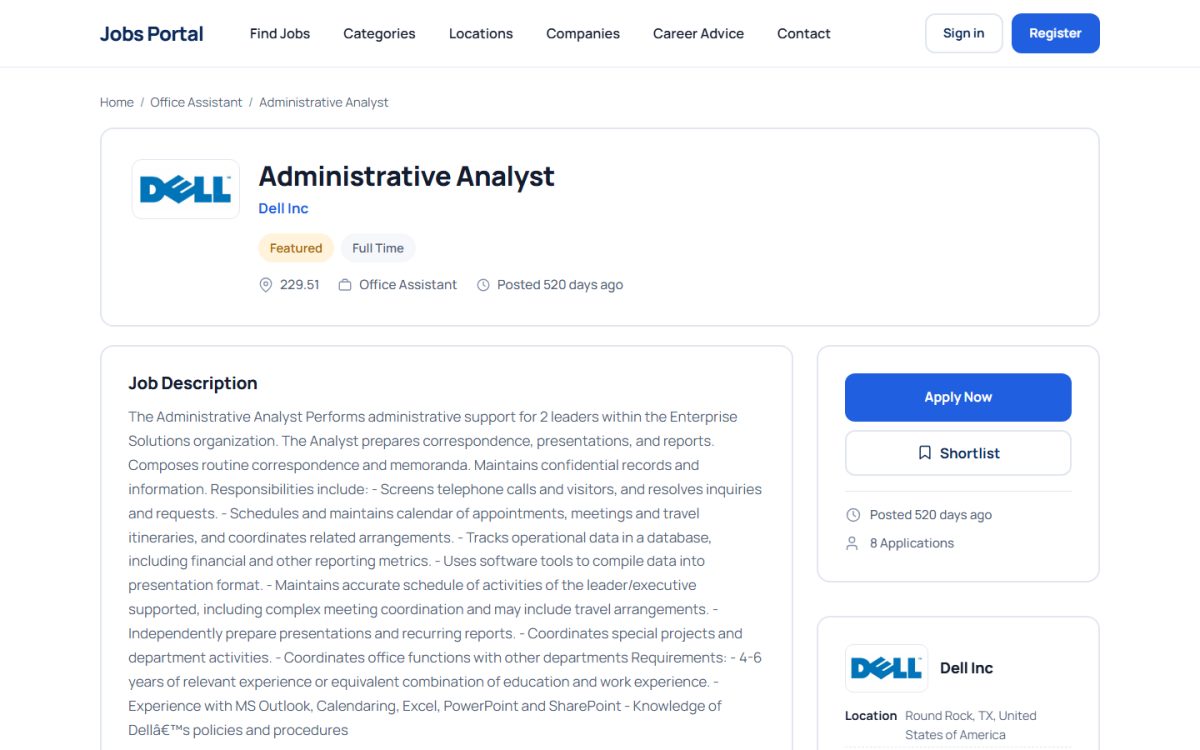
What the page shows
- Job title, company logo and name, location, category, job type and salary.
- The full description with formatting (headings, lists, links). Unsafe HTML such as scripts is removed automatically.
- Additional custom fields defined in Job Fields, for example Experience Level.
- An optional PDF attached by the employer, displayed inside the page.
- Company details with a link to the company profile, and up to three similar jobs.
- Share buttons (e-mail, LinkedIn, X) and a Shortlist button.
- The number of visits, if Show Number of Visits for Jobs is enabled.
How candidates apply
If the employer entered an Application URL, the button opens that external page. Otherwise Apply Now starts the built-in application: a registered jobseeker can attach a resume or document and a cover message and answer the employer’s screening questions; unregistered visitors can apply as guests if Allow Guest Applications is switched on. Employers then handle the application in the employer panel and jobseekers follow it in their application history.
Which jobs are visible
A job is shown only when it is active, approved (Manually Approve New Jobs) and not expired. Expired or inactive jobs return a not-found page, so visitors never land on outdated ads.
SEO
The page includes JobPosting structured data (title, date posted, valid-through date, hiring organization, location and salary) that helps jobs appear in Google’s job search. Page titles and descriptions are generated from the job; category and location pages can have custom titles in Custom Titles.
Last updated