Applying for jobs and tracking applications
From the first click on Apply Now to the employer’s reply, the whole process stays inside your job board.
How to apply
- Open a job and press Apply Now. (If the employer provided an application URL, the button opens that external page instead.)
- Write an optional cover message.
- Tick the documents from your profile to attach – the primary resume is pre-selected – or upload a new document.
- Answer the questions from the employer, if the job has screening questions.
- Press Submit application. The employer is notified by e-mail and the application appears in the employer panel.
A candidate can apply to a job only once. If Allow Guest Applications is enabled in the settings, visitors without an account can apply by entering their name, e-mail and phone; otherwise they are asked to log in or register.
Application history
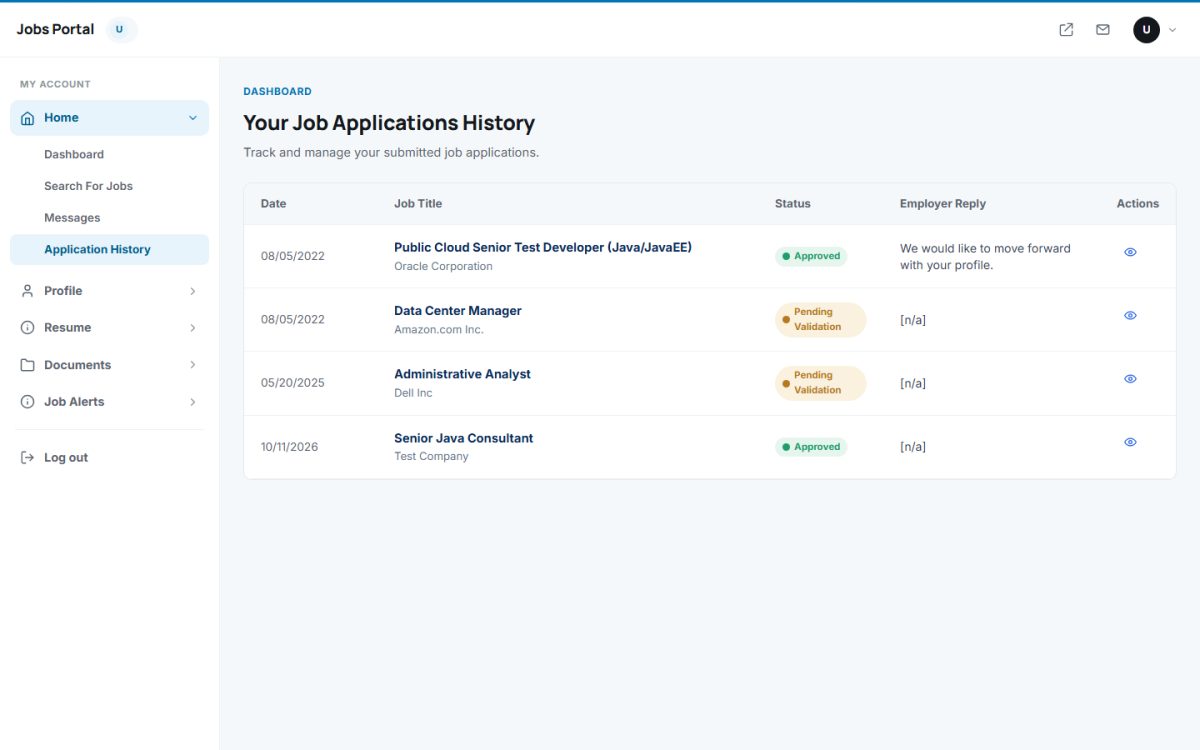
Home → Application History lists all applications with date, job title, company, status and the employer’s reply. Open an application to read the full job description, your message and the reply.
| Status | Meaning |
|---|---|
| Pending Validation | The employer has not reviewed the application yet. |
| Approved | The employer is interested; their reply explains the next steps. |
| Rejected | The employer closed the application. |
Private messages
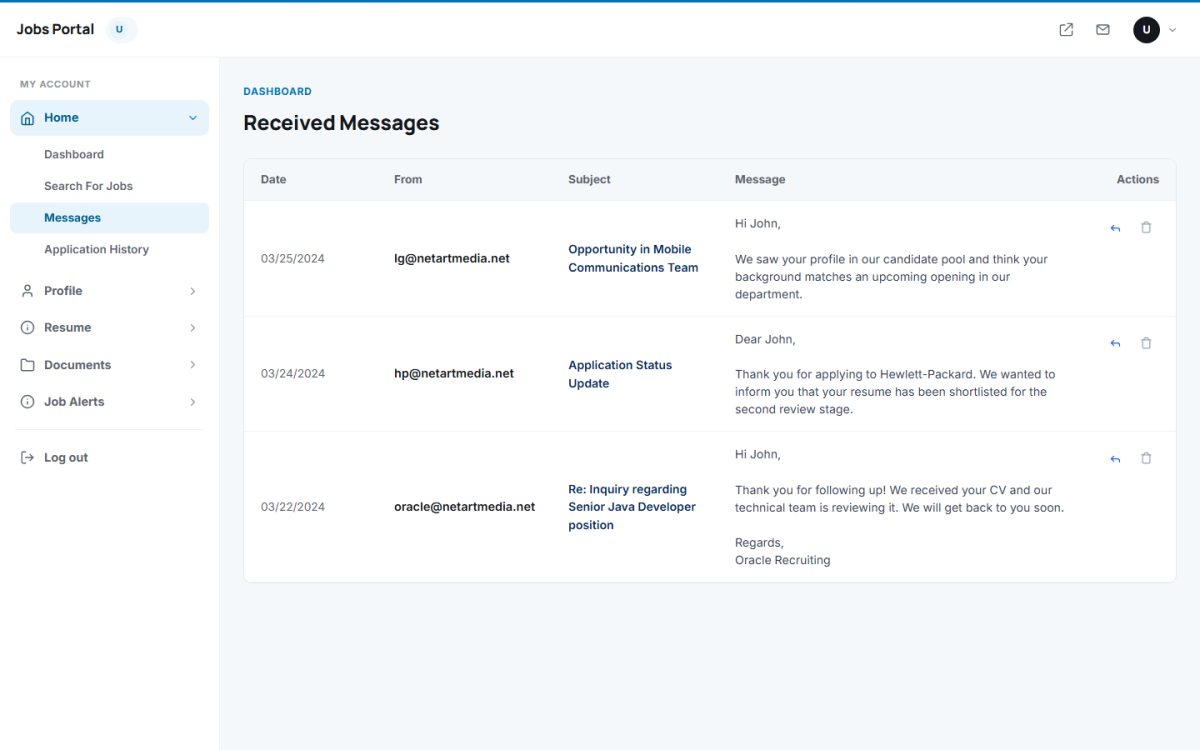
Employers can write to candidates whose profile is public. The messages arrive in Home → Messages, where the candidate can read, reply and delete them. Replies are also sent by e-mail to the employer.
Last updated