Pages, menu structure and news
Everything visitors see in the menu is a page you control.
Pages
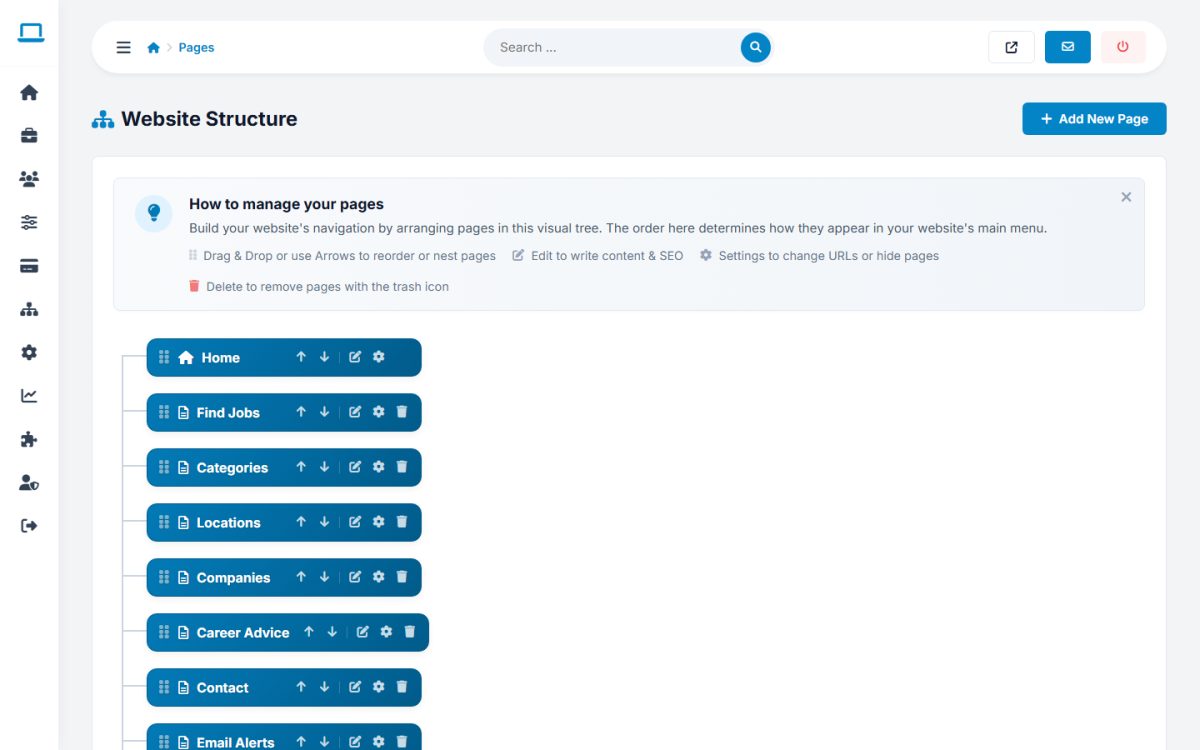
Website → Pages shows the site tree. Drag and drop pages to change the order and nest sub-pages. Each page has icons for edit, settings and delete.
Page settings
- Title, URL slug and meta tags per language (the meta title and description are used by search engines).
- Extension File: the PHP module that runs on the page (for example
jobseekers,employers,contact,jobs). Leave empty for plain content pages. - Active: hide a page without deleting it.
- Show only in footer menu: for pages such as Privacy Policy and Terms.
Page content
Edit the content with the rich text editor. You can use custom tags to insert dynamic blocks.
News
Website → News manages the articles shown on the News page: title, image, date, text, active status and SEO fields. The latest articles also appear on the home page.
FAQ Manager
Extensions → FAQ Manager maintains the questions and answers of the FAQ page.
Last updated