Sub-accounts for your recruiting team
Larger companies can give each recruiter a personal login without sharing the main password.
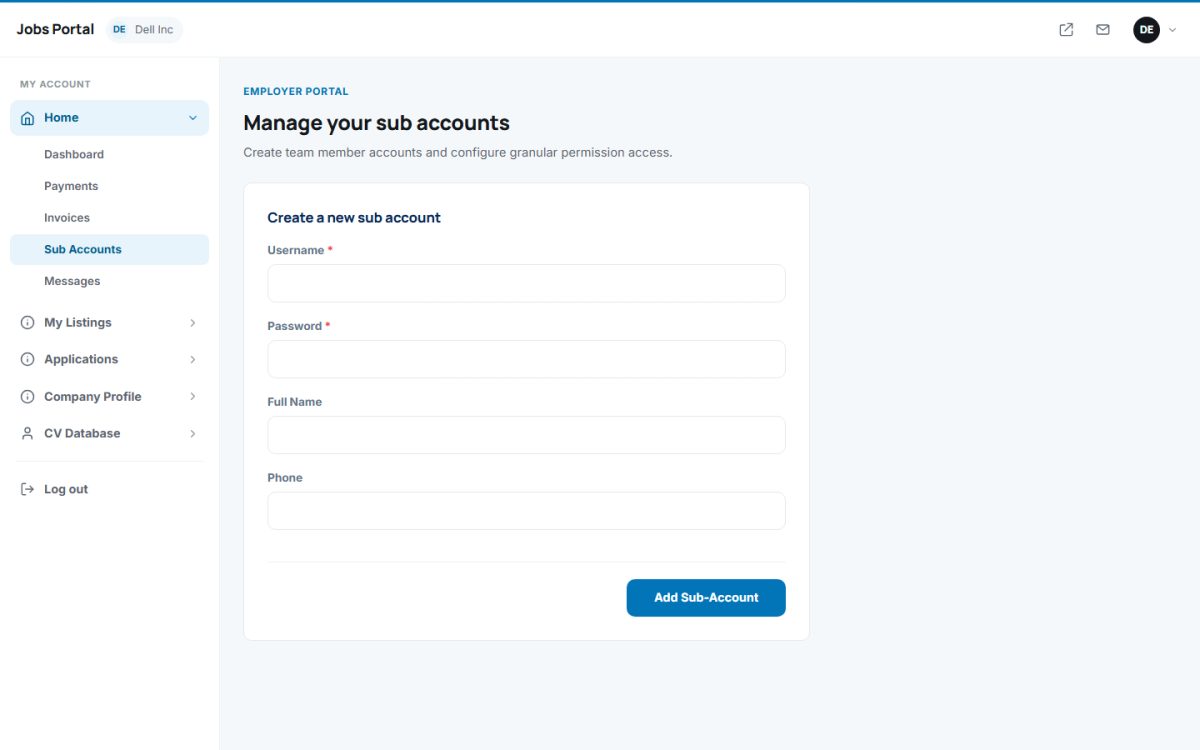
Create a sub-account
- Open Home → Sub Accounts.
- Enter a username (at least 4 characters; letters, numbers and
_ - . @), a password (at least 6 characters), full name and phone. - Press Add Sub-Account. The team member signs in on the normal login page with the sub-account username and password and works inside the employer account.
Permissions
Open the Permissions tab to tick which pages each sub-account may use (for example only Applications, but not Payments). A sub-account that opens a page without permission sees an access denied message. The Dashboard is always available.
Edit or delete
Edit the name, phone or password of a sub-account, or delete it. Deleting removes its permissions too.
Only give the Payments, Company Profile and Sub Accounts pages to people you fully trust.
Last updated