Payments, packages, credits and invoices
The Payments menu defines how you earn money: what employers pay for, which gateways they use and how invoices are produced.
Charging model
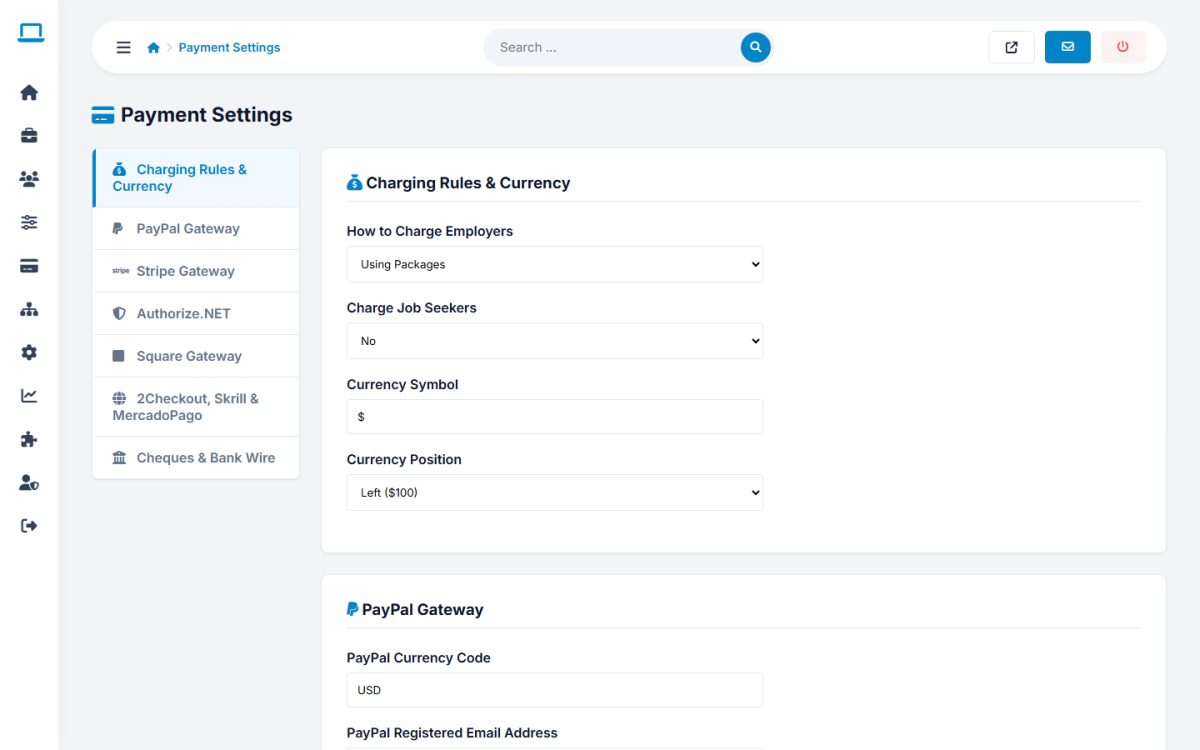
In Payments → Payment Settings → Charging Rules & Currency choose How to Charge Employers:
| Model | How it works |
|---|---|
| Site is free | No payments. Everything is available to employers. |
| Packages | Employers buy bundles with a number of jobs, resume views and featured ads. |
| Subscriptions | Recurring plans billed every 1, 3, 6, 12 or 24 months with job, featured and banner limits. |
| Credits | Employers buy credits and spend them on actions. |
| Direct payments | Employers pay for each job ad when they post it. |
You can also charge jobseekers (Charge Job Seekers), and set the Currency Symbol and its position (before or after the amount).
Packages
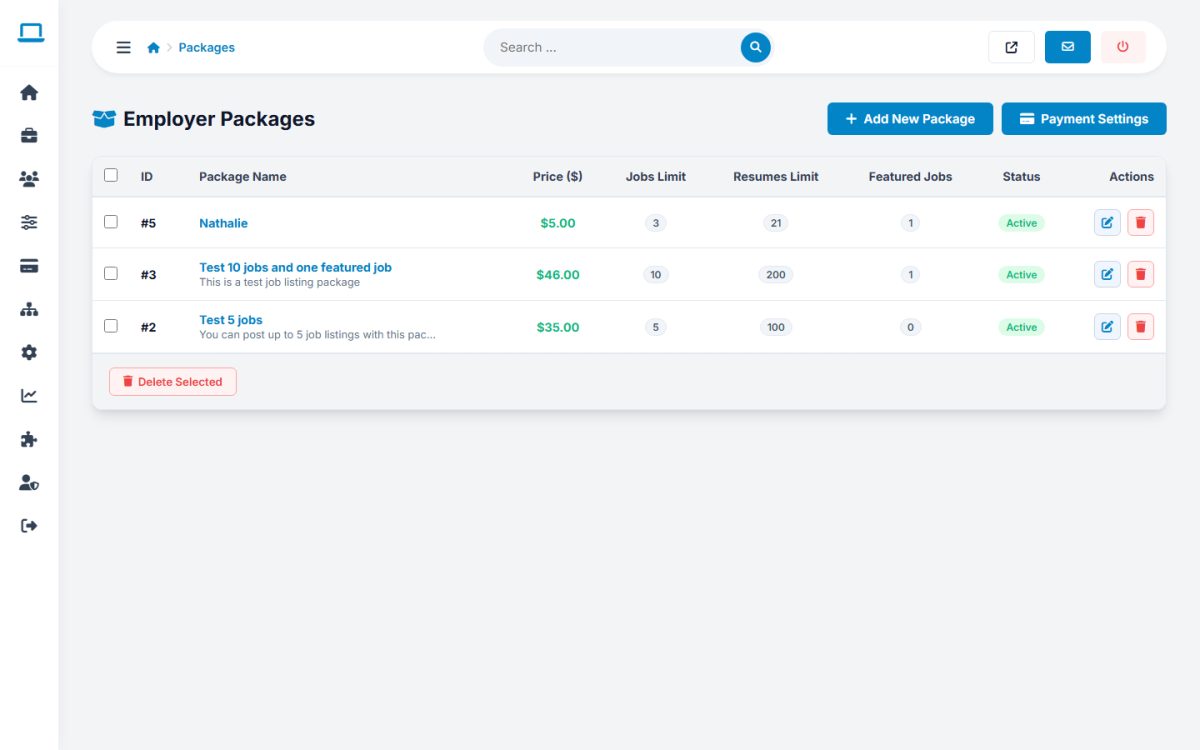
Payments → Packages: name, price, status, description, number of jobs, resume views, featured jobs and sort order. Employers choose a package on the Packages & Payments page.
Subscriptions
Name, price, billing period, maximum jobs, featured jobs and banners, auto-renew, one-time use (for trial plans) and optional custom HTML for the payment button.
Credits
Payments → Credits: price of 1 credit, free credits for new users, minimum and maximum purchase, and the credit cost of posting, renewing and featuring a job, viewing a resume and applying to a job.
Payment gateways
The tabs of Payment Settings configure each gateway:
| Gateway | Needed |
|---|---|
| PayPal | Currency code and the registered PayPal e-mail |
| Stripe | Publishable key and secret key |
| Authorize.Net, Square | Account credentials from the provider |
| 2Checkout, Skrill, MercadoPago | Merchant ID / account e-mail |
| Cheques & Bank Wire | Instruction text shown to the employer |
Online gateways redirect the employer to the provider, but the script does not receive an automatic confirmation yet. Check your PayPal or Stripe account and confirm each order in Approve Payments.
Approve Payments and archive
Approve Payments lists pending orders (bank wire, cheque and online payments waiting for confirmation). Press Approve to deliver the package, subscription or credits, or delete the order. Completed orders go to the Payments Archive.
Coupons
Payments → Coupons: create a code and a percentage discount. Employers enter it at checkout.
Invoices
Invoices lists the invoice of every paid order for download, plus Pro Forma invoices. Invoice Settings holds the starting numbers, default VAT, issuer details, footer text and the option to e-mail invoices automatically (subject and body can use [INVOICE_LINK]).
Last updated