Job Portal settings
Job Settings → Configuration Options defines how your marketplace works. The page has five tabs; remember to press Save All Settings at the bottom.
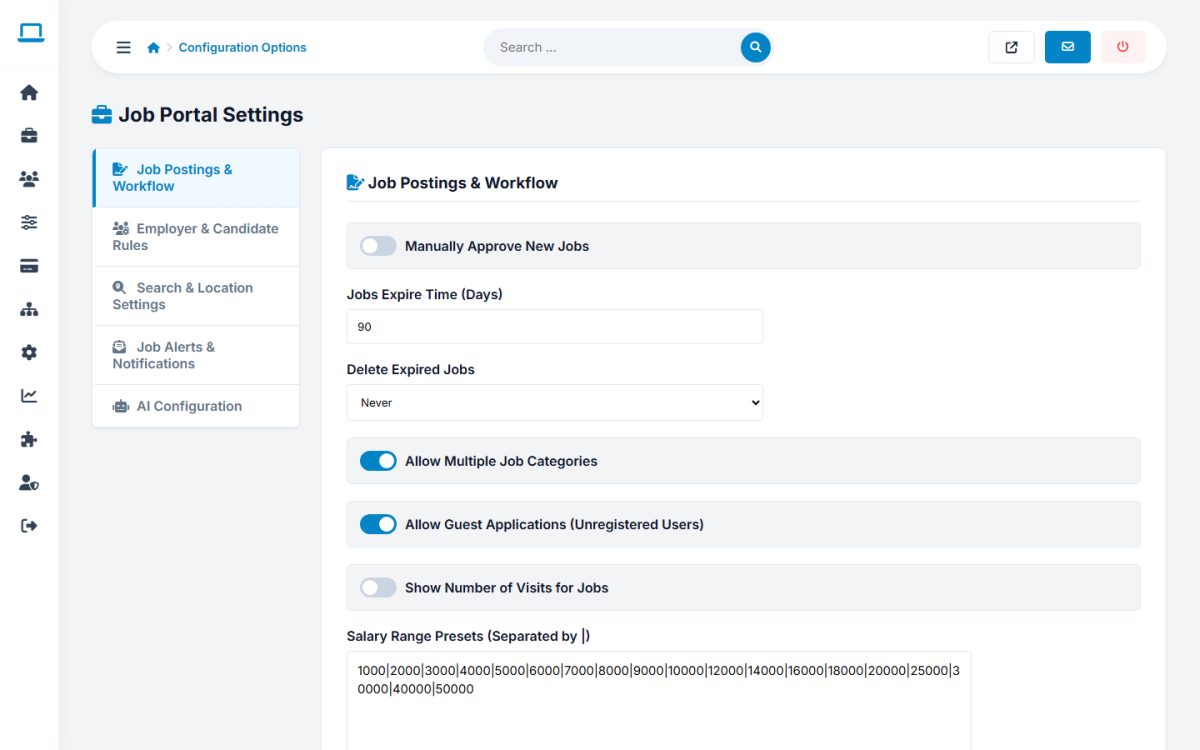
Job Postings & Workflow
| Setting | What it does |
|---|---|
| Manually Approve New Jobs | New jobs from employers are hidden until you activate them. |
| Jobs Expire Time (Days) | How long a job stays online. After that it disappears from the public site and the employer can renew it. Set 0 for ads that never expire. |
| Delete Expired Jobs | Never, or after 1, 3, 6 or 12 months (used by the clean-up task). |
| Allow Multiple Job Categories | Employers can place a job in up to three categories. |
| Allow Guest Applications | Visitors without an account can apply by entering their name, e-mail and resume. |
| Show Number of Visits for Jobs | Displays the view counter on the job page. |
| Salary Range Presets | The values offered in the salary filter, separated by |. |
Employer & Candidate Rules
| Setting | What it does |
|---|---|
| Manually Approve New Employers | New employer accounts must be activated by you. |
| Require New Users to Validate Their E-mail Address | Users must click the link in an e-mail before their account is active. |
| Use Captcha on the Registration and Alert Forms | Shows an image captcha. Combine with Use Google reCAPTCHA and enter the Site Key and Secret Key from Google to use reCAPTCHA instead. |
| Free Jobs Provided for New Employers | How many ads a new employer can post before buying anything. |
| Maximum Resume Files per Jobseeker | Limit of stored documents per candidate. |
| Maximum Attachment File Size (Bytes) | Upload size limit, for example 5242880 for 5 MB (also limited by your PHP configuration). |
| Partner Companies | Image URLs (one per line) shown as partner logos. |
Search & Location Settings
| Setting | What it does |
|---|---|
| Search Results per Page | Number of jobs per page in the results. |
| Listings in Featured Section | How many featured jobs the home page shows. |
| Show Number of Jobs in Category | Shows the job counts next to categories and locations. |
| Search Suggestions Type | None, jobs by keyword, job categories, or both. |
| Enable ZIP Code Field / ZIP Radius Search | Adds a ZIP code to jobs and lets visitors search within a distance. |
Job Alerts & Notifications
Send Feed E-mail Alerts (do not send / send e-mails), Email Alert Title and Body Template with the placeholders [FIRST_NAME] and [JOBS_LINK], and the subject and body of the New Employer Welcome and New Jobseeker Welcome e-mails (the placeholder [USER] inserts the e-mail address). Leave a subject empty to send no welcome e-mail.
AI Configuration
See AI configuration.
Last updated